Meta glasses · camera
The Meta glasses camera, model by model and in practice
Is the camera on Meta glasses good enough for what you want to film? This guide sets out what Meta and Oakley publish for each model as of October 31, 2026, what those numbers mean when the camera sits on your face, and how to get steadier, sharper clips. It ends with OXIVUE's 8 MP frames and what they do not do.
Still deciding? Get the M02C and M14 comparison in your inbox, with your new-customer price already applied.
One email with the comparison, one follow-up a few days later. Unsubscribe any time.
1. Meta glasses camera specs by model
Ray-Ban Meta (Gen 2), Oakley Meta HSTN and Oakley Meta Vanguard all take 12 MP photos through an ultra-wide lens and record up to 3K at 30 fps, according to Meta’s guide to shooting POV and its camera page (checked October 31, 2026). The differences are the field of view, where the camera sits and the extra modes. Every figure below comes from meta.com or oakley.com. A dash means we could not read that figure on those pages today, so check the spec panel on the model’s meta.com product page.
| Ray-Ban Meta (Gen 1) | Ray-Ban Meta (Gen 2) | Oakley Meta HSTN | Oakley Meta Vanguard | Meta Ray-Ban Display | |
|---|---|---|---|---|---|
| Photos | — | 12 MP ultra-wide | 12 MP ultra-wide | 12 MP ultra-wide, centred | — |
| Field of view | — | 100° | 100° | 122° | — |
| Camera position (Meta) | Upper-left corner of the frame | Upper-left corner of the frame | Upper right of the frame | Above the nose bridge | — |
| Top video mode | 1080p; resolution not adjustable | 3K at 30 fps | 3K at 30 fps | 3K at 30 fps | — |
| Smoothest mode | — | 1080p at 60 fps | 1080p at 60 fps | 1080p at 60 fps | — |
| Stabilisation | — | Adjustable, not in 3K | Adjustable, not in 3K | Adjustable, not in 3K | — |
| Slow motion / hyperlapse | Hyperlapse | Both | Both | Both | — |
| Low light (Meta’s wording) | Auto brightness and exposure | Ultrawide HDR; auto brightness and exposure | “Low-light-optimized”; auto exposure | “Low-light-optimized”; auto exposure | — |
| Zoom / viewfinder | None listed | None listed | None listed | None listed | 3x digital zoom; real-time viewfinder |
| Price on meta.com | — | $379 (Wayfarer) | From $399 | From $499 | $799 with Meta Neural Band |
Sources, all checked October 31, 2026: Meta’s POV guide, camera page, travel photography tips, vlogging page, outdoor page, Gen 2 launch post, Vanguard post, concerts page and Display launch post, plus the meta.com product pages for prices.
Two newer lines are not in the table. Ray-Ban Meta (Gen 3) is $449 for the Wayfarer on meta.com, but its camera spec panel did not load for us today; our Meta glasses Gen 3 guidecovers it. Meta’s own-brand Meta Glasses range starts at $249, and Meta’s camera page says it also has a 12 MP ultra-wide camera. For price, fit and lenses on the models above, see our guides to Ray-Ban Meta Gen 2, Oakley Meta HSTN, Oakley Meta Vanguard and the Meta Ray-Ban Display.
2. What 12 MP, 3K and 60 fps mean on your face
Meta defines 3K as up to 2384 × 3168 pixels at 30 fps, in its help article “How to change video settings on AI glasses” (checked October 31, 2026). The 12 MP figure is for still photos. Video is a separate mode, so a megapixel number on its own tells you nothing about video resolution. Meta says Gen 2’s 3K is “2x more pixels than the previous generation,” and the previous generation, Gen 1, records 1080p.
The same help article sets two limits that matter more than the headline number:
- 60 fps only works at the default resolution.Meta says it “isn’t currently available with high resolution,” so you choose between 3K detail and 60 fps smoothness, not both.
- Adjustable stabilisation is off the table in 3K. Meta says it works with the default resolution only, and that post-capture stabilisation is not supported either, so you cannot fix a shaky clip afterwards in the app.
Meta’s own advice follows from that. Its POV guide says to use 3K for detailed scenery or action shots and to stick with 1080p for longer recordings or social posts, to save battery and storage. It suggests 30 fps for everyday clips and 60 fps for fast action such as biking or running. In practice: a still landscape or a city view suits 3K, while a walk, a run or a ride usually looks better at 1080p with stabilisation on. For how 3K compares with the 4K claims on other camera glasses, see our guide to 4K camera glasses.
3. Framing: the camera follows your head, not your eyes
The camera on any pair of camera glasses points where your head points. Look down at a menu with your eyes alone and the clip shows the room ahead, so turn your face toward whatever you want in the shot. Meta’s POV guide puts it as “Move your head, crouch or tilt to capture unique perspectives.”
Where the lens sits changes the framing too. Meta’s travel photography page says the camera sits in the upper-left corner of the frame on Ray-Ban Meta, on the upper right on Oakley Meta HSTN and above the nose bridge on Oakley Meta Vanguard (checked October 31, 2026). A corner camera sits slightly to one side of your line of sight, so a subject that looks centred to you can land a little off-centre, most noticeably up close. The Vanguard’s centred lens avoids that offset.
A 100° or 122° view takes in a lot of scene. That suits point-of-view footage, but small subjects get smaller: a friend across a restaurant will fill only a sliver of the frame. Move closer than feels natural. Meta’s travel page adds a second habit worth copying: “Move through the scene naturally instead of panning your head.” Quick head turns make jerky clips.
4. Focus and zoom: what you cannot adjust
Among the models here, Meta lists zoom only on the Meta Ray-Ban Display: 3x digital zoom, controlled with hand gestures picked up by the Meta Neural Band, plus a real-time camera viewfinder (checked October 31, 2026). On the Ray-Ban Meta and Oakley Meta frames, the Meta pages we read list no zoom. Digital zoom crops into the picture rather than moving a lens, so you give up detail for reach. On every model, the reliable zoom is walking closer.
There is also no focus point to pick. On a phone you tap the subject; on glasses without a screen there is nothing to tap, and the camera decides. Hold your head still for a moment before you take a photo, and check the result on your phone while you can still take it again. The Display’s viewfinder is the only way among these models to see the frame before you shoot.
5. How to get better photos and clips
Meta’s own tips start with light and settings, and they are the simplest fixes to try:
- Shoot toward the light.Meta says natural daylight works best and that backlit scenes make your subject look dark; turning toward a window helps. Meta says Ray-Ban Meta and Oakley Meta frames adjust brightness and exposure automatically, Oakley Meta’s camera is described as “low-light-optimized” and Gen 2 adds ultrawide HDR. Even so, Meta’s first tip is daylight.
- Match the mode to the motion. 3K at 30 fps for scenery; 1080p at 60 fps for anything fast.
- Set stabilisation on purpose.Meta’s guide describes low for slow, scenic shots, medium for everyday walking, high for faster motion, and auto to let the glasses choose. It only applies at the default resolution.
- Pause at both ends. Hold still for a second after you start and before you stop. It gives you clean in and out points when you trim.
- Keep the lens clean. It sits in the front of the frame where fingers land. Our guide to cleaning Meta glasses covers it.
- Set your clip length. It is a setting in the Meta AI app; the defaults and limits are in our guide to how long Meta glasses can record.
The capture LED is part of the camera too. Meta’s help article “How to capture photos and videos with AI glasses” says it lets others know when you take photos or record video. Tell people when you film them, and see Meta glasses recording and recording laws by state before you record conversations.
6. Which Meta model suits which camera job
There is no single best Meta camera; the right one depends on what you film. Going by Meta’s figures and prices on October 31, 2026:
- Everyday photos and social clips: Ray-Ban Meta (Gen 2), $379 for the Wayfarer, with a 100° view and 3K at 30 fps.
- Sport and fast motion: Oakley Meta Vanguard, from $499, with the centred 122° lens, slow motion and hyperlapse.
- Sport styling with the Gen 2 camera specs: Oakley Meta HSTN, from $399, 100°, the same video modes.
- Framing and zoom: Meta Ray-Ban Display, $799 including the Meta Neural Band, the only one here with a viewfinder and 3x digital zoom.
- Gen 1 owners: 1080p is the ceiling. Whether 3K is worth the upgrade is covered in Ray-Ban Meta Gen 2 vs Gen 1.
7. How OXIVUE’s 8 MP cameras compare
On paper, every OXIVUE camera is lower resolution than Meta’s: 8 MP stills against Meta’s 12 MP, and no OXIVUE product page lists a 3K mode. If 3K video, 60 fps, slow motion, zoom or a viewfinder matters to you, buy Meta. The only OXIVUE video spec published is the M14’s, 1080p at 30 fps with EIS; no video resolution or frame rate is published for the other frames, and no field of view for any of them.
| Model | Photo camera | Field of view | Top video mode listed | Stabilisation | Slow motion / zoom | Price |
|---|---|---|---|---|---|---|
| Ray-Ban Meta (Gen 2) | 12 MP ultra-wide | 100° | 3K at 30 fps | Adjustable, not in 3K | Slow motion; no zoom listed | $379 on meta.com |
| Oakley Meta Vanguard | 12 MP ultra-wide, centred | 122° | 3K at 30 fps | Adjustable, not in 3K | Slow motion; no zoom listed | From $499 on meta.com |
| OXIVUE M02C | 8 MP, Sony IMX219 | Not published | Not published | Dual stabilisation | None listed | $109 at checkout ($159 listed) |
| OXIVUE M14 | 8 MP, Sony IMX219 | Not published | 1080p at 30 fps, EIS | Electronic (EIS) | None listed | $149 at checkout ($199 listed) |
| OXIVUE M08C | 8 MP, Sony IMX219 | Not published | Not published | Not published | None listed | $119 at checkout ($169 listed) |
| OXIVUE M08 | 8 MP, sensor maker not published | Not published | Not published | Not published | None listed | $99 at checkout ($149 listed) |
Meta figures and prices checked October 31, 2026. OXIVUE prices checked 2026-10-31; checkout price may change.
What OXIVUE does offer is a cheaper camera pair for people who mostly want quick photos and short clips. The M02C ($109 at checkout) uses a Sony IMX219 8 MP sensor with dual stabilisation, is rated IP65 (dust and water jets, not immersion), weighs about 41 g and has voice-activated visual AI that can describe what you are looking at. The M14 ($149) puts the same sensor in a 52 g wrap shield meant for cycling and skiing, with video listed at 1080p at 30 fps with EIS; it is rated IPX4 for splash and rain, and the shield cannot be swapped. The M08C ($119) also uses the IMX219, and the M08 ($99) has an 8 MP camera from a maker we do not publish.
The camera faces straight ahead from the frame, so the framing advice above applies unchanged: turn your head, not your eyes. A photo or clip starts only with a touch on the temple, and files go to the free companion app on your phone. OXIVUE frames are not a Meta replacement: there is no display, no prescription lens option and no Meta AI, and they use their own companion app rather than the Meta AI app, so you do not need a Meta, Facebook or Instagram account. Translation runs through that app: 40+ languages on the M08, M02C and M08C, and 139 on the M14.
Shipping, refunds and warranty. Free shipping from $99. US orders typically arrive in 5–9 business days; international orders take 9–14 business days after shipment, and import VAT or duties outside the US are paid by the recipient. No refunds except transit damage (replaced or refunded); faults are repaired or replaced under the 2-year warranty; change of mind and unmet expectations are not refundable. None of our frames take prescription lenses or have a display. Compare every model on the comparison page.
Frequently asked questions
What is the resolution of Ray-Ban Meta glasses?
12 MP for photos on Ray-Ban Meta (Gen 2). Video goes up to 3K at 30 fps, which Meta's help center defines as up to 2384 × 3168 pixels, or 1080p at 60 fps (checked October 31, 2026). Ray-Ban Meta (Gen 1) records 1080p, and Meta says its resolution setting cannot be changed. For the newer Gen 3, check the spec panel on its meta.com product page.
Why is my Meta glasses video quality bad?
Light and settings are the first two things to check. Meta's shooting guide says natural daylight works best and backlit scenes leave your subject dark. Adjustable stabilisation works only at the default resolution, not in 3K, so a shaky walking clip may look smoother in 1080p with stabilisation on medium or high. Use 60 fps for fast motion. Wipe the lens, which sits in the front of the frame where fingers land. If clips still look poor, ask Meta support.
Which Meta glasses have the best camera?
No single model wins on everything. For the widest view, the Oakley Meta Vanguard: Meta lists a centred 12 MP camera with a 122-degree lens, against 100° on Ray-Ban Meta (Gen 2) and Oakley Meta HSTN. All three list 3K at 30 fps and 1080p at 60 fps. The Meta Ray-Ban Display is the one with a real-time viewfinder and 3x digital zoom. Ray-Ban Meta (Gen 1) tops out at 1080p. Checked on meta.com, October 31, 2026.
What changed in the camera between Ray-Ban Meta Gen 1 and Gen 2?
Resolution, mainly. Gen 1 records 1080p and Meta says its resolution setting cannot be adjusted. Gen 2 adds 3K Ultra HD, which Meta describes as 2x more pixels than the previous generation, plus 1080p at 60 fps, ultrawide HDR, slow motion and adjustable stabilisation. Meta lists hyperlapse on both, and livestreaming only on Gen 1. Our Gen 2 vs Gen 1 guide covers the battery and other changes.
Can people tell when Meta glasses are recording?
Yes, that is the design. Meta's help center says the capture LED lets others know when you take photos or record video, and the white LED stays on while you record (checked October 31, 2026). Tell people when you are filming them and follow your state's recording laws, especially for audio. OXIVUE frames start a capture only with a touch on the temple; no indicator light is published for them, so we do not claim one.
Can you zoom on Meta glasses?
Only on the Meta Ray-Ban Display among the models in this guide. Meta lists 3x digital zoom, controlled with hand gestures picked up by the Meta Neural Band, and a real-time camera viewfinder. On Ray-Ban Meta and Oakley Meta frames, the Meta pages we read list no zoom, so walk closer instead. No zoom is listed for OXIVUE frames either. Digital zoom crops the picture, so you give up detail for reach.
Is the Meta glasses camera better than OXIVUE's?
Yes, on resolution. Meta lists 12 MP photos and 3K video for Ray-Ban Meta (Gen 2) and both Oakley Meta models. OXIVUE frames use 8 MP cameras, a Sony IMX219 sensor on the M02C, M08C and M14, and no OXIVUE product page lists a 3K mode; the M14 lists 1080p at 30 fps. What OXIVUE offers instead is a lower price, from $99 at checkout for the M08, without a Meta account or a display.
OXIVUE frames side by side
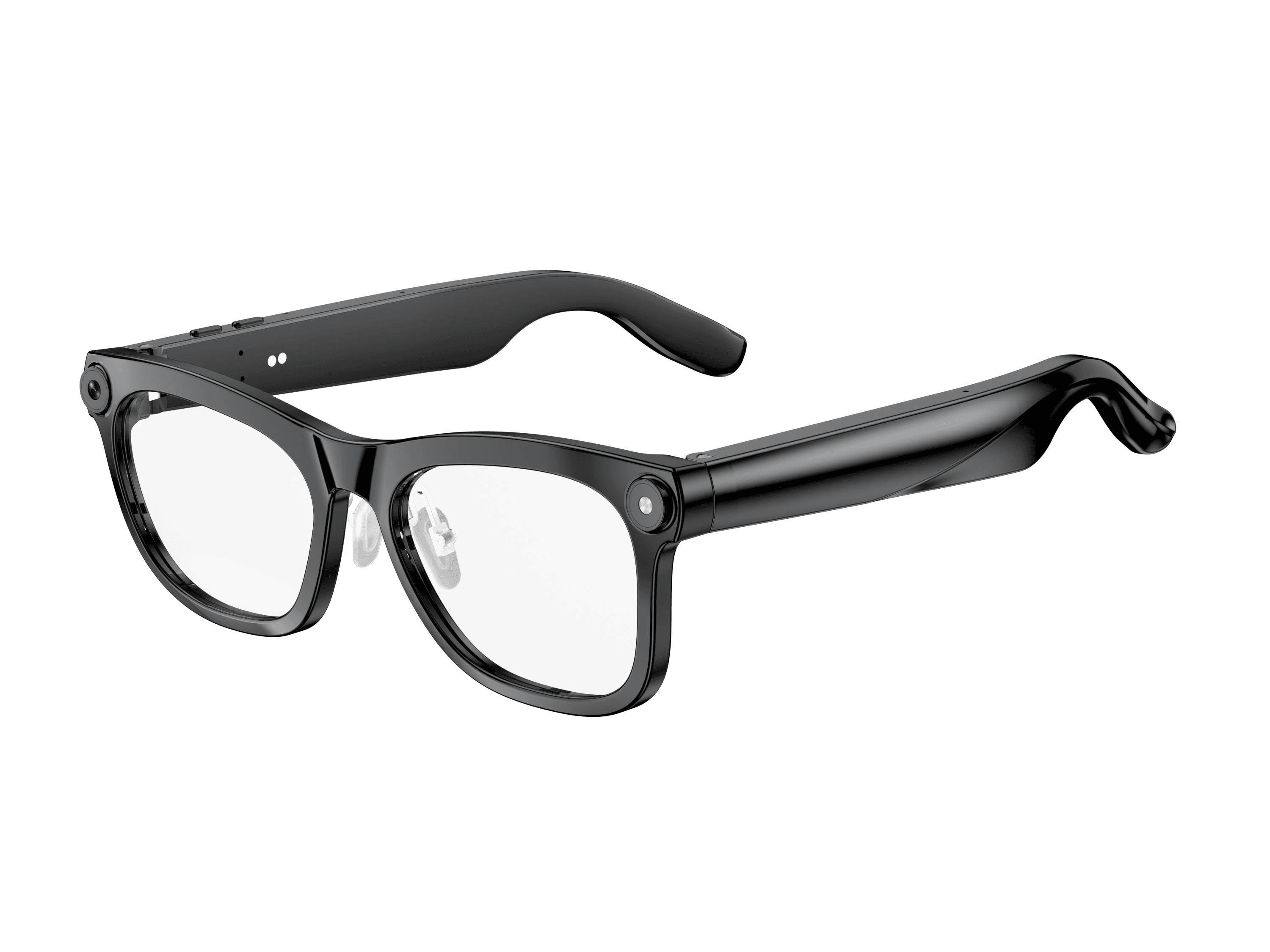 OXIVUE M02C$109 at checkout OXIVUE M02C$109 at checkout | 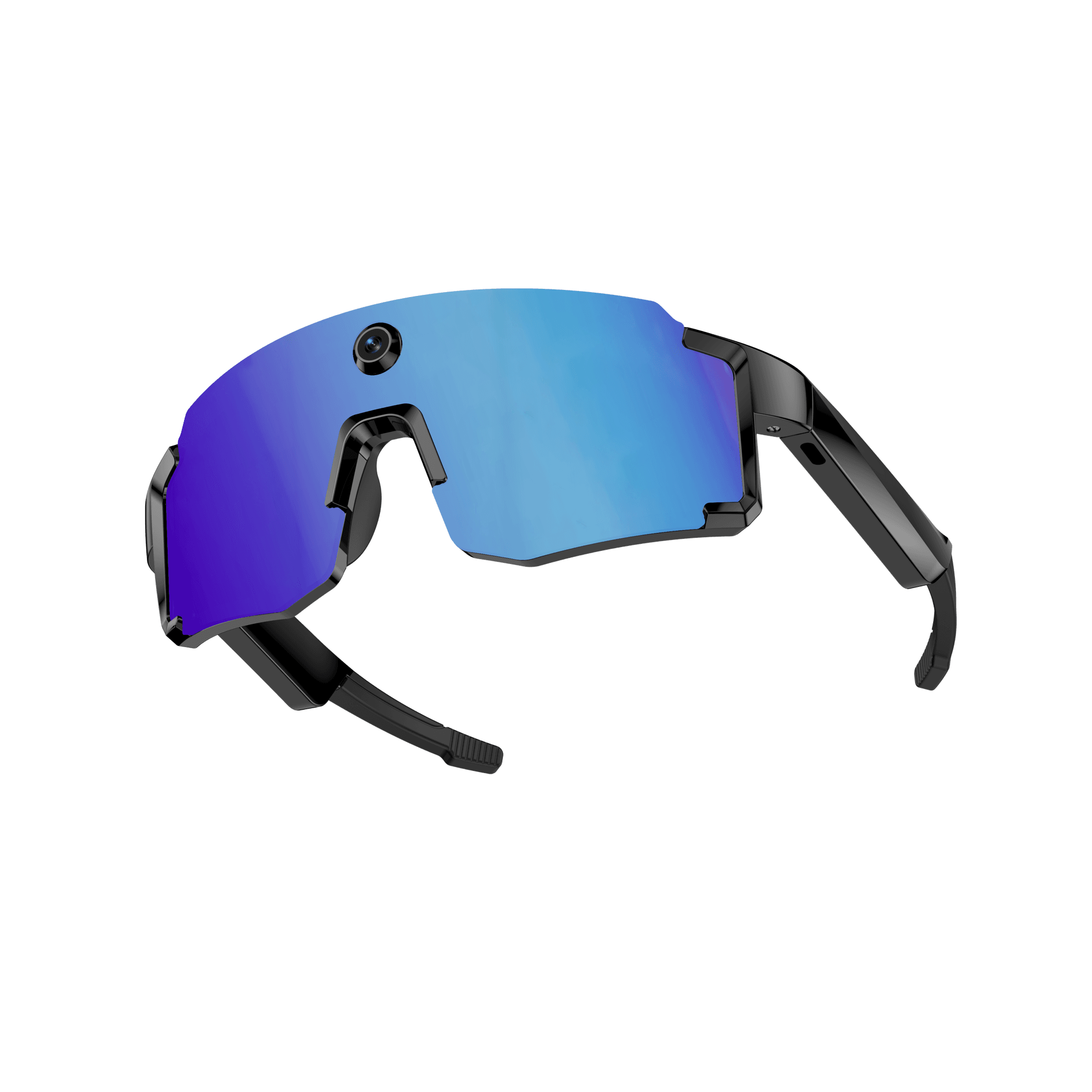 OXIVUE M14$149 at checkout OXIVUE M14$149 at checkout | |
|---|---|---|
| Camera | 8 MP | 8 MP |
| Weight | ~41 g | 52 g |
| Water rating | IP65 | IPX4 |
| Lenses | Sunglasses · Photochromic · Clear | Fixed wrap shield · 4 colours |
| Translation | 40+ languages | 139 languages |
| Visual AI | Yes | — |
| Onboard memory | — | 4 GB onboard |
From each frame’s product page. Every model: open-ear audio, Bluetooth 5.4, no subscription. Full spec table
What these frames won’t do
- No prescription lenses yet, on any model. If you need vision correction all day, these can't replace your glasses.
- No display. Nothing appears in your view; you hear answers and capture photos and video.
- Open-ear speakers leak some sound at high volume and won't block out a loud train or a windy road the way sealed earbuds do.
- Translation, music, calls and the assistant need your phone nearby and connected. Translation pauses after each sentence, and only you hear the translated audio; the other person reads the reply on your phone.
- M02C: IP65 resists dust and water jets, not immersion. No swimming, no saltwater.
- M14: one-piece shield, so the lens can't be swapped for clear or photochromic.
- M14: IPX4 covers splash, spray and rain only, and at 52 g it is heavier than the 41–42 g frames.
Check these before you order: see the warranty and refund policy.