How-to · Software updates
How to update Meta glasses, and what to do when an update stalls
Ray-Ban Meta and Oakley Meta glasses get new features through software updates that install from the Meta AI app. This guide gives Meta's own steps, what you need before you start, how to see which version you have, what the newest release notes say and what to try when an update will not finish. Everything here was checked on Meta's help center on October 31, 2026.
Still deciding? Get the M02C, M08 and M08C comparison in your inbox, with your new-customer price already applied.
One email with the comparison, one follow-up a few days later. Unsubscribe any time.
1. How to update Meta glasses in the Meta AI app
Updates for Ray-Ban Meta and Oakley Meta glasses are handled in the Meta AI app on your phone. Meta’s help page “How to update AI glasses” gives four taps to reach the Updates screen (checked October 31, 2026):
- From the Meta AI mobile app, tap Glasses in the top right.
- Tap Device settings. If you have more than one paired device, swipe to the one you want first.
- Under Glasses, tap your glasses.
- Tap Updates.
On the Updates screen, tap Check to look for new software, or use the Automatic updatestoggle to switch automatic updates on or off. Meta’s article covers AI glasses in general and lists no separate steps for Ray-Ban Meta, Oakley Meta or any other model.
If an old bookmark or video sends you to the Meta View app, that app has been renamed. Meta’s help page says the Meta View app is now the Meta AI mobile app, that you update it from the App Store or Google Play, and that your paired devices, settings and media transfer over automatically. Our Meta AI app guide covers what else the app does.
2. Before you update: Wi-Fi, charge, the case and the app
Meta’s update article lists no requirements of its own. Other pages in the same help center do, and the table collects them with the page each one comes from (checked October 31, 2026).
| Requirement | What Meta’s help center says | Meta page |
|---|---|---|
| Wi-Fi | Captures and some voice controls work without Wi-Fi, but Wi-Fi is needed for Meta AI, to import captures and to install updates | How to use AI glasses |
| Glasses in the case | If you are asked to update during setup, accept the update and leave the glasses in the case during the update | AI glasses accessibility FAQ |
| Charge | No minimum battery level is given for updates. Before pairing, Meta recommends charging for at least an hour, or until the case LED is green | How to fix pairing issues |
| The Meta AI app | Update both the glasses and the Meta AI mobile app to the latest version; the app should be up to date before pairing | AI glasses release notes · How to fix pairing issues |
| Phone | Bluetooth on and an active Wi-Fi connection | How to fix pairing issues |
Put together: update the Meta AI app first, dock the glasses in their case with some charge, and keep your phone nearby with Bluetooth on and a working Wi-Fi connection. The app step matters because the release notes ask for both halves: Meta writes that you should update your glasses and the Meta AI mobile app to the latest version to get the new features. We would also leave the case plugged in during a long update; Meta does not say either way.
If the case light is blinking red or the case will not hold a charge, fix that first. Our guide to charging Meta glassescovers the case lights and Meta’s charging fixes, and how to turn on Meta glasses covers the power button.
3. Do Meta glasses update automatically?
Yes, by default. Meta’s update page says the Meta AI mobile app will notify you of any software updates for your glasses or the app, and that updates will be downloaded automatically. You can turn automatic updates off at any time from Device settings, on the same Updates screen described in section 1.
Two practical points follow from Meta’s pages. First, because Meta’s setup advice is to leave the glasses in the case while an update runs, docking them near your phone is a simple way to let one finish. Second, if you switch automatic updates off, tap Check on the Updates screen from time to time so you do not miss a release, and update the Meta AI app from your app store as well, since Meta asks for both to be current.
4. How to check which version your glasses are on
In the Meta AI app, tap Settings, then Device info. That is the path Meta gives on its help page about sharing Instagram Instants from the glasses (checked October 31, 2026). To see whether anything newer is waiting, go back to the Updates screen from section 1 and tap Check.
Meta writes version numbers two ways, which confuses anyone comparing notes online. The release notes headline the June 29, 2026 release as v26, and that release introduced Instagram Instants. The Instants help page, though, asks for software v126 or later(v127 on Meta Ray-Ban Display). So a three-digit number in the app and a two-digit v-number in the notes appear to describe the same releases. We did not find a Meta page that states the mapping outright, so treat it as a reading of Meta’s pages, not a rule.
5. What is in the latest Meta glasses update
On October 31, 2026, the newest entry on Meta’s AI glasses release notes page was v26 for Ray-Ban Meta, Oakley Meta and Meta Glasses, dated June 29, 2026. Meta says its features become available starting the week of June 29, 2026. The page lists releases newest first, back to v1 in December 2023, and showed nothing dated after June 2026 when we checked. Meta’s summary of v26, in brief:
- Muse Spark. Meta describes it as a next-generation Meta AI with better visual perception and more help with everyday tasks.
- Photos. Dynamic photo captures multiple frames with every snap, and Photo Ultra HDR aims for truer colour.
- Conversation focus. Helps you hear face-to-face conversations in noisy places such as restaurants; Meta lists it as free during its Early Access Program in named countries.
- Calls and sharing. WhatsApp voice chats, voice commands to mute, unmute, toggle the camera and hang up during a call, and Instagram Instants by voice.
- Battery Saver Mode. Turned on in device settings, it limits high-drain features to extend runtime.
- Languages. Full device operation in Japanese and Korean, and live translation in 14 more languages, among them Arabic, Hindi, Mandarin, Russian and Vietnamese.
- Under the hood. Improved hibernation that can shorten boot time and, for Early Access members on iPhone, Wi-Fi Aware for smoother imports and updates.
The release before it, v25 on May 14, 2026 for Ray-Ban Meta and Oakley Meta, added Meta AI reading your email aloud (English, US and Canada), better exposure in snow and an Early Access Autocapture feature on Ray-Ban Meta (Gen 2), Oakley Meta HSTN and Oakley Meta Vanguard in the US and Canada.
Meta Ray-Ban Display has its own entries in the notes. Meta’s blog post of July 27, 2026 announced a Display update with Muse Spark, Threads and new Instagram features for US users, rolling out gradually, and said to check back if it did not appear right away. Some features in any release are limited to the Early Access program or to certain countries, so an up-to-date pair may not show everything in the notes. For anything newer than the date above, check the release notes page and the Updates screen in the app.
6. Meta glasses update failed or stuck: what to try
Meta has no help article dedicated to a failed or stalled update; we searched its help center on October 31, 2026 and found none. Its general fixes still apply, and they run from least to most disruptive:
- Check the basics. Phone on Wi-Fi with Bluetooth on, the Meta AI app up to date, glasses charged and docked in the case: the conditions from section 2.
- Restart the glasses.On Ray-Ban Meta, Oakley Meta HSTN and Meta Glasses, slide the power button back to turn them off, wait a few seconds and slide it forward. Meta says a restart won’t erase photos or videos you haven’t imported and won’t unpair the glasses.
- Force restart. Slide the power button back, press and hold the capture button, slide the power button forward while still holding it, and release as soon as the status LED turns red. Meta says this also keeps your captures and pairing. Oakley Meta Vanguard restarts differently (Meta shows it in a video), and Meta Ray-Ban Display has its own force-restart article.
- On Android, an import error during an update.If the app says media can’t be imported while the glasses are updating, Meta’s fix is to force stop the Meta AI app: phone Settings, Apps, Meta AI, Force stop.
- Re-pair.If the glasses still have not reconnected after a few minutes, Meta says to unpair them in the Meta AI app, remove them from your phone’s Bluetooth devices and pair again. Its pairing page also suggests deleting and reinstalling the Meta AI app.
- Factory reset, last. Meta says a factory reset returns the glasses to factory settings, deletes all the photos and videos on them and means pairing again afterwards, so import anything you want to keep first. The button steps differ by model; our guide to connecting Meta glasses to an iPhone walks through them.
- Contact Meta. Meta’s pairing and Android pages both end with Meta Store Support. Our Meta glasses warranty guideexplains what Meta’s warranty covers.
One more case worth knowing: a second-hand pair may still be tied to its previous owner. Meta says AI glasses pair with one Meta account at a time and need a factory reset before someone else can pair them. Our used Meta glasses guide covers what to check before you buy.
7. Not on Meta: OXIVUE frames and their own app
OXIVUE glasses are not a Meta product and not a Meta replacement. They do not use the Meta AI app and do not need a Meta, Facebook or Instagram account. They work through their own free companion app, which handles pairing, translation, the voice assistant and importing your photos and videos.
The M08 is $99 at checkout ($149 listed): an 8 MP camera set flush in the frame corner, open-ear speakers, Bluetooth 5.4, about 42 g, 7 hours of listening and 4 hours of calls, and a sunglasses, photochromic or clear lens. Captures start with a touch on the temple. Through the app it translates 40+ languages; only you hear the translated audio, the other person reads the reply on your phone, and it pauses after each sentence.
What it does not do: there is no display, no prescription lenses, no Meta AI and no published water rating. If you rely on the Meta AI features in the release notes above, stay with Meta. If you want camera-and-audio glasses without a Meta account, read smart glasses without a Meta account or compare every frame on the comparison page.
Shipping, refunds and warranty. Free shipping from $99. US orders typically arrive in 5–9 business days; international orders take 9–14 business days after shipment, and import VAT or duties outside the US are paid by the recipient. No refunds except transit damage (replaced or refunded); faults are repaired or replaced under the 2-year warranty; change of mind and unmet expectations are not refundable. None of our frames take prescription lenses or have a display. Details on the shipping policy and return policy pages.
Frequently asked questions
How do I update my Meta glasses?
Through the Meta AI app on your phone. Open the app, tap Glasses in the top right, then Device settings, then your glasses under Glasses, then Updates, and tap Check. Meta's help page says updates also download automatically unless you turn Automatic updates off on that screen. Keep the phone on Wi-Fi, because Meta says Wi-Fi is needed to install updates, and, as Meta advises during setup, leave the glasses in their case while an update runs (checked October 31, 2026).
Do Meta glasses update automatically?
Yes, by default. Meta's update page says the Meta AI mobile app notifies you of software updates for your glasses or the app, and that updates are downloaded automatically. You can turn automatic updates off at any time in Device settings: tap your glasses, then Updates, and use the toggle. If you switch them off, tap Check on that screen now and then so you do not miss a release.
How do I check my Meta glasses software version?
In the Meta AI app, tap Settings, then Device info. That path comes from Meta's help page on Instagram Instants, which asks for software v126 or later (v127 on Meta Ray-Ban Display). Meta's release notes label releases differently, calling the June 29, 2026 release v26, so compare carefully. To see whether anything newer is waiting, go to Device settings, tap your glasses, then Updates, and tap Check.
What is the latest Meta glasses update?
On October 31, 2026, the newest entry on Meta's AI glasses release notes page was v26 for Ray-Ban Meta, Oakley Meta and Meta Glasses, dated June 29, 2026. It lists Muse Spark, Dynamic photo, Conversation focus (Early Access in listed countries), Battery Saver Mode, Japanese and Korean device support and 14 more live translation languages. Meta Ray-Ban Display has separate notes, and Meta's blog announced a Display update on July 27, 2026.
Why won't my Meta glasses update?
Usually one of the basics is missing. Meta says Wi-Fi is needed to install updates and the Meta AI app should be up to date, and its setup advice is to leave the glasses in the case while an update runs. Check those, then restart the glasses, which Meta says keeps your photos, videos and pairing. If that fails, try a force restart, then re-pair. A factory reset comes last because it deletes every capture on the glasses.
How do I factory reset my Meta glasses?
Only as a last resort, and import your photos and videos first. Meta's reset page says a factory reset returns the glasses to factory settings, deletes all the photos and videos on them and means pairing with the Meta AI app again. The button steps differ by model, and Meta Ray-Ban Display has its own article. Our guide to connecting Meta glasses to an iPhone walks through the steps Meta gives.
Do OXIVUE glasses use the Meta AI app?
No. OXIVUE glasses are not Meta products, so they do not use the Meta AI app and do not need a Meta, Facebook or Instagram account. They work through their own free companion app, which handles pairing, translation, the voice assistant and importing photos and videos. The M08 is $99 at checkout, with an 8 MP camera and open-ear audio, but it has no display, no prescription lenses and no Meta AI.
OXIVUE frames side by side
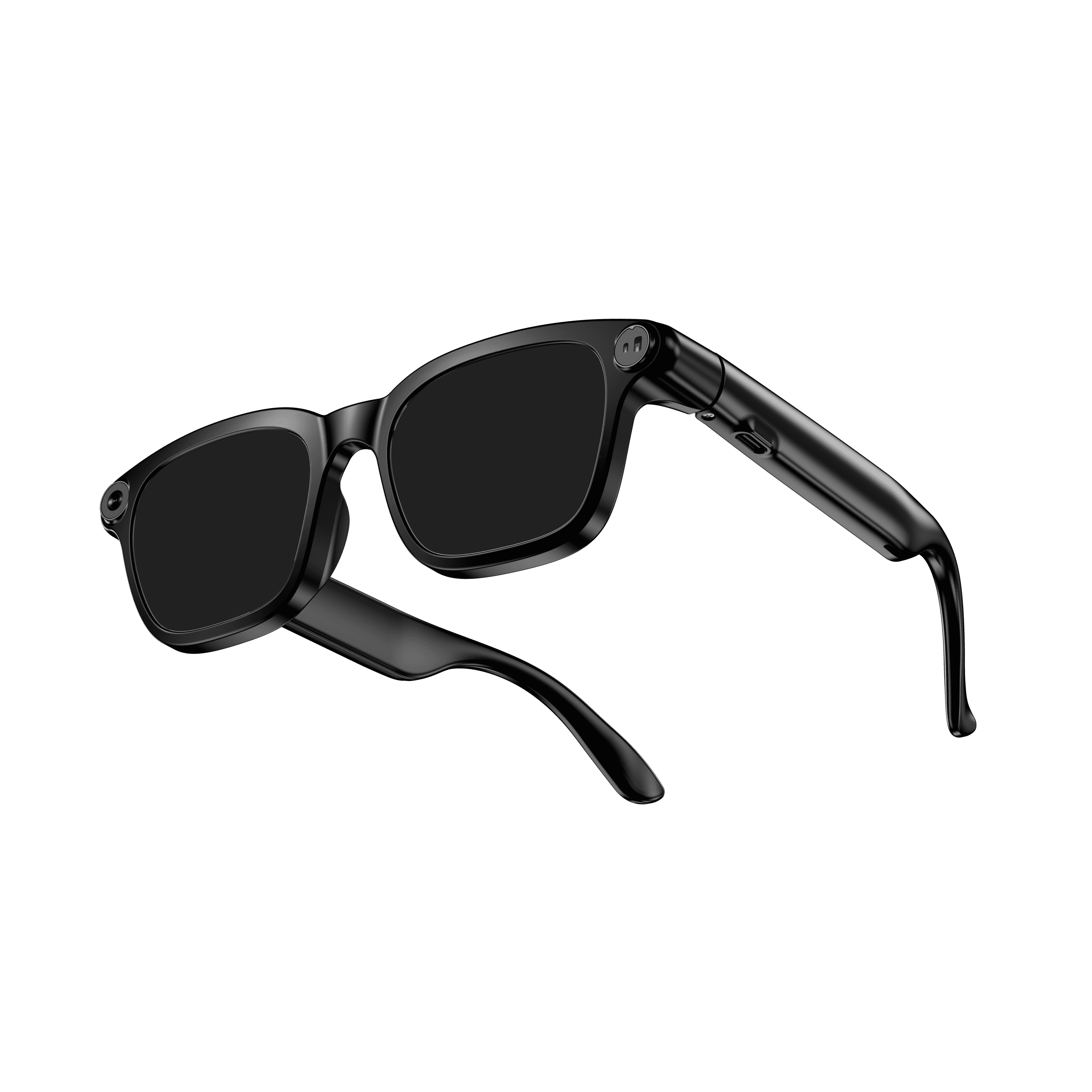 OXIVUE M08$99 at checkout OXIVUE M08$99 at checkout | 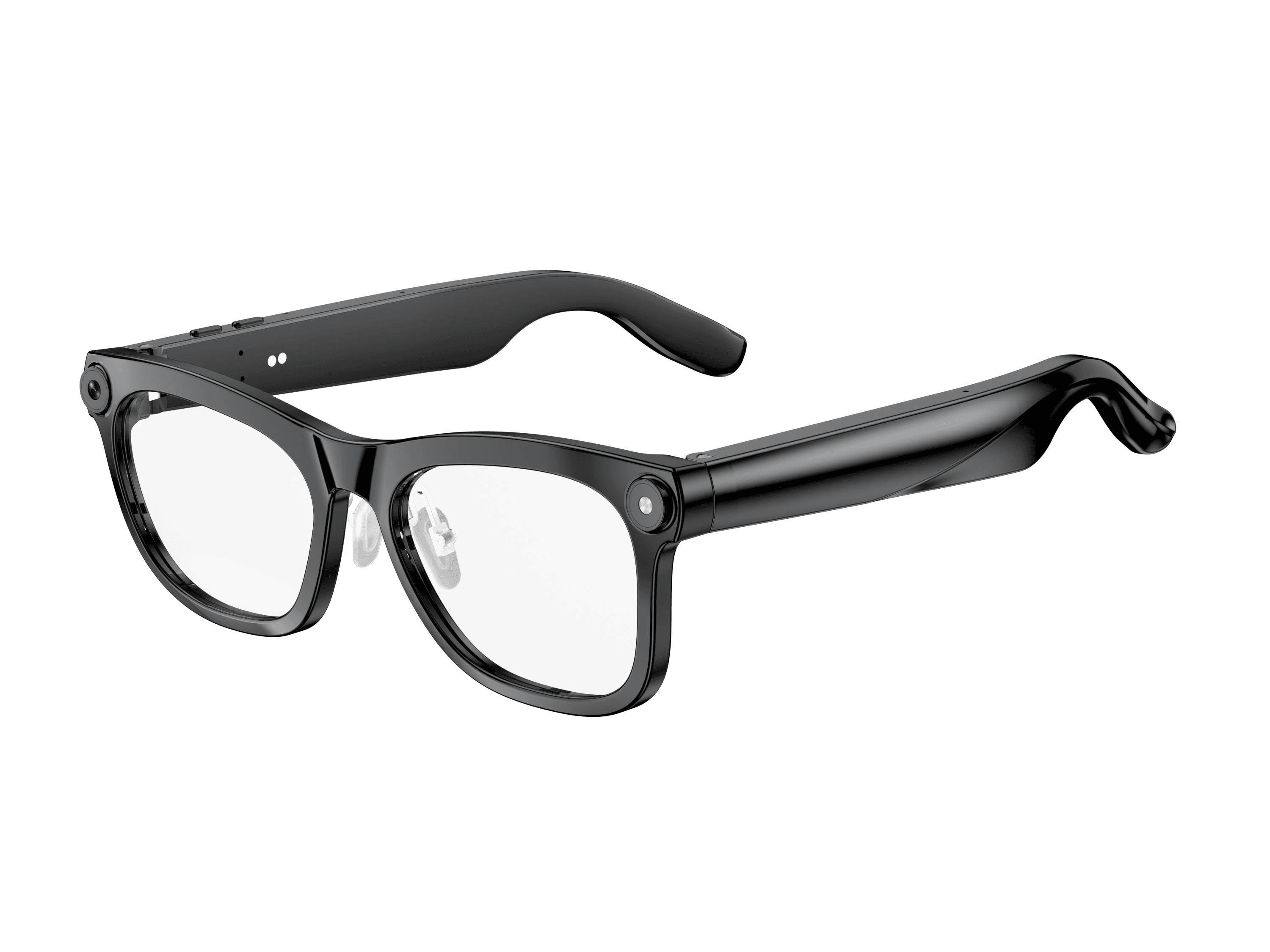 OXIVUE M02C$109 at checkout OXIVUE M02C$109 at checkout | 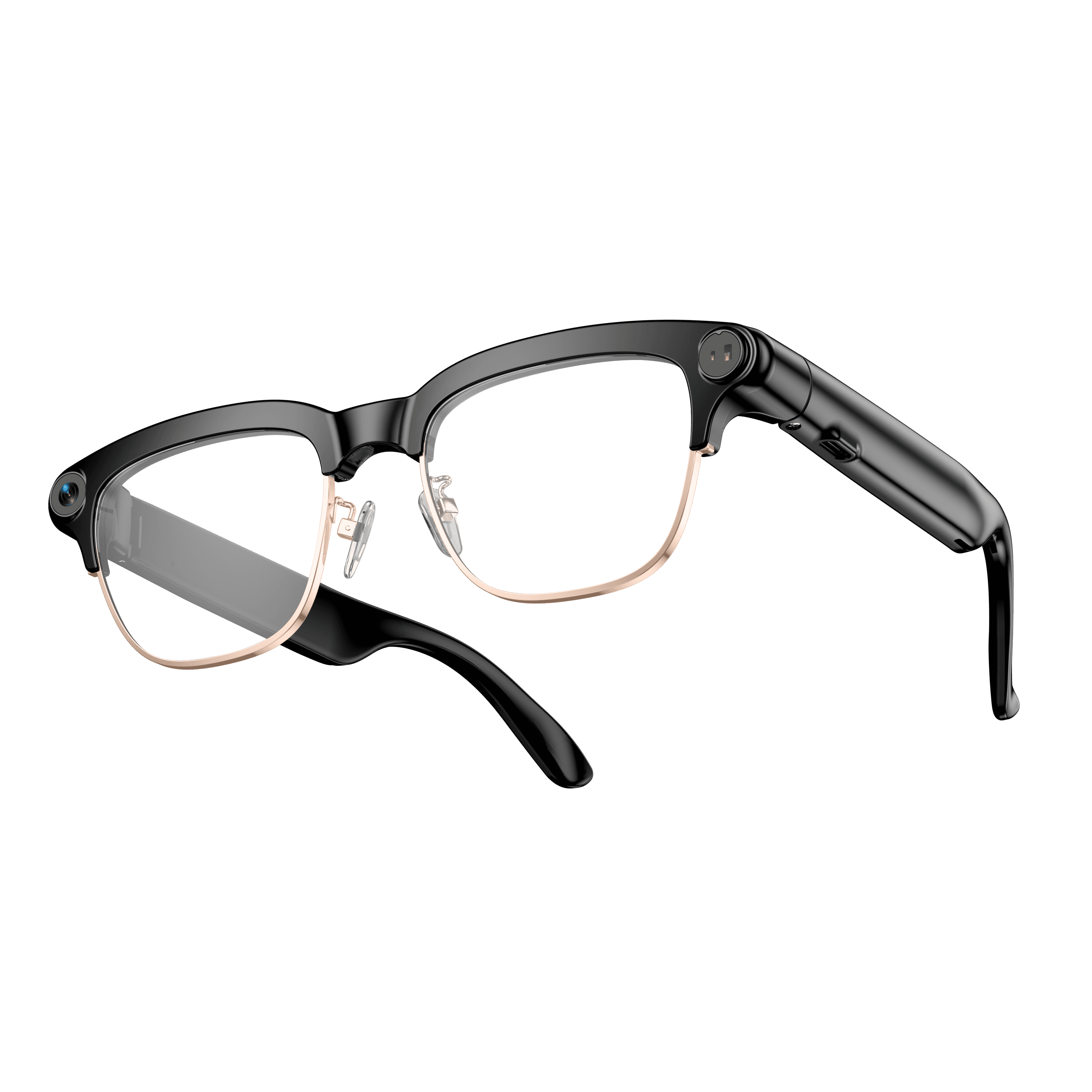 OXIVUE M08C$119 at checkout OXIVUE M08C$119 at checkout | |
|---|---|---|---|
| Camera | 8 MP | 8 MP | 8 MP |
| Weight | ~42 g | ~41 g | ~42 g |
| Water rating | — | IP65 | — |
| Lenses | Sunglasses · Photochromic · Clear | Sunglasses · Photochromic · Clear | Sunglasses · Photochromic · Clear |
| Translation | 40+ languages | 40+ languages | 40+ languages |
| Visual AI | — | Yes | — |
| Metal trim | — | — | Gold · Silver |
From each frame’s product page. Every model: open-ear audio, Bluetooth 5.4, no subscription. Full spec table
What these frames won’t do
- No prescription lenses yet, on any model. If you need vision correction all day, these can't replace your glasses.
- No display. Nothing appears in your view; you hear answers and capture photos and video.
- Open-ear speakers leak some sound at high volume and won't block out a loud train or a windy road the way sealed earbuds do.
- Translation, music, calls and the assistant need your phone nearby and connected. Translation pauses after each sentence, and only you hear the translated audio; the other person reads the reply on your phone.
- M08: no published water rating, so keep it out of heavy rain and spray.
Check these before you order: see the warranty and refund policy.