Lost glasses · Meta
Can you track Meta glasses? What helps when a pair goes missing
Can you track Meta glasses once they are lost? If you have misplaced a pair of Ray-Ban Meta or Oakley Meta glasses, or want to know before you buy whether they could be found again, the answer depends on settings you may not have turned on yet. This guide sticks to what Meta's own help pages say, read on October 31, 2026, and turns it into a checklist for the first hour and a few habits for next time. OXIVUE, which sells camera glasses with no tracking feature at all, publishes this page.
Still deciding? Get the M02C, M08 and M08C comparison in your inbox, with your new-customer price already applied.
One email with the comparison, one follow-up a few days later. Unsubscribe any time.
1. Do Meta glasses have GPS or Find My?
No GPS is listed for any model.Meta’s comparison page (checked October 31, 2026) sets out battery, lenses, fit, prescription range, camera, audio, controls and box contents for each pair of AI glasses, and it has no GPS or location row. Meta’s walking-directions article says the Meta AI app “uses your phone’s location to make features like navigation work”. That is the pattern for every location feature on these glasses: your phone knows where it is, and the glasses talk to the phone over Bluetooth. Our smart glasses for navigation guide explains how audio-only glasses give directions through your phone.
Meta’s help pages (checked October 31, 2026) do not describe support for Apple’s Find My or Google’s equivalent network. We read the AI glasses help centre index and its six category pages (129 article titles) on October 31, 2026; none of them is about finding lost or stolen glasses. What remains is one feature with a short name and very little documentation.
2. The Meta AI app’s find device feature: what Meta says, and what it doesn’t
Meta names a find device feature, but its help pages (checked October 31, 2026) do not describe how it works. Two Meta pages mention it, both checked October 31, 2026:
- The location services article says location permission is required “for location-based features like navigation and find device for all Meta devices you’ve connected to the app.”
- Meta’s supplemental privacy policy says that, with Location Services on, Meta collects location information “when you use the find your device or navigation features”.
Neither page says where the feature sits in the app, whether it shows a map or a last-connected location, whether it works when the glasses are off or out of charge, or whether the glasses can play a sound. Meta’s help pages (checked October 31, 2026) do not describe a ring or play-sound feature for lost glasses. The search results for this question, including videos, forum posts and an AI-generated summary, describe a map and other details; we have not repeated them, because Meta’s help pages do not describe them and the app has changed (the Meta View app is now the Meta AI app). Because Meta ties the feature to your phone’s location permission, assume it can only help if that permission was already on before the glasses went missing.
3. Lost them? What to do right away
Start with the phone in your pocket, then work outwards. In order:
- Open the Meta AI app.Tap Glasses in the top right and look through your glasses’ device settings for a find option. If your phone is still connected to the glasses, they are within Bluetooth range, so search where you are now. Playing audio to them is worth a try; Meta’s help pages do not describe it as a find feature, and it may not work.
- Use your last photos as a trail.Captures move from the glasses to the Meta AI app on your phone when they are imported, and Meta’s privacy policy describes a geotagging feature when location is on. The newest import shows when, and possibly where, you last used the camera.
- Retrace and call. Think of where you last sat down or took them off: a restaurant, a ride-share, a plane, a gym bench. Call lost and found the same day.
- Contact Meta. Meta’s support page takes an order or serial number. Ask what they can do for a lost or stolen device; Meta’s help pages (checked October 31, 2026) do not describe a lost-device service, so we cannot tell you the answer. If you bought the glasses from another retailer, ask them too.
- Report a theft.Give the police the serial number. The Meta AI app lists it under Glasses > Device settings > your glasses > General > About, and on Ray-Ban Meta and Oakley Meta it is also printed inside the left temple, which proves ownership if the pair turns up (Meta’s serial number article).
- Check insurance.Home, renter’s or travel policies and some card benefits may cover loss or theft. Meta’s warranty pages do not (see section 7).
- Unpair last.Once you have given up, remove the glasses in the Meta AI app under Glasses > Device settings > your glasses > General > Unpair glasses (Meta’s pairing article). Do it last, because Meta describes find device as a feature for the devices you have connected to the app.
| What you have | What it can tell you | What it needs | Its limit |
|---|---|---|---|
| Find device in the Meta AI app | Meta does not say | Location permission for the Meta AI app, per Meta | Not explained in Meta’s help centre |
| An active Bluetooth connection | The glasses are within range of your phone | Glasses switched on and charged, phone nearby | Only helps close by |
| Your last imported photo | When, and with location on, where you last used the camera | Auto-import, location access | Shows the past, not where the glasses are now |
| A tracker tag in the case | Where the case is | A tag that works with your phone | Nothing about glasses left outside the case |
| The serial number | Proof the pair is yours | Written down before the loss, or read from the app | Does not locate anything |
4. If they were stolen: what pairing does and doesn’t protect
Meta’s help pages (checked October 31, 2026) do not describe anything in pairing that stops someone else from resetting and re-pairing the glasses. Meta’s pairing article says AI glasses “can only pair with one Meta Account at a time” and must be factory reset before someone else can pair them. Its factory reset article shows how that reset is done on Ray-Ban Meta and Oakley Meta: on the glasses themselves, with the arms folded and the capture button. Meta’s help pages (checked October 31, 2026) do not describe an activation lock or a lost mode for these models.
- Your photos.Meta says captures are “stored on your glasses until you import them”. Anything not yet imported went missing with the glasses, and a factory reset deletes it.
- Meta Ray-Ban Display.Meta’s display model has a 6-digit device lock passcode that protects messages, AI-generated content and media albums. It needs wear detection, and after 12 wrong attempts the glasses require a factory reset.
- If a tag shows the case at someone’s address, do not go yourself. Give the location to the police.
For what Meta keeps in your account, including location, see our Meta glasses privacy guide.
5. Lost the charging case (with or without the glasses)
Meta sells replacement Ray-Ban Meta charging cases, and its help pages describe no tracking for the case. According to Meta’s replacement case article (checked October 31, 2026), you can order one on meta.com in the US, Canada, UK, France, Germany, Italy and Spain, or through the Ray-Ban After Sales Portal, where you create an account, choose “Buy replacement parts”, enter your model code and order one case at a time. Put the glasses in the new case and open the Meta AI app; your settings update to show the new case serial number. Meta adds that the battery in the glasses and the case cannot be replaced.
That article covers Ray-Ban Meta. For Oakley Meta or Meta’s own frames, check the accessories section of meta.com, and check the price there rather than relying on a figure from a blog. Our how to charge Meta glasses guide covers charging in the meantime.
6. How to make the next loss findable
Five minutes of setup now decides what you can do later.
- Turn on location access for the Meta AI app.Meta says find device needs it. With “always-allow”, Meta says your phone’s location can be used even with the screen off and the app closed. You can change it any time in your phone settings.
- Leave auto-import on.Meta says it is on by default for Android 13 and later and for iOS, and it runs when the glasses are on and in the case or folded, with your phone’s Bluetooth and Wi-Fi on. Fewer photos stay on the frame.
- Write down both serial numbers.The app’s About screen lists the glasses and the case. Keep them with your receipt.
- Put a tracker tag in the case.Apple’s AirTag page (checked October 31, 2026) lists an iPhone or iPad as the requirement and tracks items in the Find My app. On Android, choose a tag that works with your phone (brands include Tile and Samsung’s Galaxy SmartTag) and check the maker’s compatibility list before you buy. Apple’s page also describes unwanted-tracking alerts, so a person carrying a stolen case may be told a tag is with them. A tag follows the case, not glasses you set down outside it.
- Make one habit. The glasses are on your face or in the case. Put an email address, not a home address, on a label inside the case.
- On Meta Ray-Ban Display,set the device lock passcode under Device settings > Security.
7. What replacing a lost pair costs
Check meta.com for the current price; we do not quote it here. Prices vary by model and lens, and our Meta glasses priceguide lists them with the date they were checked. Meta’s store also lists refurbished Ray-Ban Meta glasses, which our refurbished Meta glasses guide covers, and the used Meta glasses guide explains what to check before buying second-hand, including whether a pair has been unpaired and reset.
Warranty does not cover loss.Meta’s warranty article (checked October 31, 2026) says Ray-Ban and Oakley handle warranty claims for their Meta glasses and that the warranty typically covers manufacturing defects. Meta Warranty Plus lists malfunctions, accidental damage, scratched or chipped lenses and frames, cosmetic damage and in-box accessories including the case; neither page lists loss or theft, and the replacement article describes replacements under Meta’s Limited Warranty. Our Meta glasses warranty guide has the detail. For a lost pair, insurance is the realistic route.
8. A note on our own glasses
OXIVUE frames have no GPS, no tracking and no find feature. They pair with your phone over Bluetooth through the free companion app. The habits in section 6 apply to them too: keep them on your face or in a case, add a tag to that case if you want one, and keep a note of the order number. They come in a rigid gift box with no separate carrying case, so a tag needs a case you buy yourself. Our warranty excludes loss or theft.
If a lost pair has you looking at lower-cost camera glasses, the M08 is $99 at checkout ($149 listed): an 8 MP camera started with a touch on the temple, open-ear audio rated 7 hours of listening and 4 hours of calls, about 42 g, with a sun, photochromic or clear lens. It is not a like-for-like Meta replacement: it has no Meta AI, no display and no prescription lenses, and it uses its own companion app instead of the Meta AI app. Our smart glasses without a Meta account guide compares that trade-off.
Shipping, refunds and warranty. Free shipping from $99. US orders typically arrive in 5–9 business days; international orders take 9–14 business days. OXIVUE does not offer refunds except for an order damaged in transit, which is replaced or refunded. Faults after delivery are covered by the 2-year warranty through repair or replacement; change of mind and unmet expectations are not refundable. None of our frames take prescription lenses. Compare every model on the comparison page.
Frequently asked questions
How can I track my Meta glasses?
Only partly. Meta's help pages (checked October 31, 2026) mention a find device feature in the Meta AI app that needs the app's location permission, but they do not explain what it shows. Meta lists no GPS for any model. Open the Meta AI app first, then retrace your steps from the last photos the glasses sent to your phone. For next time, a tracker tag in the charging case can locate the case, but not glasses left outside it.
Do Meta glasses have GPS?
No GPS is listed. Meta's comparison page (checked October 31, 2026) has no GPS or location row for any model, and Meta's directions article says the Meta AI app uses your phone's location to make navigation work. That is why walking directions on Ray-Ban Meta and Oakley Meta glasses need the app's location permission set to always and precise. Any location the app knows comes from your phone, not from the frame.
Can you track Meta glasses if they are turned off or the battery is dead?
Meta does not say. Its help pages (checked October 31, 2026) do not describe whether the find device feature works when the glasses are switched off or out of charge, so plan as if a pair that is off cannot be located. A tracker tag in the charging case runs on its own battery, so it can still point you to the case, and only to the case.
What should I do if my Meta glasses were stolen?
Report it to the police with the serial number, which the Meta AI app lists under your glasses' General and About settings. Contact Meta Store Support with your order or serial number, and check your home, renter's or travel insurance. Meta's warranty pages cover defects and damage and do not mention theft. Unpair the glasses from the app only once you have given up on getting them back.
Can someone else use my lost or stolen Meta glasses?
Yes, after a reset. Meta says AI glasses pair with one Meta account at a time and must be factory reset before someone else can pair them, and on Ray-Ban Meta and Oakley Meta the reset is done with the capture button on the glasses themselves. The reset deletes the photos and videos still stored on them. Meta Ray-Ban Display adds a 6-digit device lock passcode that protects messages and media.
Can I put an AirTag on Meta glasses?
Yes, but put it in or on the charging case, not the frame. Meta's help pages (checked October 31, 2026) do not describe any way to attach a tag to the glasses. Apple's AirTag page (checked the same day) lists an iPhone or iPad as the requirement and tracks items in the Find My app; Android users need a tag that works with Android, so check the maker's compatibility list. The tag follows the case, so it only helps when the glasses are inside it.
How do I replace a lost Meta glasses case?
Order one from meta.com or the Ray-Ban After Sales Portal. Meta's help article (checked October 31, 2026) says meta.com sells Ray-Ban Meta charging cases in the US, Canada, UK, France, Germany, Italy and Spain, and the portal sells one case at a time once you enter your model code. Put the glasses in the new case and open the Meta AI app, which then shows the new case serial number.
OXIVUE frames side by side
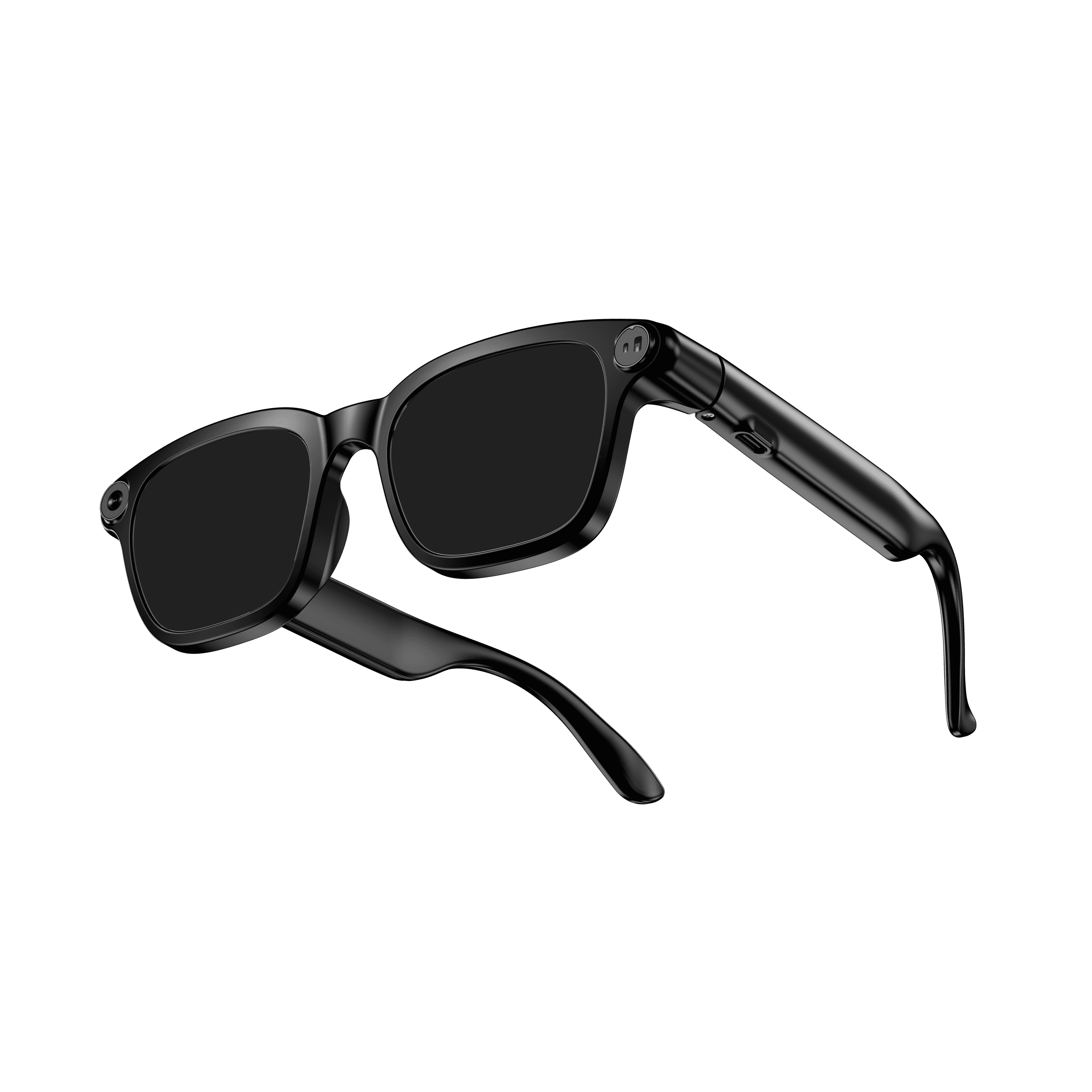 OXIVUE M08$99 at checkout OXIVUE M08$99 at checkout | 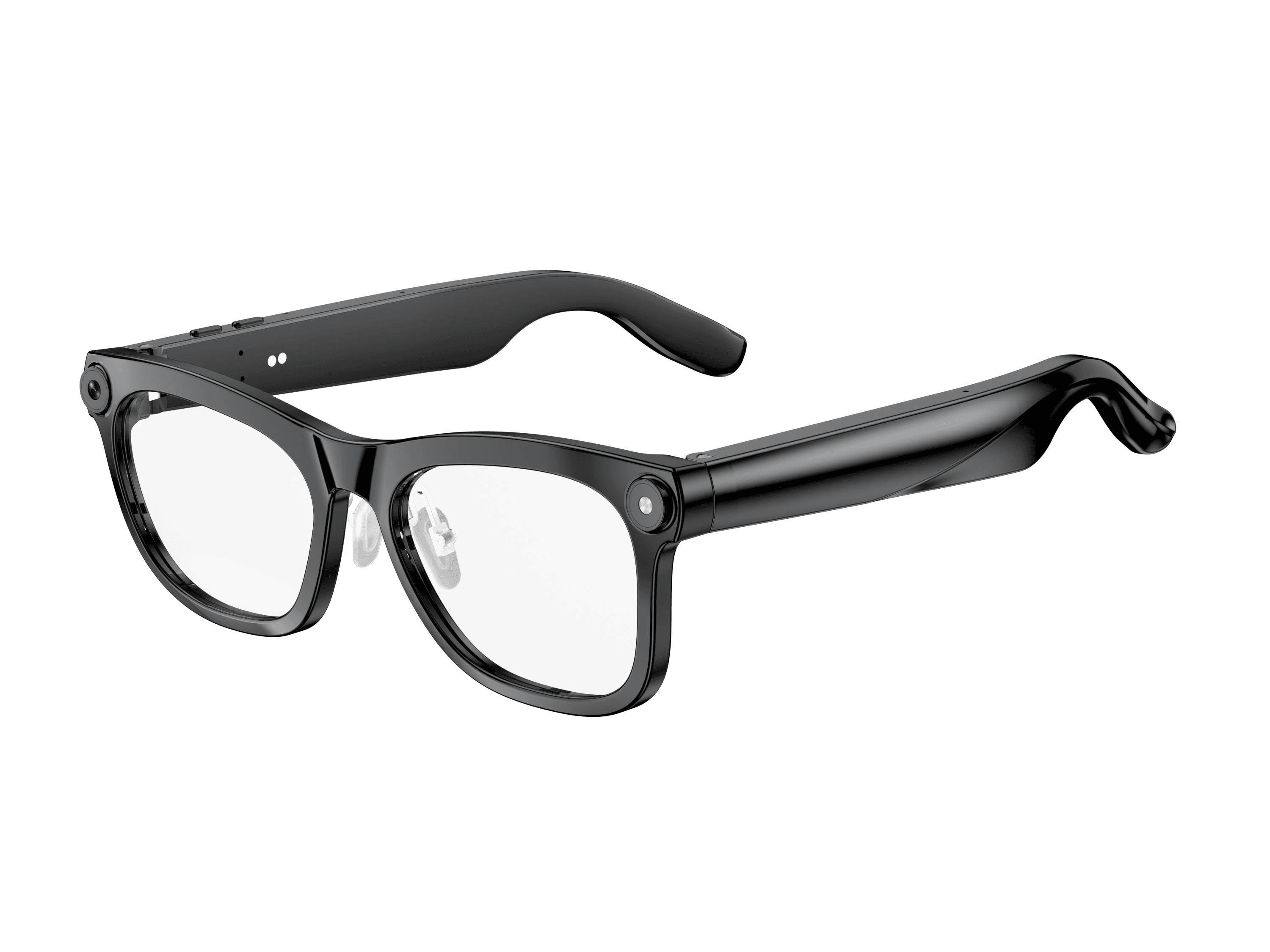 OXIVUE M02C$109 at checkout OXIVUE M02C$109 at checkout | 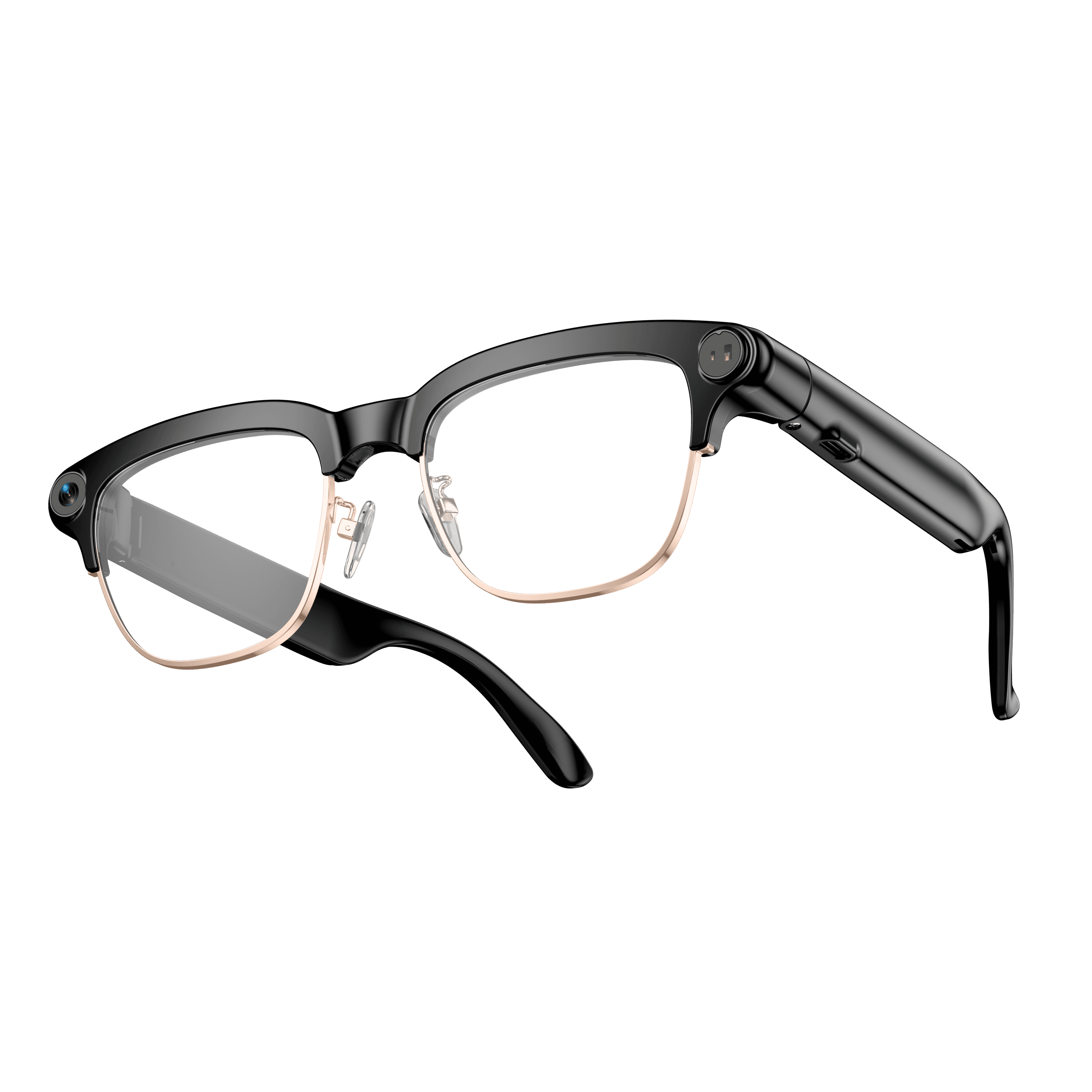 OXIVUE M08C$119 at checkout OXIVUE M08C$119 at checkout | |
|---|---|---|---|
| Camera | 8 MP | 8 MP | 8 MP |
| Weight | ~42 g | ~41 g | ~42 g |
| Water rating | — | IP65 | — |
| Lenses | Sunglasses · Photochromic · Clear | Sunglasses · Photochromic · Clear | Sunglasses · Photochromic · Clear |
| Translation | 40+ languages | 40+ languages | 40+ languages |
| Visual AI | — | Yes | — |
| Metal trim | — | — | Gold · Silver |
From each frame’s product page. Every model: open-ear audio, Bluetooth 5.4, no subscription. Full spec table
What these frames won’t do
- No prescription lenses yet, on any model. If you need vision correction all day, these can't replace your glasses.
- No display. Nothing appears in your view; you hear answers and capture photos and video.
- Open-ear speakers leak some sound at high volume and won't block out a loud train or a windy road the way sealed earbuds do.
- Translation, music, calls and the assistant need your phone nearby and connected. Translation pauses after each sentence, and only you hear the translated audio; the other person reads the reply on your phone.
- M08: no published water rating, so keep it out of heavy rain and spray.
Check these before you order: see the warranty and refund policy.