iPhone compatibility · 2026
Smart glasses for iPhone: what actually works with iOS
Search for smart glasses for iPhone and half of what comes back is about Apple glasses that do not exist yet. This guide is about the glasses you can order today and use with the iPhone already in your pocket: the iOS version each app lists on the App Store, what you sign into, what works over plain Bluetooth, and the one permission that stops videos from saving.
Still deciding? Get the M02C and M08 comparison in your inbox, with your new-customer price already applied.
One email with the comparison, one follow-up a few days later. Unsubscribe any time.
1. Does Apple make smart glasses?
Not ones you can buy. When we read apple.com on October 28, 2026, the product categories in its navigation were Mac, iPad, iPhone, Watch, Vision, AirPods, Home, Entertainment and Accessories. “Vision” leads to the Vision Pro, which is a headset you wear over your eyes, not a pair of glasses you wear all day. Much of what ranks for this search is video and news about Apple glasses that may come later. We are not going to repeat rumours here; if Apple announces glasses, this page will change.
That leaves the practical meaning of the search: glasses that work with an iPhone, the way AirPods or a Bluetooth headset do. Every camera-and-audio frame on sale falls into this group. It pairs over Bluetooth, and its photos, translation, assistant and updates run through a companion app from the App Store. So the questions that decide a purchase are what iOS version that app needs, what it asks you to sign into, and which features need it at all.
2. The compatibility table, read from the App Store and the maker
Every row below was read from the official App Store listing or the maker’s help page on October 28, 2026. We quote no Meta price here.
| OXIVUE M08 / M02C (HeyCyan app) | Ray-Ban Meta (Meta AI app) | |
|---|---|---|
| Minimum iOS | App Store: “Requires iOS 13.0 or later”; OXIVUE support page: iOS 14 or later | Meta help: iOS 14.4 and above |
| App | HeyCyan, free, from Shenzhen Qingcheng Future Technology Co., Ltd. | Meta AI app |
| Account | HeyCyan login; privacy label lists email address and user ID as linked to you | “A valid Meta Account” per Meta’s help page |
| App Store rating | 2.7 out of 5 from 318 ratings | Not compared here |
| Internet needed for | Sign-in, translation, the assistant, firmware updates | Per Meta: Meta AI, importing captures and installing updates |
| Display in the lens | No | No on Ray-Ban Meta |
| Price (one pair) | M08 $99 · M02C $109 at checkout | See meta.com |
Prices checked 2026-10-28; checkout price may change. The M08 is $99 at checkout ($149 list) and the M02C $109 at checkout ($159 list). Two or more pairs in one order are 50% off all eyewear.
Two rows deserve a sentence each. The iOS floors are close: any iPhone that runs iOS 14.4 runs both apps, so the version is rarely what decides it. And we show the HeyCyan rating on purpose. It is the app every OXIVUE frame depends on, its reviews are the honest place to read about pairing and import problems, and it is better that you see the number here than after you order. Our guide to Meta glasses on an iPhone covers the Meta side; the Android version of this page is smart glasses for Android.
3. What you sign into
The HeyCyan listing does not say in words that you must sign in, but its App Store privacy label lists email address and user ID as data linked to you, which is what an account looks like, and our own setup steps tell you to expect a sign-in the first time you open the app. Plan to create a HeyCyan login while you have a connection. It is not an Apple ID sign-in, not a Facebook or Instagram account, and not a subscription; the listing shows the app as free.
For Ray-Ban Meta, Meta’s help page lists a valid Meta account among the requirements. If avoiding a social login is why you are comparing, our guide to camera glasses without a social login is the fuller answer, and the step-by-step setup is in the HeyCyan guide.
4. What works over Bluetooth and what needs the app
Knowing where each job happens tells you what to expect on the first day. On OXIVUE frames:
- Over Bluetooth 5.4, like any headset. Once paired, the iPhone routes calls, music and podcasts to the open-ear speakers and uses the microphones for your side of a call. This part works without opening the app again.
- On the glasses. A photo or a clip starts only with a touch on the temple. The M08 and M02C do not publish an onboard-memory figure, so keep the phone paired when you want to capture; only the M14 lists 4 GB of onboard memory.
- Through the HeyCyan app, with a data or Wi-Fi connection. Importing photos and video to the phone, translation across 40+ languages, the voice assistant and firmware updates. Translation pauses after each sentence; only you hear the translated audio, and the other person reads the reply on your iPhone.
None of that is demanding for an iPhone. The app needs Bluetooth, the microphone for the assistant and permission to save to Photos, and translation needs a connection, which is why it is the one feature that gets worse on a weak signal. Our guide to how camera glasses connect to a phone goes layer by layer.
5. Getting photos and videos into the Photos app
This is the iPhone-specific snag we see most. Clips you import land in the HeyCyan app’s gallery first. Copying them into the iPhone’s own Photos app needs iOS permission to add photos, and if that was declined during setup, the save quietly does nothing. The fix takes a minute:
- Open Settings, then Privacy & Security, then Photos.
- Choose HeyCyan and allow it to add photos, or give it full access.
- Go back to the app with the glasses nearby and a connection, and import again.
If it still fails after that, reply to your order email; a person reads every message and can walk through it with you.
6. Which OXIVUE to pick for an iPhone
All four current OXIVUE eyewear models pair with an iPhone the same way, so the choice is about the frame, not the phone.
The M02C at $109 at checkout is the one we would recommend to most iPhone owners. It uses a Sony IMX219 8 MP sensor with dual stabilisation, is rated IP65 (dust-tight and protected against water jets, not immersion), weighs about 41 gand charges on a magnetic connector. It also has the “Hey Cyan” visual AI, which can describe what you are looking at.
The M08 at $99 at checkout is the entry point: an 8 MP camera set flush in the frame corner, open-ear speakers and microphones in a TR90 frame of about 42 g, rated 7 hours of listening and 4 hours of calls. Both come with a choice of a sunglass lens, a photochromic lens that darkens in UV and settles close to clear indoors, or a clear lens. The M08 has no published water rating.
For metal trim, the M08C is $119 at checkout in gold or silver; for a wrap shield for cycling or skiing, the M14 is $149 at checkout, 52 g, IPX4, with 139-language translation and a one-piece lens that cannot be swapped. The comparison page puts all four side by side.
7. Before you order
- Check your iOS version in Settings, General, About. iOS 14 or later covers OXIVUE; iOS 14.4 covers Meta too.
- Decide whether a separate app login is fine for you. Every camera frame we know of uses one.
- Read the companion app’s recent App Store reviews, whichever brand you choose.
- Remember there is no display: you hear things, you do not see them in the lens.
- There are no prescription lenses on any OXIVUE frame.
If you want the wider picture first, do smart glasses need a phone answers the question people ask before this one.
One last honest note: capture on OXIVUE frames starts with a deliberate touch on the temple, and wherever you record people, consent and local recording law apply. Our recording-laws guide covers the US state by state.
Shipping, refunds and warranty. Free shipping from $99. US orders typically arrive in 5–9 business days; international orders take 9–14 business days after shipment, to 39 countries, with import VAT and duties paid by the recipient. No refunds except transit damage (replaced or refunded); faults are repaired or replaced under the 2-year warranty; change of mind and unmet expectations are not refundable. Details: shipping, returns, warranty, and the support page for what we test against.
Frequently asked questions
Do smart glasses work with an iPhone?
Yes. Camera-and-audio glasses such as OXIVUE and Ray-Ban Meta pair with an iPhone over Bluetooth and run their extras through a companion app from the App Store. The HeyCyan app that OXIVUE frames use says it requires iOS 13.0 or later, and our support page asks for iOS 14 or later. Meta's help page lists iOS 14.4 and above for its glasses. Both were read on October 28, 2026. Check Settings, General, About on your iPhone before you buy.
Does Apple make smart glasses?
Not that you can buy. When we checked apple.com on October 28, 2026, the products in its navigation were Mac, iPad, iPhone, Watch, Vision, AirPods, Home, Entertainment and Accessories, and Vision leads to the Vision Pro, which is a headset rather than a pair of glasses. Reports about future Apple glasses are rumours until Apple announces them, so this page sticks to glasses you can order and use with an iPhone today.
Do Ray-Ban Meta glasses work with an iPhone?
Yes. Meta's help page lists iOS 14.4 and above, the Meta AI app, a valid Meta account and wireless internet access as requirements, and says you need Wi-Fi for Meta AI, to import your captures and to install updates (read October 28, 2026). Our guide on whether Meta glasses work with an iPhone covers the Meta side in more detail, including pairing and what the app asks for.
Do I need an account to use OXIVUE glasses with an iPhone?
Expect a HeyCyan login, not an Apple ID sign-in or a social-media account. The HeyCyan App Store listing's privacy label shows email address and user ID as data linked to you, which is what an app login looks like, and our setup guide tells you to expect a sign-in step the first time you open the app. There is no subscription, and the listing shows the app as free.
Why won't my glasses' videos save to my iPhone?
Most often it is the Photos permission. Imported clips land in the HeyCyan app first, and copying them to the iPhone Photos app needs permission to add photos. Open Settings, Privacy & Security, Photos, choose HeyCyan, and allow it to add photos or give it full access. Then import again with the phone near the glasses and a connection. If it still fails, reply to your order email and a person will look at it.
What works without the app?
Calls and music. Once paired over Bluetooth, the glasses act like any Bluetooth headset: the iPhone routes calls and audio to the open-ear speakers and uses the microphones for your side of a call. Importing photos and video, translation, the voice assistant and firmware updates need the HeyCyan app, and translation and the assistant also need a data or Wi-Fi connection. Captures start with a touch on the temple.
How fast do they ship, and what if something goes wrong?
US orders typically arrive in 5 to 9 business days and international orders in 9 to 14 business days after shipment, to 39 countries, with free shipping from $99 so every single pair qualifies. No refunds except transit damage (replaced or refunded); faults are repaired or replaced under the 2-year warranty; change of mind and unmet expectations are not refundable. Outside the US, import VAT and duties are paid by the recipient on delivery.
OXIVUE frames side by side
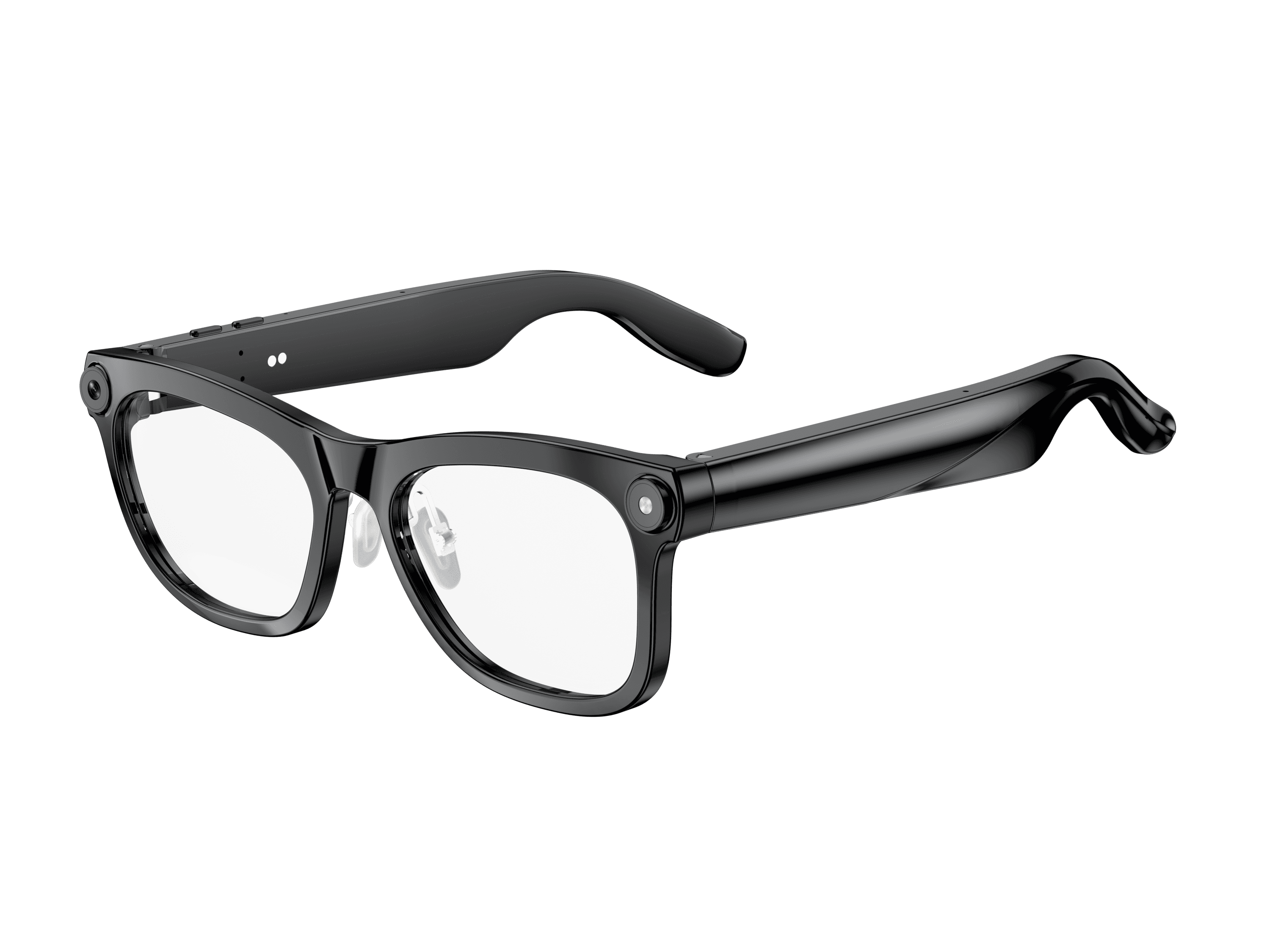 OXIVUE M02C$109 at checkout OXIVUE M02C$109 at checkout | 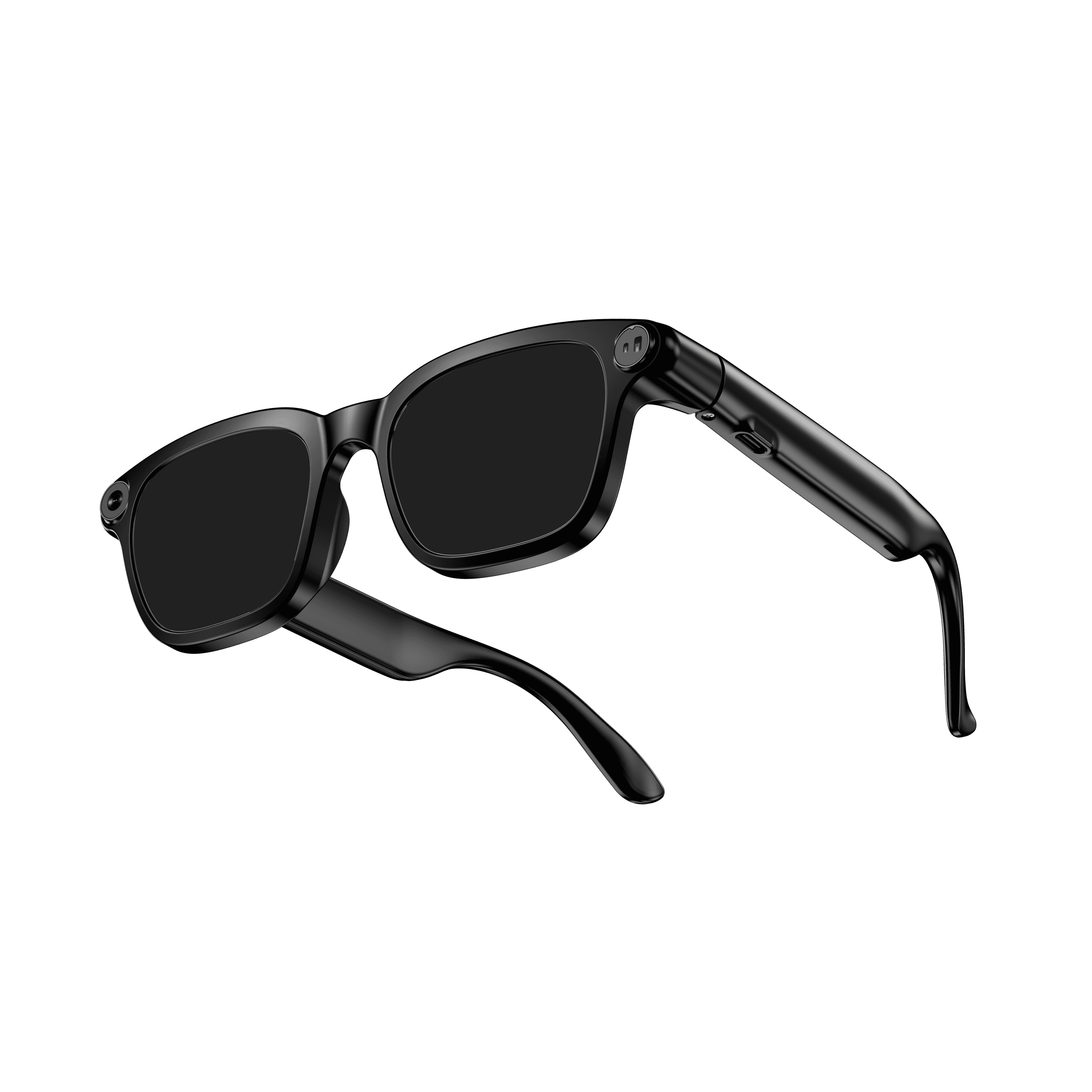 OXIVUE M08$99 at checkout OXIVUE M08$99 at checkout | |
|---|---|---|
| Camera | 8 MP | 8 MP |
| Weight | ~41 g | ~42 g |
| Water rating | IP65 | — |
| Lenses | Sunglasses · Photochromic · Clear | Sunglasses · Photochromic · Clear |
| Translation | 40+ languages | 40+ languages |
| Visual AI | Yes | — |
From each frame’s product page. Every model: open-ear audio, Bluetooth 5.4, no subscription. Full spec table
What these frames won’t do
- No prescription lenses yet, on any model. If you need vision correction all day, these can't replace your glasses.
- No display. Nothing appears in your view; you hear answers and capture photos and video.
- Open-ear speakers leak some sound at high volume and won't block out a loud train or a windy road the way sealed earbuds do.
- Translation, music, calls and the assistant need your phone nearby and connected. Translation pauses after each sentence, and only you hear the translated audio; the other person reads the reply on your phone.
- M02C: IP65 resists dust and water jets, not immersion. No swimming, no saltwater.
- M08: no published water rating, so keep it out of heavy rain and spray.
Check these before you order: see the warranty and refund policy.