Apps · 2026
Smart glasses apps: three different things behind one search
Search for smart glasses apps and you land on three different kinds of software: the app that runs your own pair, apps that outside developers build for a glasses platform, and apps about glasses, such as detectors. This guide separates them, says which makers describe a way for outside developers to build apps, and dates every claim about another brand to the page it came from.
Still deciding? Get the M02C, M08 and M08C comparison in your inbox, with your new-customer price already applied.
One email with the comparison, one follow-up a few days later. Unsubscribe any time.
1. Three kinds of smart glasses app
The search “smart glasses apps” can mean three very different things, and the answer is different for each.
- The companion app.Smart glasses that connect to a phone usually come with a maker’s app. It typically pairs the glasses, brings photos onto the phone and holds the settings. You use it whether or not anyone else builds for the glasses.
- Platform apps. A few makers describe ways for outside developers to build apps for glasses: Meta, Even Realities, Mentra and Google all do so on their own pages, at different stages.
- Apps about glasses.Software that runs on a phone and is about other people’s smart glasses, such as an app that warns you when a pair may be nearby.
Everything below about other brands comes from the maker’s own page or a named outlet that we fetched on October 31, 2026, and is dated in the text. OXIVUE sells the frames in the box above, so read this as a map of the field, not a ranking.
2. The companion app
Meta’s companion app is the Meta AI app. Meta’s help page says “You need a Meta Account to use your AI glasses”; if you do not have one, it says you can set one up with your email, Instagram or Facebook (checked October 31, 2026). Another help page says you can connect Messenger, WhatsApp, Instagram, and your iPhone or Android phone with the Meta AI app (checked October 31, 2026). A third says Apple Health, Google Health Connect (Android only), Garmin and golf apps can be used with Meta AI post-workout features, gives Strava its own section, and carries the line “Available for ages 18 and up.” (checked October 31, 2026).
Those are integrations that Meta lists in its help centre, which is different from a store where any developer can publish. Our Meta glasses app guide covers pairing, the account and the phones the app runs on.
Other makers have their own. Even Realities’ catalogue page carries the banner “Discover more in the Even Realities app”, and Mentra’s documentation says its miniapps run inside the Mentra App (both checked October 31, 2026). Google’s pages take a different route and describe glasses apps as an extension of an Android app, covered below. If you only want a camera, open-ear audio and translation, the companion app is the whole app story, and how to use smart glasses walks through a first day with one.
3. Third-party apps on Meta glasses
Meta has described a route for outside developers. Engadget reported on September 18, 2025 that Meta would let outside developers build apps through its Wearables Device Access Toolkit, starting as a limited developer preview ahead of broader availability in 2026, with Twitch, Disney and 18Birdies among the early partners.
Meta’s developer site today calls the Wearables Developer Center “your launchpad for learning, building, and testing integrations and Web Apps for AI glasses” (checked October 31, 2026), and its documentation covers the Device Access Toolkit and Web Apps for Meta Ray-Ban Display glasses. The toolkit page lists these supported glasses: Ray-Ban Meta (Gen 1 and Gen 2), Ray-Ban Meta Optics, Meta Ray-Ban Display, Oakley Meta HSTN and Oakley Meta Vanguard. It says the toolkit supports iOS 17.2+ and Android 10+, and that you build with Xcode or Android Studio (checked October 31, 2026).
It also describes a developer mode that lets an unpublished app register and interact with the glasses without going through publishing review, and testing through invite-only release channels. The Meta pages we read (checked October 31, 2026) do not say whether the toolkit is a preview or generally available, and do not say which sensors an app may use, so we state neither.
Outside Meta, a site called GlassApps describes itself as a community catalog of apps, games and experiences built for Meta smart glasses with a display (checked October 31, 2026). Its page does not describe any affiliation with Meta, so treat it as a third-party listing. We have not tested any app on it. Meta’s own display model has a page on this site: Meta Ray-Ban Display.
4. Even Hub, MentraOS and Android XR
Three more makers describe how outside developers can build apps. The table summarises what each one’s own pages say (all checked October 31, 2026), in the maker’s wording where it matters.
| Platform | What it calls an app | Glasses named on its pages | What its pages say about status |
|---|---|---|---|
| Meta Wearables Developer Center (Device Access Toolkit) | Integrations and Web Apps | Ray-Ban Meta (Gen 1 and Gen 2), Ray-Ban Meta Optics, Meta Ray-Ban Display, Oakley Meta HSTN, Oakley Meta Vanguard | Developer mode and invite-only release channels; no preview or general-availability word |
| Even Hub | Plug-ins | Even G2 | “Pilot” and “early developers” wording; catalogue linked |
| MentraOS | Miniapps, run inside the Mentra App | Mentra Live named in the docs; a section for glasses makers who want to run MentraOS | Described as open source; software-distribution site linked |
| Android XR (Google) | An extension of an Android app | “Audio glasses” and “display glasses”; no model named | No availability statement; build guide shows “Last updated 2026-05-19 UTC” |
Even Hub.Even Realities’ site has an Even Hub section headed “The Even Hub. A whole lot of applications.” and describes everything from books to productivity tools in one place for the Even G2, which it calls the everyday display smart glasses. Its developer site calls the apps plug-ins and offers an Even Hub SDK that it says “provides high-level APIs that handle the hardware and system details for you”. It also links an “Explore Catalogue” button. The catalogue page, as we could read it, did not list individual plug-ins, so we name none. For the glasses themselves, see Even G2 alternatives.
MentraOS.Mentra’s site states that MentraOS is open source and has an open source SDK documented at docs.mentraglass.com. The documentation calls it a cloud operating system for smart glasses where developers build miniapps, and names Mentra Live as the glasses. The site links a software-distribution page at apps.mentraglass.com and says you can deploy private software and integrations without publishing them to a consumer app store. Our Mentra Live alternatives guide covers the hardware.
Android XR.Google’s build guide for audio and display glasses sits in its Android XR documentation (its page title includes “Android XR for Jetpack XR SDK”). Google’s separate design page says to extend your app to audio and display glasses, and says audio glasses suit concise audio responses and text-to-speech, and that display glasses combine audio with subtle, glanceable visuals. It also points to Jetpack Compose Glimmer, a design language for glasses. The pages we read name no glasses model, price or release date, so this guide does not say which glasses will run these apps.
5. Apps that detect smart glasses
The third kind of app is not for wearers. TechCrunch reported on March 2, 2026 on Nearby Glasses, an Android app that scans for nearby Bluetooth signals carrying a manufacturer identifier and alerts the user when it detects a device from Meta or Snap. Users can add identifiers of their own. The developer acknowledged false positives, such as a Meta VR headset, so an alert is a hint and not proof that someone is recording.
The article describes alerts for Meta and Snap devices and does not describe OXIVUE frames; we have not tested the app against them. The practical point for anyone wearing camera glasses is that people nearby may not know whether a camera is on. Capture on OXIVUE frames starts only with a touch on the temple. Ask before you record people, and read smart glasses recording laws by state and Meta glasses privacy for how consent works. This is general information, not legal advice.
6. Questions to ask before you buy for the apps
- Which phone do you have?Check the minimum iOS and Android versions in each app’s store listing. Meta’s toolkit page gives iOS 17.2+ and Android 10+ for its SDK (checked October 31, 2026); read the store listing of the app you will actually use. Our guides on smart glasses for iPhone and for Android compare listings.
- Does it need an account?Meta’s help page says you need a Meta Account to use its AI glasses (checked October 31, 2026). Check what any other maker asks for before you pair.
- Display or audio only?Google’s pages describe audio glasses answering in speech and display glasses showing glanceable visuals. A display platform such as Even Hub or Meta Ray-Ban Display suits an app that shows something. Audio-and-camera frames suit speech and photos. See smart glasses with a display.
- Is the platform open to anyone yet?Even Hub’s page says “pilot” and Meta’s describes invite-only release channels (both checked October 31, 2026). Buy for the apps that exist today, not for the ones a developer program may bring.
- What does the phone have to do? Translation, the assistant and photo import run through the phone and its app. Do smart glasses need a phone goes through what works without one.
7. Where OXIVUE fits
OXIVUE sells the frames on this page, so treat this section as disclosure and not advice. OXIVUE publishes no app store, no developer kit and no list of third-party apps for its frames. The M08 ($99 at checkout) pairs over Bluetooth 5.4 with one free companion app, which handles translation in 40+ languages and brings photos and files onto your phone. Only the wearer hears the translated audio; the other person reads the reply on the phone, and translation pauses after each sentence.
The M02C($109 at checkout) adds a voice-activated visual assistant. OXIVUE does not publish which AI model powers the M02C’s voice-activated visual assistant. Setting up an OXIVUE frame does not need a Meta, Facebook or Instagram account; the smart glasses without a Meta account guide explains the contrast. No OXIVUE frame has a display or Meta AI, so if the app platforms above are what you want, a display model from one of those makers fits better. Compare every OXIVUE model on the comparison page.
Shipping, refunds and warranty. Free shipping from $99. US orders typically arrive in 5–9 business days. International orders take 9–14 business days after shipment. Import VAT or duties outside the US are paid by the recipient. No refunds except transit damage (replaced or refunded); faults are repaired or replaced under the 2-year warranty; change of mind and unmet expectations are not refundable. None of our frames take prescription lenses. Read the refund policy, the shipping policy and the warranty.
Frequently asked questions
Are there apps for smart glasses?
Yes, in three forms. Smart glasses that connect to a phone usually come with a maker's companion app for pairing and photo import. Meta, Even Realities, Mentra and Google also describe ways for outside developers to build apps for glasses on their own pages (checked October 31, 2026). The third form is an app about glasses, such as an Android app that scans for Bluetooth signals from nearby Meta or Snap devices. The OXIVUE M08 uses one free companion app and has no app store.
Do smart glasses have an app store?
Some do. Even Realities links an Even Hub catalogue for the Even G2, and Mentra links a software-distribution site at apps.mentraglass.com (both checked October 31, 2026). The Meta developer pages we read (checked October 31, 2026) describe developer mode and invite-only release channels but do not describe a public store for toolkit apps. OXIVUE publishes no app store or developer kit for its frames.
Can you install third-party apps on Meta glasses?
Not from anything Meta's pages describe as an open store. Meta's developer site (checked October 31, 2026) lists a Device Access Toolkit with a developer mode for unpublished apps and invite-only release channels. Engadget reported on September 18, 2025 that it would start as a limited developer preview, with Twitch, Disney and 18Birdies as early partners. Community catalogs such as GlassApps list apps for Meta glasses with a display; they are third-party listings.
What are the best smart glasses apps?
There is no fair ranking, because each platform has its own apps and its own glasses. The apps that matter most for a given pair are its companion app and the services it connects to. For Meta those include Messenger, WhatsApp, Instagram, Apple Health, Garmin and golf apps, as Meta's help pages list them (checked October 31, 2026). Pick the glasses for the job you want done, then check that maker's app and its phone requirements.
Do smart glasses apps work on iPhone and Android?
Not always. Nearby Glasses, the detector app TechCrunch described on March 2, 2026, is Android-only, and Meta's toolkit page (checked October 31, 2026) lists iOS 17.2 or later and Android 10 or later for its SDK. For any other pair, read the app's store listing for its minimum versions. Check the version before you buy, not after. Our guides on smart glasses for iPhone and for Android compare store listings.
Is there an app that detects smart glasses?
Yes. Nearby Glasses is an Android app that TechCrunch described on March 2, 2026: it scans for Bluetooth signals carrying a manufacturer identifier and alerts the user when it finds a Meta or Snap device. Its developer acknowledged false positives, such as a Meta VR headset, so an alert is a hint and not proof. If you wear camera glasses, ask before you record people and check your state's law.
Are smart glasses apps free?
OXIVUE's companion app is free and there is no subscription. For other brands, read the app's store listing and the maker's terms, because pricing differs by app and we did not check it for this guide. On accounts, Meta's help page says you need a Meta Account to use its AI glasses (checked October 31, 2026); check what any other maker asks for before you pair.
OXIVUE frames side by side
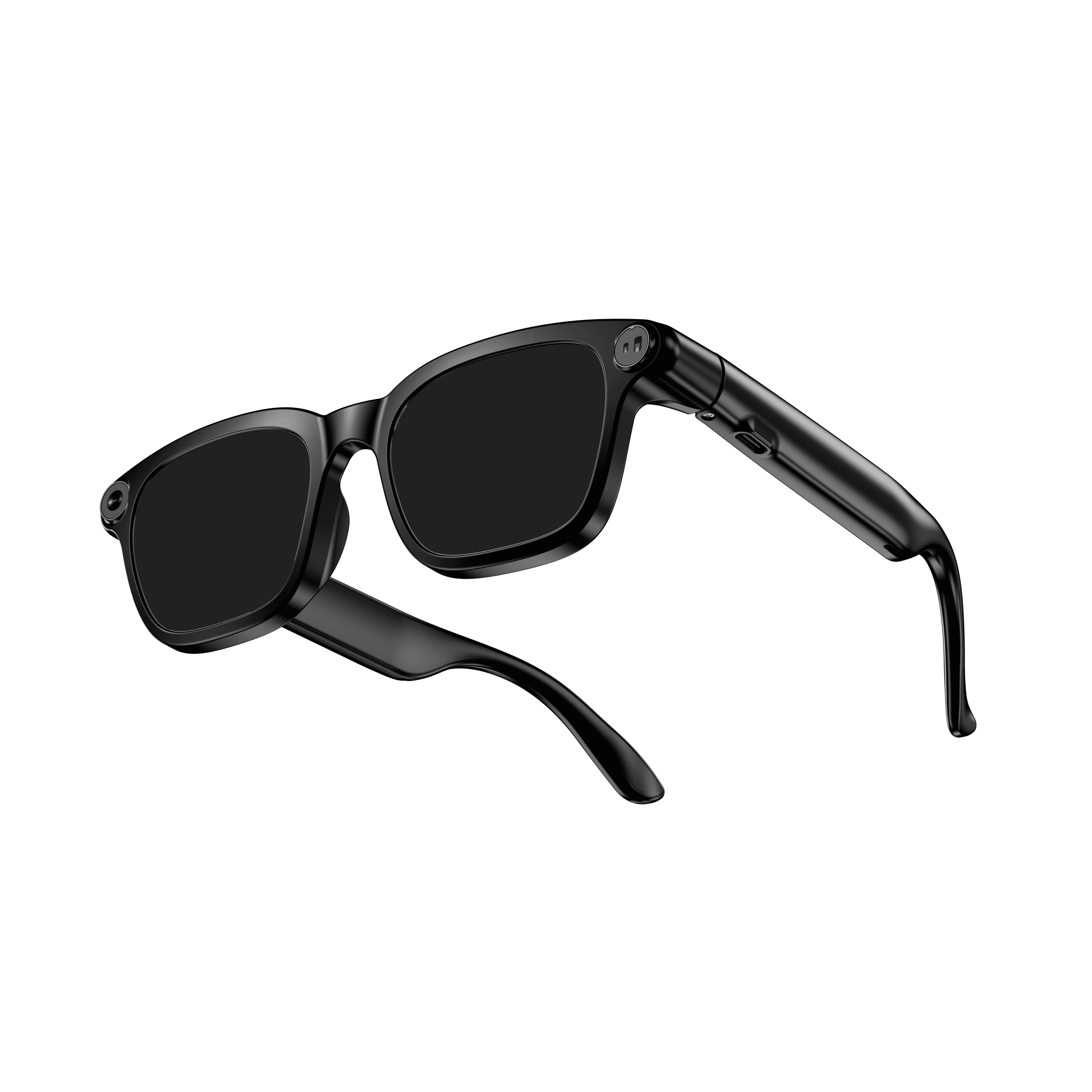 OXIVUE M08$99 at checkout OXIVUE M08$99 at checkout | 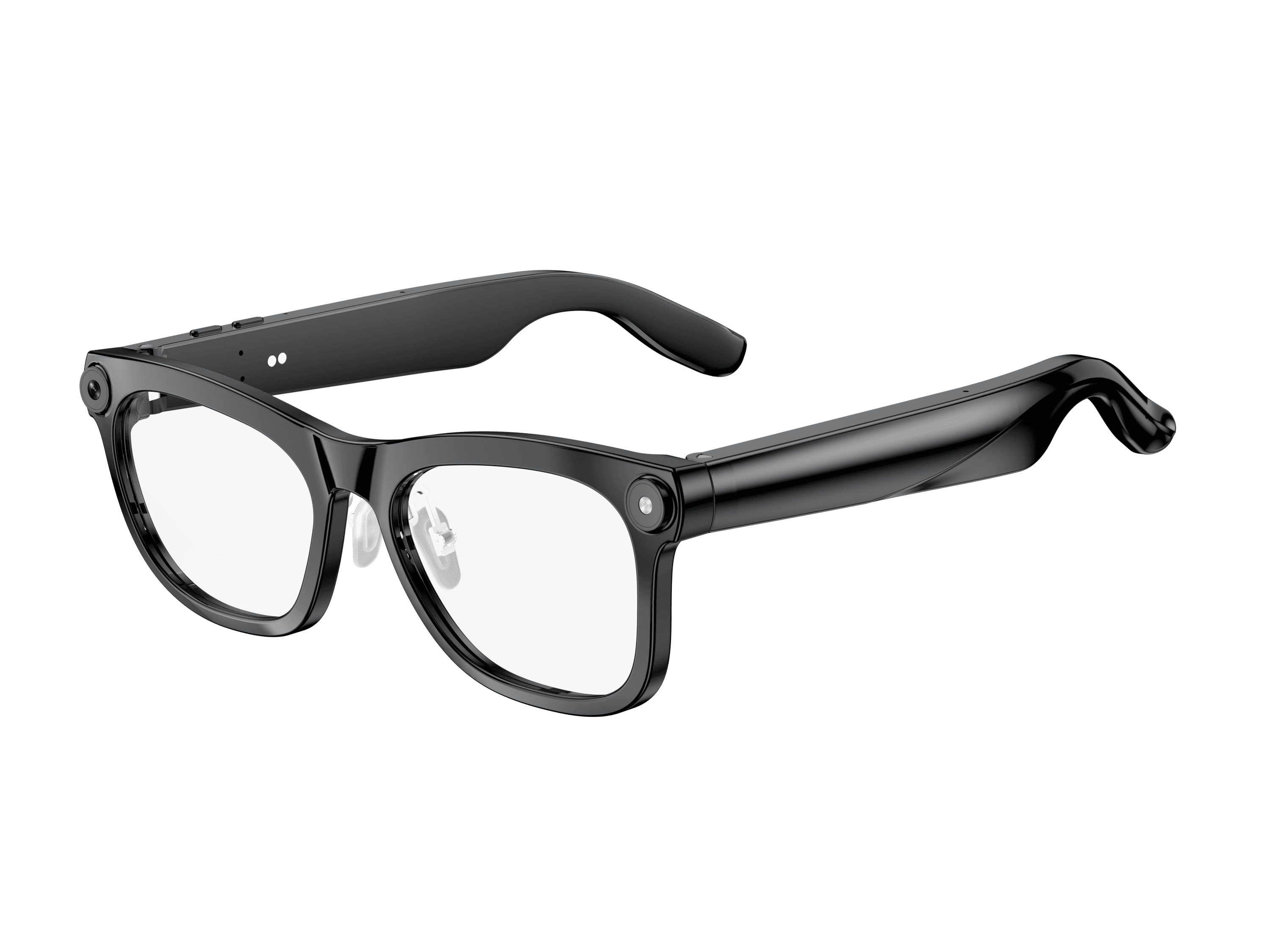 OXIVUE M02C$109 at checkout OXIVUE M02C$109 at checkout | 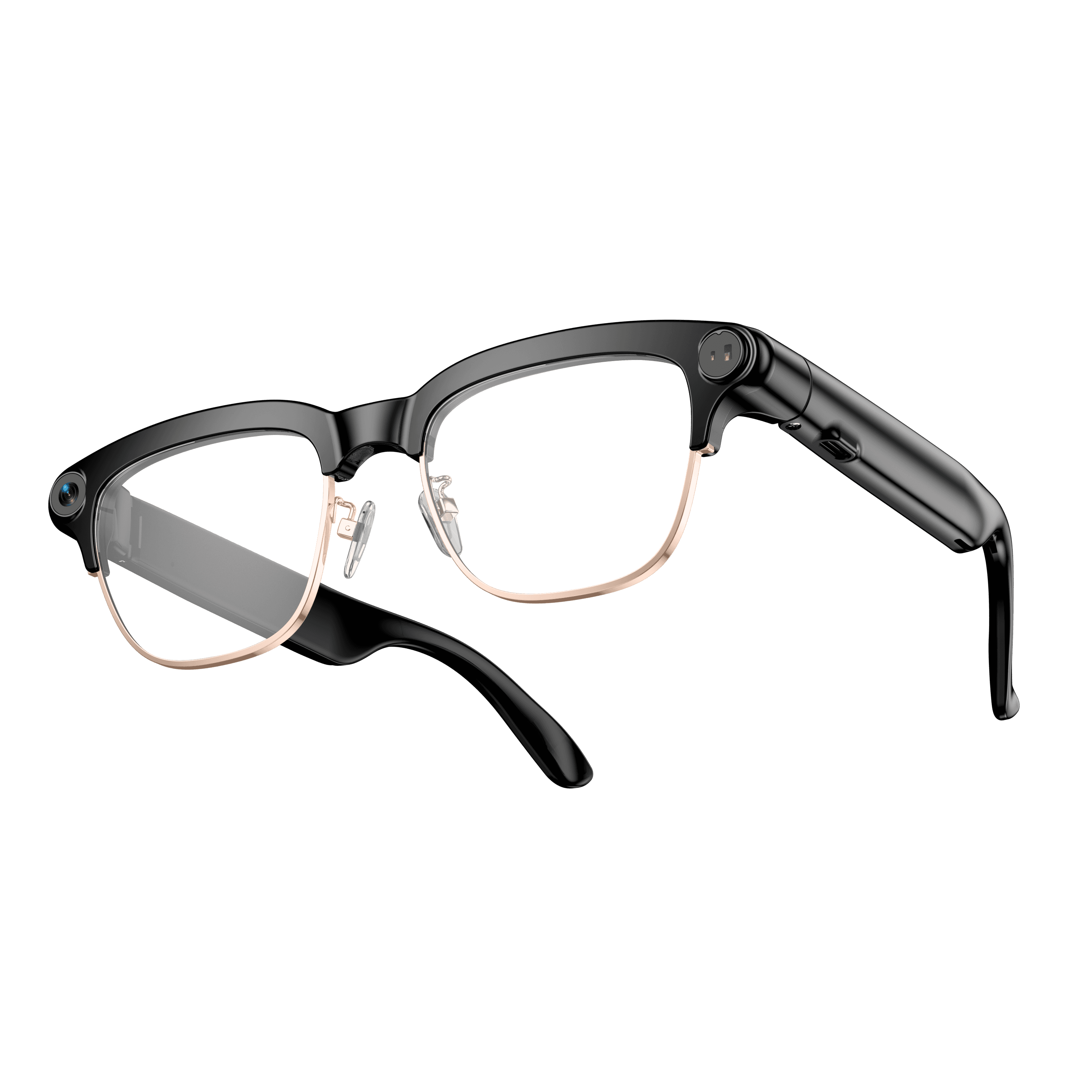 OXIVUE M08C$119 at checkout OXIVUE M08C$119 at checkout | |
|---|---|---|---|
| Camera | 8 MP | 8 MP | 8 MP |
| Weight | ~42 g | ~41 g | ~42 g |
| Water rating | — | IP65 | — |
| Lenses | Sunglasses · Photochromic · Clear | Sunglasses · Photochromic · Clear | Sunglasses · Photochromic · Clear |
| Translation | 40+ languages | 40+ languages | 40+ languages |
| Visual AI | — | Yes | — |
| Metal trim | — | — | Gold · Silver |
From each frame’s product page. Every model: open-ear audio, Bluetooth 5.4, no subscription. Full spec table
What these frames won’t do
- No prescription lenses yet, on any model. If you need vision correction all day, these can't replace your glasses.
- No display. Nothing appears in your view; you hear answers and capture photos and video.
- Open-ear speakers leak some sound at high volume and won't block out a loud train or a windy road the way sealed earbuds do.
- Translation, music, calls and the assistant need your phone nearby and connected. Translation pauses after each sentence, and only you hear the translated audio; the other person reads the reply on your phone.
- M08: no published water rating, so keep it out of heavy rain and spray.
Check these before you order: see the warranty and refund policy.