Meta glasses help · Repair
Meta glasses repair: who fixes them, and what it costs
Meta glasses repair depends on two things: whose name is on the frame, and whether the fault is a defect or damage. This guide takes each common problem, from a dead battery and a broken hinge to a cracked lens, water and a failing speaker or camera, and gives the first step and the official route, in and out of warranty, with Meta's published costs.
Still deciding? Get the M08 and M08C comparison in your inbox, with your new-customer price already applied.
One email with the comparison, one follow-up a few days later. Unsubscribe any time.
1. Who repairs Meta glasses
Meta splits repairs three ways, by the brand on the frame. Meta’s help center (checked October 31, 2026) routes claims like this:
- Ray-Ban Meta (1st, 2nd and 3rd Gen) and Ray-Ban Meta Audio: the Ray-Ban aftersales portal, not Meta.
- Oakley Meta HSTN and Oakley Meta Vanguard: the Oakley aftersales portal.
- Meta’s own products, namely Meta AI Glasses, Meta Ray-Ban Display, the Meta Neural Band and Meta-manufactured accessories such as charging cases: Meta Store Support.
Meta says Ray-Ban and Oakley handle their glasses “even if you purchased them from Meta Store.” Every route asks for the serial number and proof of purchase, such as the order confirmation email or receipt. The Ray-Ban and Oakley portals are only available in certain countries; where they are not, Meta points you to the local Ray-Ban or Oakley website. The claim itself, step by step, is in our Meta glasses warranty guide. This page is organised by what is broken.
2. Problem, first step, likely route
Meta asks you to troubleshoot before you claim: check for a software update, restart the glasses, and try a factory reset if the problem persists. Import your photos and videos before any reset (section 8). After that, the route depends on whether the fault is a defect or damage.
| Problem | First step | Likely route |
|---|---|---|
| Won’t charge or turn on | Charge fully, check for an update, restart | Warranty claim: battery and charging problems are typically covered |
| Speaker, microphone or camera fault | Update, restart, then factory reset after importing media | Warranty claim if it persists: faults not caused by damage are typically covered |
| Loose hinge or broken arm | Stop wearing them; don’t open or glue them; take photos | Defect: warranty claim. Drop or knock: Warranty Plus, or out-of-warranty options |
| Cracked or scratched lens or frame | Take photos; check whether you added Warranty Plus | Typically excluded from the standard warranty as accidental damage; Warranty Plus covers drops and impacts |
| Water damage | Take them off, dry them thoroughly, clear the charging areas of residue | Liquid damage is excluded from the standard warranty; Warranty Plus covers spills |
| Charging case broken | Check it is the case, not the glasses, that has failed | Meta Store Support handles Meta-made accessories; Meta Store sells replacements |
If the glasses show no sign of life, work through how to turn on Meta glasses and how to charge Meta glasses before you file anything: a flat battery and a failed one look the same. For the rain rating, see are Meta glasses waterproof.
3. In warranty: repair or replacement
A covered defect costs nothing to fix. Meta’s own limited warranty for the Americas (excluding Mexico), for products bought on or after July 1, 2026, runs one year from purchase or delivery, whichever is later. Meta chooses the remedy: it repairs or replaces the product and returns it at its own cost, or refunds it if repair or replacement is impossible. Replacements “may be new, refurbished, or remanufactured.” Ray-Ban Meta and Oakley Meta claims are handled by their manufacturer under its own terms.
For glasses Meta handles itself, its replacement article offers two options:
- Advanced replacement. An in-stock replacement ships as soon as possible, and Meta places a temporary hold on your credit card until the original comes back.
- Standard replacement.Nothing ships until Meta receives and inspects your glasses. Meta says processing usually takes 3–5 business days after your return is delivered, and shipping the replacement takes 5–7 business days.
The standard warranty typically does not cover accidental damage (drops, water damage, scratches), normal wear and tear, cosmetic damage that does not affect function, or damage from misuse or unauthorized modifications. That is where the paid routes start.
4. Out of warranty or accidental damage
Meta runs two programs for what the standard warranty leaves out. Which one applies depends on what you bought at checkout.
Meta Warranty Plus, if you added it
Warranty Plus covers malfunctions and manufacturing defects, accidental damage (drops, spills, impacts) and cosmetic damage, for up to two years. Meta lists it for the US and Japan. For Ray-Ban Meta and Oakley Meta, its Warranty Plus page says the plan is only available to US customers at the time of purchase on meta.com, so it cannot be added to glasses you already own. US prices on Meta’s help page (checked October 31, 2026):
| Glasses | Plan price | Fee per accidental or cosmetic claim |
|---|---|---|
| Ray-Ban Meta Gen 1 | $39.99 | $50 |
| Ray-Ban Meta Gen 2 | $54.99 | $60 |
| Ray-Ban Meta Optics Gen 2 (non-prescription) | $59.99 | $100 |
| Oakley Meta HSTN | $59.99 | $60 |
| Oakley Meta Vanguard | $69.99 | $75 |
| Meta Ray-Ban Display (non-prescription) | $79.99 | $100 |
| Meta Glasses (non-prescription) | $59.99 | $65 |
Malfunction claims carry no service fee. In the first year, Luxottica or Meta handles malfunctions and Meta handles accidental damage; in the second year Meta handles every claim. The help page does not list Ray-Ban Meta Gen 3, so check meta.com for that model.
Meta’s Out of Warranty Program
For products past their warranty, or with a problem the warranty excludes, Meta offers a one-time out-of-warranty service for “certain Meta-branded products.” Under terms effective July 31, 2026, it covers the Americas excluding Mexico, for products bought from an authorized source in the US or Canada. You receive a new, repaired or refurbished product, subject to availability, and pay the fee shown in your order confirmation. The terms list neither eligible models nor a price, so ask Meta Store Support whether your glasses qualify. Meta’s service page adds that out-of-warranty replacements may include buying certain products at a discounted price.
For Ray-Ban Meta and Oakley Meta out of warranty, none of the Meta pages we checked describes a paid repair. Ask through the Ray-Ban or Oakley portal, or Meta Store Support, what is available for your model. Buying a refurbished pair is the other route.
5. What Meta glasses repair costs
A covered defect costs $0; everything else depends on which program you are in. None of the Meta pages we checked on October 31, 2026 publishes a per-repair price list. What they do say:
- Covered defect, in warranty: nothing. Meta repairs or replaces the product and returns it at its cost.
- Accidental damage with Warranty Plus: the plan price you paid at purchase, plus $50 to $100 per accidental or cosmetic claim for the non-prescription models above, and up to $150 for a prescription pair.
- Out of Warranty Program: a fee quoted in your order confirmation and charged to your card when Meta receives the product. No figure is published.
- Not covered at all: if Meta decides a claim falls outside its warranty, it may send the glasses back at your cost, paid in advance, or hold them for collection for a limited period before disposing of them.
6. Why it isn’t a DIY or optician job
The battery cannot be swapped. Meta’s help center says “It’s not possible to replace the battery inside your glasses or charging case.” Meta’s safety warnings for Meta Ray-Ban Display and Meta Glasses go further: do not use the glasses if any part is broken, “Do not attempt to repair any part of the Product yourself until you have discussed with Meta Support,” do not disassemble them, and do not open or modify the battery. The Meta Glasses warnings add that the product “should be serviced only by an authorized service provider” and that repair or disassembly may expose you to infrared laser radiation.
The warranty gives a second reason. Meta’s limited warranty excludes damage from repairs and from replacing component parts, “including batteries and lenses”, unless Meta does the work or it follows Meta’s documentation. Search results for this topic include independent mail-in repair services and hinge-screw kits; try the official route first.
An optician is the right person for one job only: prescription lenses. Meta’s Rx Lens Swap terms (last updated April 30, 2026) cover frame damage caused by a professional fitting prescription lenses, for Meta AI Glasses only; Ray-Ban Meta, Oakley Meta and Meta Ray-Ban Display are excluded and go through their manufacturers. That covers lenses, not electronics. Our Meta glasses prescription guide has more on lens options.
7. Meta glasses repair near me
Meta’s help pages do not list walk-in repair locations. The routes they name are online: the Ray-Ban and Oakley aftersales portals and Meta Store Support. A replacement through Meta runs by post: you receive a return merchandise authorization (RMA) email, pack the glasses in the return kit or with bubble wrap, print the shipping labels and drop the parcel at the courier’s nearest location. The nearest place you need is a courier drop-off.
Two more points. If you bought Ray-Ban Meta or Oakley Meta glasses from a retailer other than Meta, Meta’s service page says to contact that retailer, so ask the store where you bought them. And the local eyewear shops that appear for this search repair ordinary frames; because Meta’s warranty does not cover damage from repairs it did not do, check the official route before you hand them over.
8. Before you send them: back up, unpair, reset
A factory reset deletes every photo and video on the glasses, and Meta’s replacement steps ask you to reset before you ship. In this order:
- Import your media.In the Meta AI app, tap Glasses in the top right; if there are unimported captures, an Import button appears next to Photos. Import moves them to your phone’s photo app. Auto-import may already be on, depending on your phone and software version.
- Note the serial number and find your proof of purchase. Every claim route asks for both. You can check warranty status at meta.com/my/devices.
- Unpair.In the Meta AI app: Glasses, Device settings, your glasses, General, Unpair glasses, then Unpair. You may also need to choose Forget for the glasses in your phone’s Bluetooth settings.
- Factory reset. For Ray-Ban Meta or Oakley Meta: out of the case, charged and switched on, close both arms, press the capture button five times (the LED turns orange), then press and hold it and release when the LED flashes. The glasses pair with one Meta account at a time, and a reset is needed before anyone else can pair them.
- Pack what was asked for. Send only the device listed in your RMA email. Where the claim is not for one specific component, Meta asks for the glasses with the case and the original microfiber cloth; missing parts can delay a replacement and may incur a fee.
9. Where OXIVUE fits
OXIVUE publishes this page and makes its own camera glasses. They are not Meta glasses and not a substitute for a Meta repair: they have no display, take no prescription lenses, do not run Meta AI, and work with their own companion app instead of the Meta AI app. If you are weighing a repair fee against a different pair, the M08 is $99 at checkout (listed $149) and the M08C, with gold or silver trim, is $119 (listed $169). Both have an 8 MP camera and open-ear speakers, weigh about 42 g and are rated 7 hours of listening and 4 hours of calls.
Every OXIVUE eyewear frame carries a 2-year limited warranty, under which a fault is repaired or replaced. The terms are on our warranty page, and owners can reach us through the support page.
Shipping, refunds and warranty. Free shipping from $99. US orders typically arrive in 5–9 business days; international orders take 9–14 business days after shipment, to 39 countries, with import VAT or duties outside the US paid by the recipient on delivery. No refunds except transit damage (replaced or refunded); faults are repaired or replaced under the 2-year warranty; change of mind and unmet expectations are not refundable. None of our frames take prescription lenses. Compare every model on the comparison page.
Frequently asked questions
Will Meta repair my glasses?
Yes, if the fault is a covered defect, but who handles it depends on the model. Ray-Ban Meta and Oakley Meta claims go to Ray-Ban's or Oakley's aftersales portal, even if you bought the glasses from Meta. Meta handles its own glasses, such as Meta Ray-Ban Display, through Meta Store Support. Under Meta's own warranty, Meta chooses whether to repair or replace, and a replacement may be new, refurbished or remanufactured. Drops, water damage and scratches are typically not covered.
How much does it cost to repair Meta glasses?
Nothing for a covered defect: Meta's limited warranty says Meta repairs or replaces the product and returns it at its cost. Accidental damage is different. With Meta Warranty Plus in the US, each accidental or cosmetic claim carries a service fee of $50 to $150 depending on the model, on top of the plan price paid at purchase. Without it, Meta's Out of Warranty Program charges a fee shown in your order confirmation; Meta does not publish the amount. Checked October 31, 2026.
Is there Meta glasses repair near me?
Usually not in person. Meta's help pages do not list walk-in repair locations; the routes they name are online: the Ray-Ban and Oakley aftersales portals and Meta Store Support. For a replacement through Meta you get an RMA email, pack the glasses, print the shipping labels and drop the parcel at the courier's nearest location. Local eyewear shops repair ordinary frames, but Meta's warranty excludes damage from repairs or replaced parts that Meta did not do.
Can a broken Meta glasses frame or hinge be repaired?
Yes, but through a claim rather than a DIY fix. Meta's safety warnings for its own glasses say not to use them if any part is broken and not to repair any part yourself until you have discussed it with Meta Support. If the hinge failed on its own, file a warranty claim. If it broke in a drop, that is accidental damage: covered by Meta Warranty Plus if you bought it, otherwise ask Meta Store Support or the Ray-Ban or Oakley portal about out-of-warranty options.
Can you replace the battery in Meta glasses?
No. Meta's help center says it is not possible to replace the battery inside the glasses or the charging case. Battery and charging problems that are not caused by damage are typically covered by the warranty, so a battery that fails early is a warranty claim, not a repair job. Meta's limited warranty treats batteries as consumable parts that diminish over time, unless the failure comes from a defect in materials or workmanship.
How do I factory reset Meta glasses without the app?
Use the capture button on the glasses; the reset itself does not go through the app. For Ray-Ban Meta or Oakley Meta, Meta's steps are: take them out of the case, charged and switched on; close both arms; press the capture button five times until the LED turns orange; then press and hold it and release when the LED flashes. The reset deletes all photos and videos on the glasses, so import them first, and you will need to pair again with the Meta AI app afterwards.
Does the Meta warranty cover water damage?
No, not the standard warranty. Meta's help page lists water damage alongside drops and scratches as accidental damage the warranty typically does not cover, and Meta's limited warranty excludes exposure to liquids. Ray-Ban Meta, Meta Ray-Ban Display and Meta Glasses are rated IPX4, which Meta describes as safe in light rain but not for submersion. Meta Warranty Plus, sold in the US, covers spills as accidental damage, with a service fee per claim.
OXIVUE frames side by side
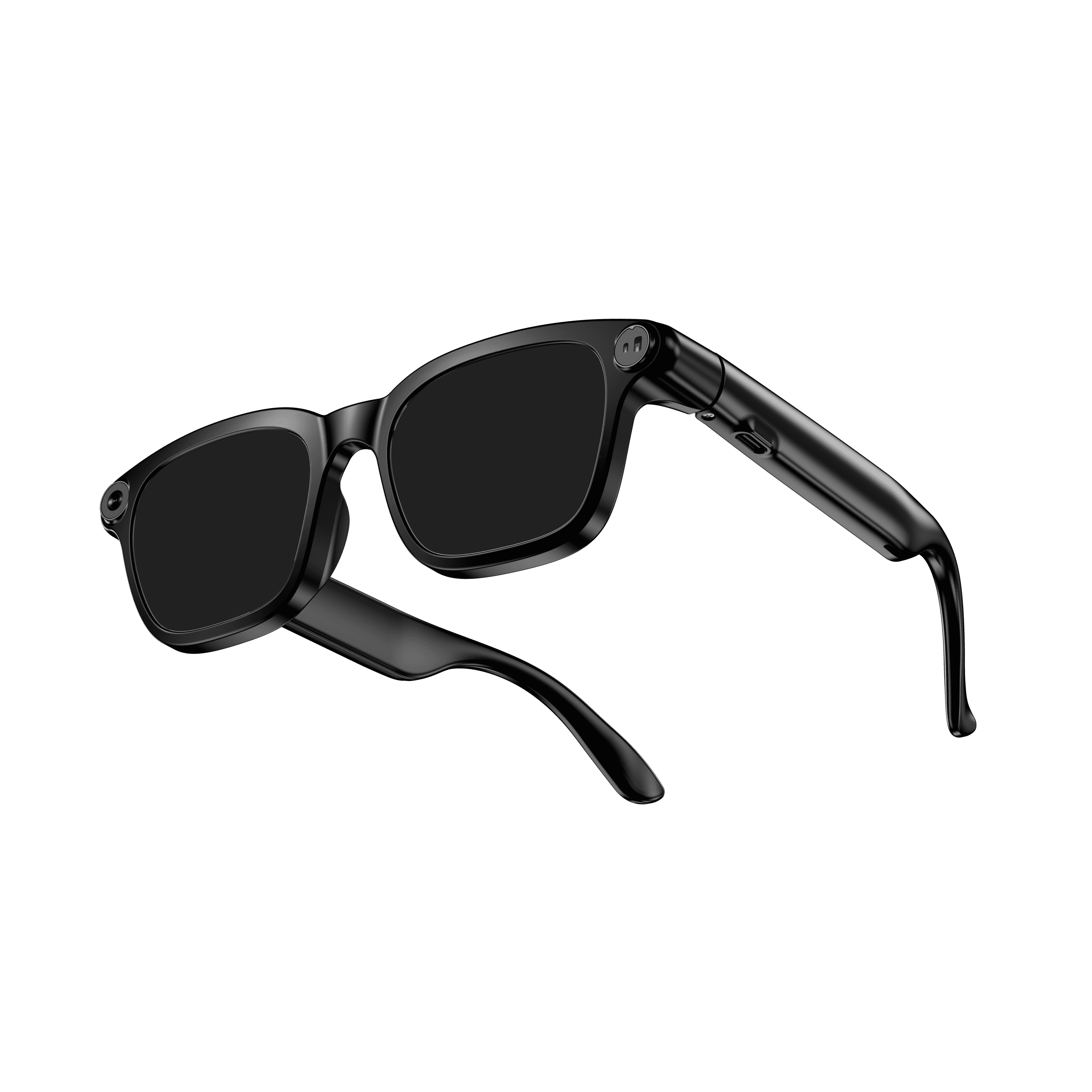 OXIVUE M08$99 at checkout OXIVUE M08$99 at checkout | 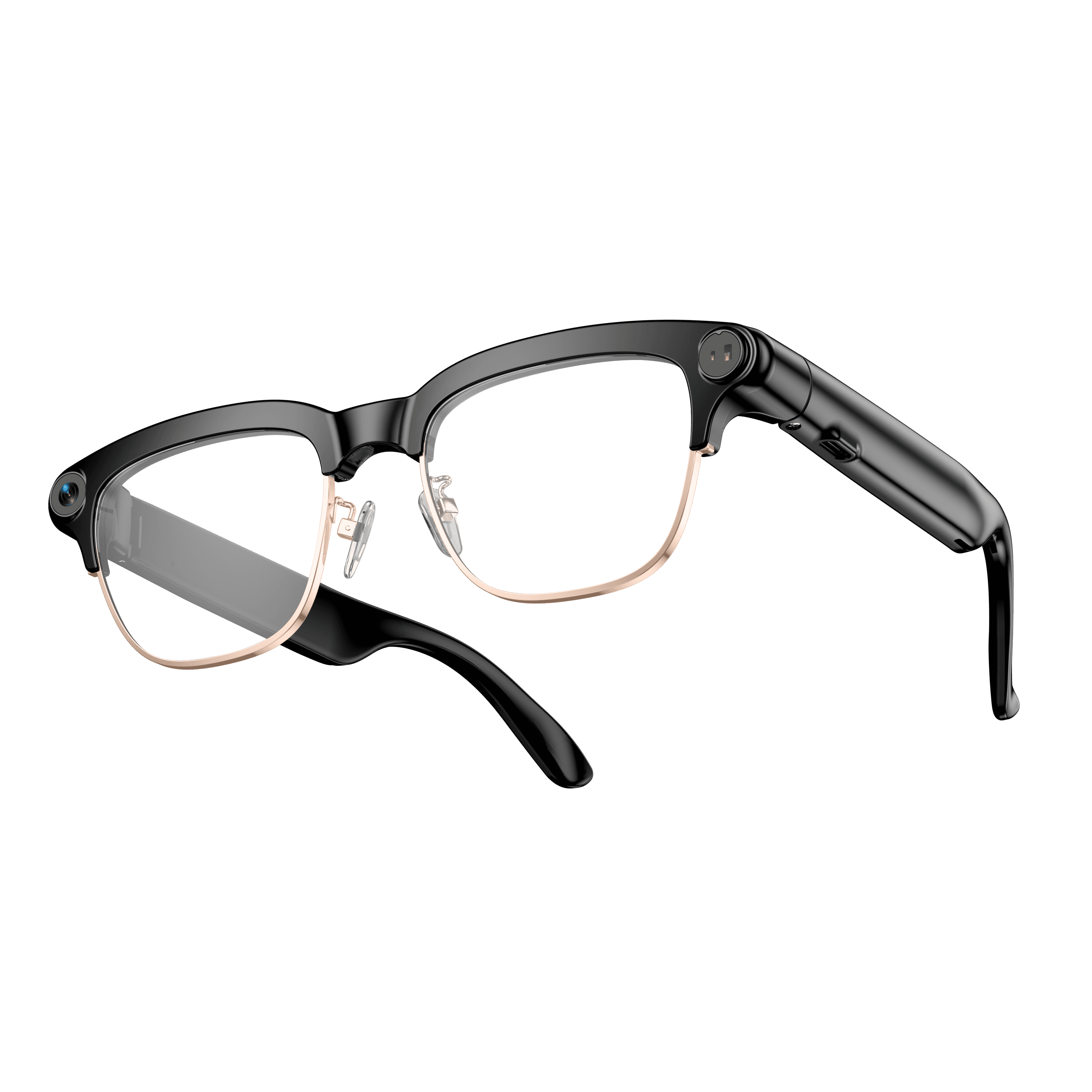 OXIVUE M08C$119 at checkout OXIVUE M08C$119 at checkout | |
|---|---|---|
| Camera | 8 MP | 8 MP |
| Weight | ~42 g | ~42 g |
| Lenses | Sunglasses · Photochromic · Clear | Sunglasses · Photochromic · Clear |
| Translation | 40+ languages | 40+ languages |
| Metal trim | — | Gold · Silver |
From each frame’s product page. Every model: open-ear audio, Bluetooth 5.4, no subscription. Full spec table
What these frames won’t do
- No prescription lenses yet, on any model. If you need vision correction all day, these can't replace your glasses.
- No display. Nothing appears in your view; you hear answers and capture photos and video.
- Open-ear speakers leak some sound at high volume and won't block out a loud train or a windy road the way sealed earbuds do.
- Translation, music, calls and the assistant need your phone nearby and connected. Translation pauses after each sentence, and only you hear the translated audio; the other person reads the reply on your phone.
- M08: no published water rating, so keep it out of heavy rain and spray.
- M08C: no published water rating, so keep it out of heavy rain and spray.
Check these before you order: see the warranty and refund policy.