Accessibility · Meta AI · 2026
Meta glasses for the blind: what Meta says they do, and the limits it states
Search for Meta glasses for the blind and you get charity explainers, forum threads and videos. This page sticks to what Meta, Be My Eyes and two sight-loss charities say on their own pages, checked October 31, 2026: what Meta AI, Live AI and Be My Eyes do on the glasses, which models cost what, and the limits Meta itself states.
Still deciding? Get the M02C, M08 and M08C comparison in your inbox, with your new-customer price already applied.
One email with the comparison, one follow-up a few days later. Unsubscribe any time.
1. What Meta says its glasses do for blind and low-vision users
Meta’s accessibility page says its AI glasses act as a hands-free companion that describes surroundings, reads text and identifies objects, and that they can connect you to sighted volunteers through Be My Eyes (Meta, AI glasses for blind and low-vision users, checked October 31, 2026). That is the maker describing its own product, so the rest of this page also looks at Meta’s help articles, the Be My Eyes page and two sight-loss charities.
Beyond describing and reading, Meta’s page lists hands-free video calls on Messenger and WhatsApp, voice messages you can send, listen to and reply to by voice, and voice control of calls, messages, music and volume. It says Meta AI starts when you say “Hey Meta” or tap and hold the touchpad, and that the Meta AI app works with iOS VoiceOver and Android TalkBack.
The same page says most models are prescription-ready and gives battery life by model (see section 4). Where Meta’s page does not say something, this guide does not fill the gap.
2. Meta AI on the glasses: Detailed Responses and Live AI
Detailed Responses is a setting in the Meta AI app that makes Meta AI say more about what is around you. Meta’s help article says that with it on, you will “hear more about objects, signage and people” (Meta help, Detailed Responses, checked October 31, 2026). You switch it on in the Meta AI app: tap the glasses icon, open Device settings, choose your glasses and turn on Detailed responses. The article lists Ray-Ban Meta, Oakley Meta and Meta Glasses as supported and does not name countries or languages.
The same article carries two warnings worth reading before you buy: “Keep in mind, responses may include inaccuracies,” and “Do not use detailed responses as a mobility aid.”
Live AI is a continuous conversation with Meta AI that uses the camera. You start it by saying “Hey Meta, start live AI,” and you do not have to repeat the wake phrase during the session. Meta’s help article says the camera and microphone are continuously active during a session, that pausing turns them off, and that Live AI is available in English and is rolling out over time in the US and Canada (Meta help, Live AI, checked October 31, 2026). It does not list which glasses support it or any battery or session limits. Meta’s accessibility page describes Live AI as offering real-time, context-aware help.
3. Be My Eyes on Meta glasses: how a volunteer call works
Be My Eyes on Meta glasses lets you start a video call with a sighted volunteer by voice, and the volunteer sees what the glasses camera sees. Meta’s accessibility page says volunteers can help with tasks such as choosing an outfit or adjusting a thermostat, and that the Be My Eyes network is available in 21 global markets. Meta’s help article (Meta help, Be My Eyes, checked October 31, 2026) sets out how it works:
- Set-up. Install the Be My Eyes app and log in as someone needing visual assistance, then in the Meta AI app open Glasses, Device settings, your glasses and Be My Eyes, and connect the two.
- Starting a call.Meta’s help article gives “Hey Meta, call a volunteer using Be My Eyes” as one accepted phrasing, and its accessibility page gives “Hey Meta, Be My Eyes.” On the Oakley Meta Vanguard, Meta says the action button makes it “even more seamless” to call a volunteer.
- What the volunteer sees.What is in the glasses’ field of view. The help article notes the camera is on the left side, so hold things accordingly.
- Switching to your phone. A double-tap on the capture button moves the camera, microphone and speakers between the glasses and the phone. Volunteers cannot start that switch or zoom the video, but they can take a picture in the app to zoom in. Be My Eyes describes switching to the phone camera for close reading.
- Ending a call. Double-tap the touchpad on the right arm, or end it in the Be My Eyes app.
On availability, Meta’s help article says the call feature is currently offered in English in supported countries. Be My Eyes’ own page (Be My Eyes on smart glasses, checked October 31, 2026) lists Australia, Canada, Ireland, the UK, the USA, France, Denmark, Germany, India, Italy, Mexico, Spain and the UAE, “including (but not limited to)” those. Meta’s accessibility page says the Be My Eyes network is available across 21 markets, and the help article names no countries in its text, so check your own country with both. Be My Eyes says this first release provides hands-free access to volunteer calls and that new capabilities will be evaluated and developed over the coming months. It calls the app free and does not describe any cost for calls on the glasses.
4. Which Meta glasses: starting prices, battery and prescription lenses
On Meta’s own model pages (checked October 31, 2026), Ray-Ban Meta (Gen 2) starts at $379, Oakley Meta HSTN at $399 and Oakley Meta Vanguard at $499. Meta says Ray-Ban Meta prices range by style and that specific lenses and prescriptions may cost more. The battery and lens figures below come from Meta’s accessibility page, which says most models are prescription-ready.
| Starting price on meta.com | Battery, per Meta | Prescription lenses, per Meta | |
|---|---|---|---|
| Ray-Ban Meta (Gen 2) | From $379 | Up to 8 hours | Supported |
| Oakley Meta HSTN | From $399 | Up to 8 hours typical use, 5 hours continuous audio | Supported |
| Oakley Meta Vanguard | From $499 | Up to 9 hours typical use, 6 hours continuous audio | Not supported; Meta says its action button makes calling a Be My Eyes volunteer “even more seamless” |
| Ray-Ban Meta (Gen 1) | Price not checked today | Up to 4 hours | Supported |
These rows are not Meta’s full range, and its pages change. Check meta.com for the current price and battery figure before you decide. For model-by-model detail, see our guides to Ray-Ban Meta Gen 2, Oakley Meta HSTN, Oakley Meta Vanguard and Meta glasses with prescription lenses.
5. The limits Meta and two sight-loss charities state
Meta’s help article says not to use Detailed Responses as a mobility aid, and MyVision Oxfordshire, a registered charity for visually impaired people, calls the glasses a supplement rather than a replacement for a cane or guide dog. The limits stated on the pages we read:
- Accuracy and mobility.Meta warns that responses may include inaccuracies and that Detailed Responses should not be used as a mobility aid. Its accessibility page also says the glasses “help you navigate, connect and live more independently” in general terms, so read that line alongside the help-article warning.
- A supplement, not a replacement. MyVision Oxfordshire, a registered charity, says the glasses add to existing skills and tools rather than replace a guide dog or cane (MyVision Oxfordshire, page undated, checked October 31, 2026).
- Phone and connection. MyVision says the glasses need a paired smartphone and a reliable internet connection. Galloways, a sight-loss charity, lists a compatible phone (Android 10 or later, or iOS 14.4 or later) and Wi-Fi or mobile data (Galloways, Meta AI glasses FAQ, page undated, checked October 31, 2026).
- Language and region.Live AI is in English and rolling out in the US and Canada, and Be My Eyes calls are offered in English in supported countries, per Meta’s help articles.
- Battery. Meta lists figures from up to 4 hours (Ray-Ban Meta Gen 1) to up to 9 hours (Oakley Meta Vanguard). Galloways notes that photos, video and AI features use more power and that the charging case needs charging too.
- Privacy. The Be My Eyes volunteer sees what the camera captures, and a Live AI session keeps the camera and microphone active until you pause or stop it. Meta says you can manage or delete photos, videos and voice interactions in the app or Account Center, or power the glasses down. Our Meta glasses privacy guide goes further.
- Lenses. For specialist options such as anti-glare coatings, high-index lenses or prisms, Galloways advises speaking to your optician.
Also think about the people around you. A camera on your face can capture others, and the rules on recording consent differ by state; see smart glasses recording laws by state. This is general information, not legal or medical advice.
6. Where OXIVUE fits, and where it doesn’t
OXIVUE does not make Meta glasses and publishes no Be My Eyes integration, so it is not an alternative to anything above. The M02C is a consumer frame at $109 at checkout (listed $159) with a voice-activated visual assistant, a Sony IMX219 8 MP camera, open-ear speakers, IP65 (dust and water jets, not immersion) and a weight of about 41 g.
OXIVUE does not publish which AI model powers the M02C’s voice-activated visual assistant. The M02C has no display, takes no prescription lenses and is not a medical or assistive device, and OXIVUE publishes no text reading, navigation or obstacle detection for it. Capture starts only with a touch on the temple, and the assistant needs the companion app on a paired phone. Our smart glasses for blind and low-vision users guide (October 5, 2026) sets out what the M02C and M08 do and do not do, and when a purpose-built tool is the better choice.
7. Before you buy: a short checklist
- Check language and country first.If Live AI or Be My Eyes calls are the reason, confirm your country and that English suits you; Meta’s help articles say both are currently offered in English.
- Decide on prescription lenses.Meta’s accessibility page says the Vanguard does not support prescription lenses. Ask your optician what your prescription needs and what the lenses will cost.
- Test with your screen reader. Meta says its app works with VoiceOver and TalkBack, and Galloways says the same. Set it up with your own phone before relying on it.
- Keep your mobility tools. Meta says not to use Detailed Responses as a mobility aid, and MyVision describes the glasses as a supplement. A vision rehabilitation specialist or your local sight-loss charity can advise on what fits your sight and routine.
- Read the seller’s own terms.We did not check Meta’s return or trial terms, so read them before you pay.
Shipping, refunds and warranty (OXIVUE). Free shipping from $99. US orders typically arrive in 5–9 business days. International orders take 9–14 business days after shipment. Import VAT or duties outside the US are paid by the recipient. No refunds except transit damage (replaced or refunded); faults are repaired or replaced under the 2-year warranty; change of mind and unmet expectations are not refundable. None of our frames take prescription lenses. Read the refund policy, the warranty, or compare every model on the comparison page.
Frequently asked questions
Are there special glasses for blind people?
Some, yes. Meta has an accessibility page for blind and low-vision users, and it says (checked October 31, 2026) that its AI glasses describe surroundings, read text, identify objects and connect you to Be My Eyes volunteers, and that most models are prescription-ready. These are general consumer glasses with accessibility features. Glasses built specifically for blind and low-vision users are outside this page; our blind and low-vision guide, dated October 5, 2026, looks at both kinds, and a local sight-loss charity can advise on what suits your sight.
Can Meta glasses read text aloud and describe what is in front of me?
Yes, according to Meta, with a caveat on accuracy. Meta's accessibility page (checked October 31, 2026) says its AI glasses describe surroundings, read text and identify objects, and that Detailed Responses can read a menu. Meta's help article for that setting warns that responses may include inaccuracies. Treat an answer as something to double-check, and ask a trusted person when it matters.
How does Be My Eyes work on Meta glasses?
You link the Be My Eyes app to the Meta AI app once, then start each call by voice. Per Meta's help article (checked October 31, 2026), you install Be My Eyes, log in as someone needing visual assistance, then connect it in the Meta AI app under Glasses and Device settings. The volunteer sees what the glasses camera sees. The call feature is offered in English in supported countries. A double-tap on the capture button moves the call to your phone.
Can Meta glasses help me get around, or replace a cane?
Not as a replacement, according to the sources we read. Meta's help article says not to use Detailed Responses as a mobility aid. MyVision Oxfordshire, a registered charity for visually impaired people, describes the glasses as a supplement to existing skills and assistive tools, not a replacement for a guide dog or cane (page undated, checked October 31, 2026). Meta's accessibility page does say the glasses "help you navigate, connect and live more independently" in general terms. Treat them as an extra, and keep using the mobility tools you already use.
How much do Meta glasses for the blind cost?
From $379. Meta's own pages (checked October 31, 2026) list Ray-Ban Meta (Gen 2) from $379, Oakley Meta HSTN from $399 and Oakley Meta Vanguard from $499, and Meta says specific lenses and prescriptions may cost more. The Be My Eyes page (checked October 31, 2026) calls the app free and does not describe any cost for calls on the glasses. For comparison, the OXIVUE M02C is $109 at checkout; it has no Meta AI and OXIVUE publishes no Be My Eyes integration.
What can blind people get for free?
We cannot list what you qualify for, because free equipment and benefits differ by country and programme. What we can source: the Be My Eyes page (checked October 31, 2026) calls the Be My Eyes app free, and Meta's accessibility page (checked October 31, 2026) does not describe a free or subsidised glasses programme. For funding or loaned equipment, ask a local sight-loss charity or vision rehabilitation service.
Does OXIVUE make glasses for blind users, or use Meta AI?
No to both. OXIVUE frames are consumer camera and audio glasses, not assistive devices, and they have no Meta AI. The M02C ($109 at checkout) has a voice-activated visual assistant, and OXIVUE does not publish which AI model powers it. It has no display and takes no prescription lenses, and OXIVUE publishes no text reading, navigation or Be My Eyes integration. If volunteer calls or text reading are the reason you are buying, choose a product that publishes them.
OXIVUE frames side by side
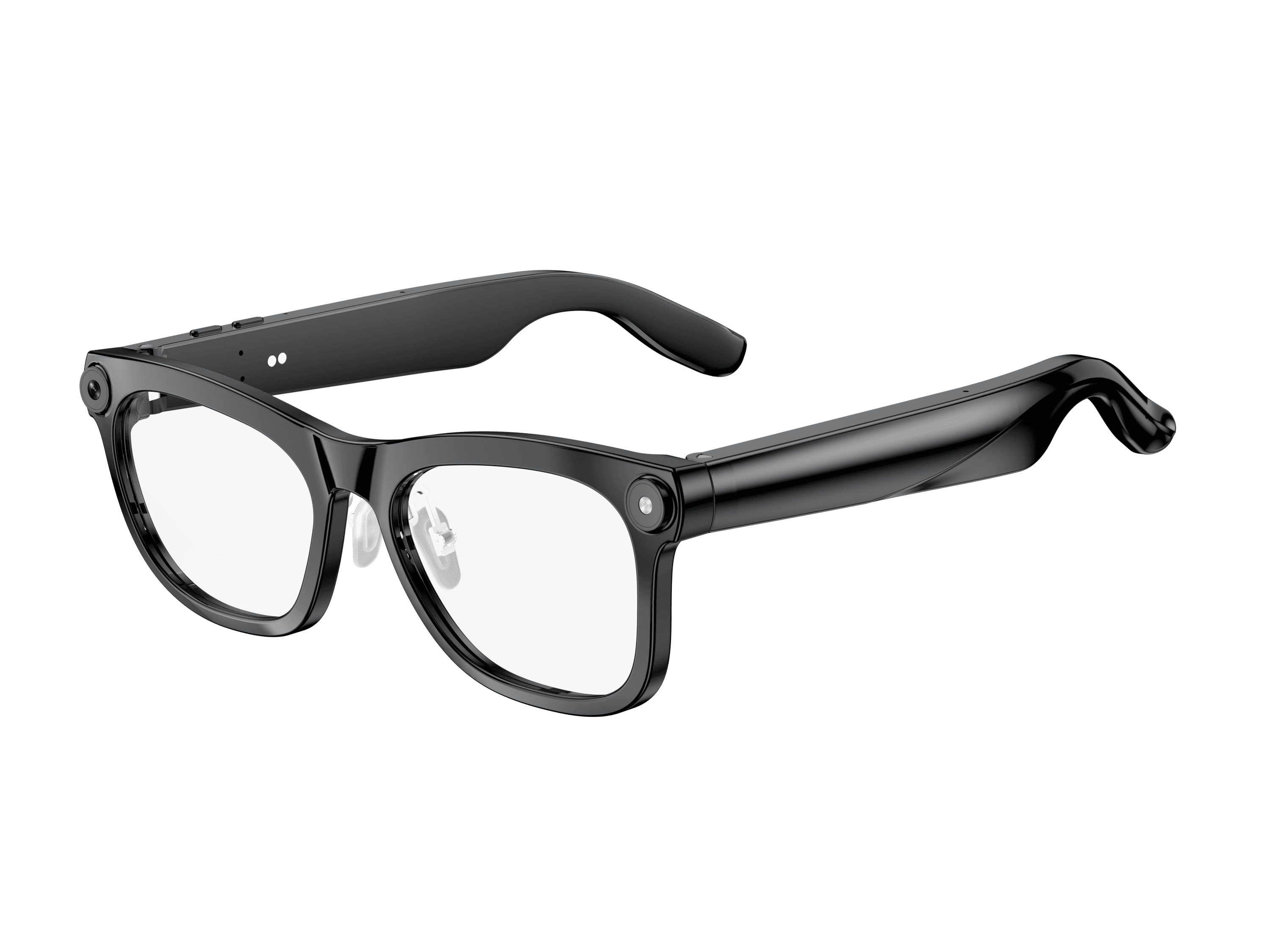 OXIVUE M02C$109 at checkout OXIVUE M02C$109 at checkout | 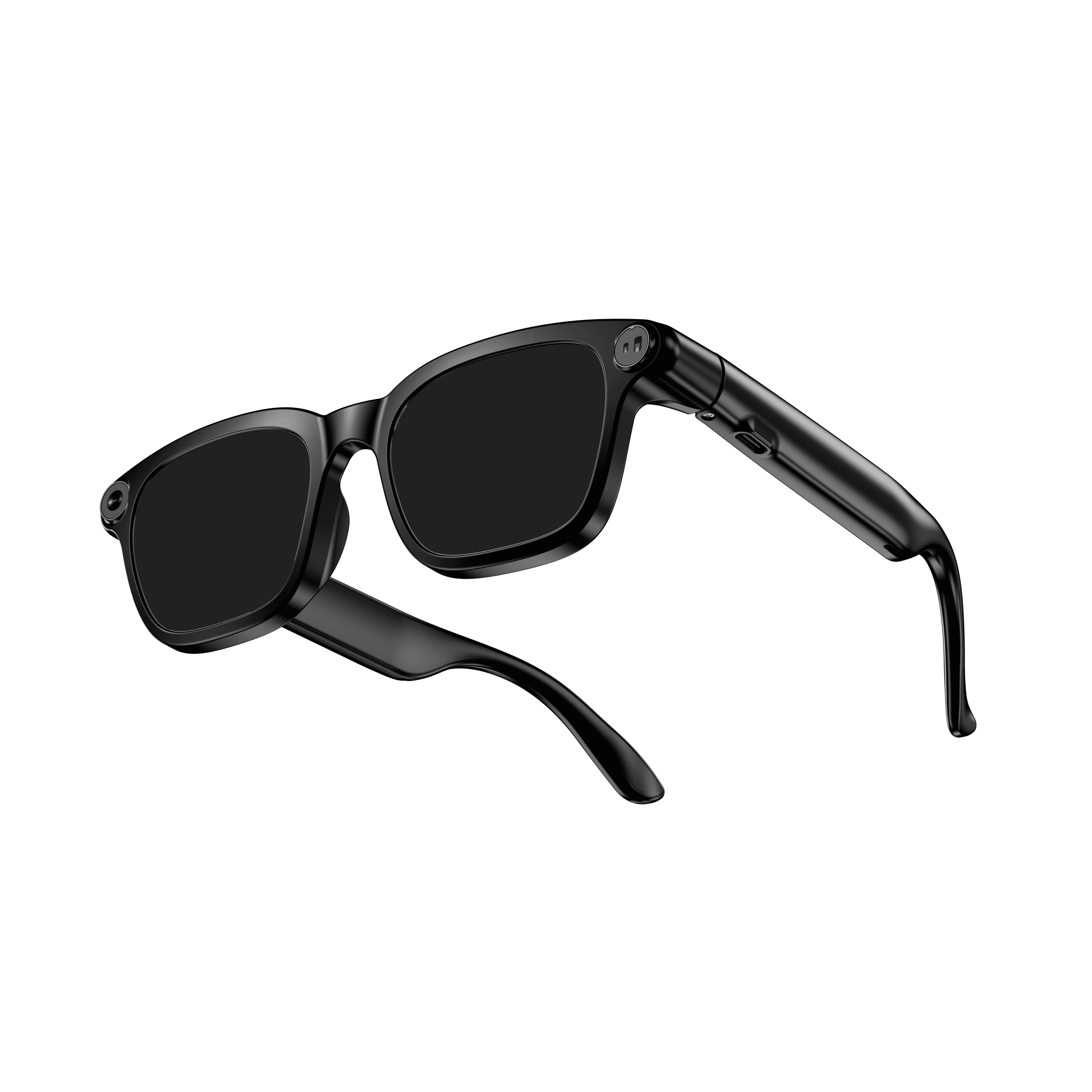 OXIVUE M08$99 at checkout OXIVUE M08$99 at checkout | 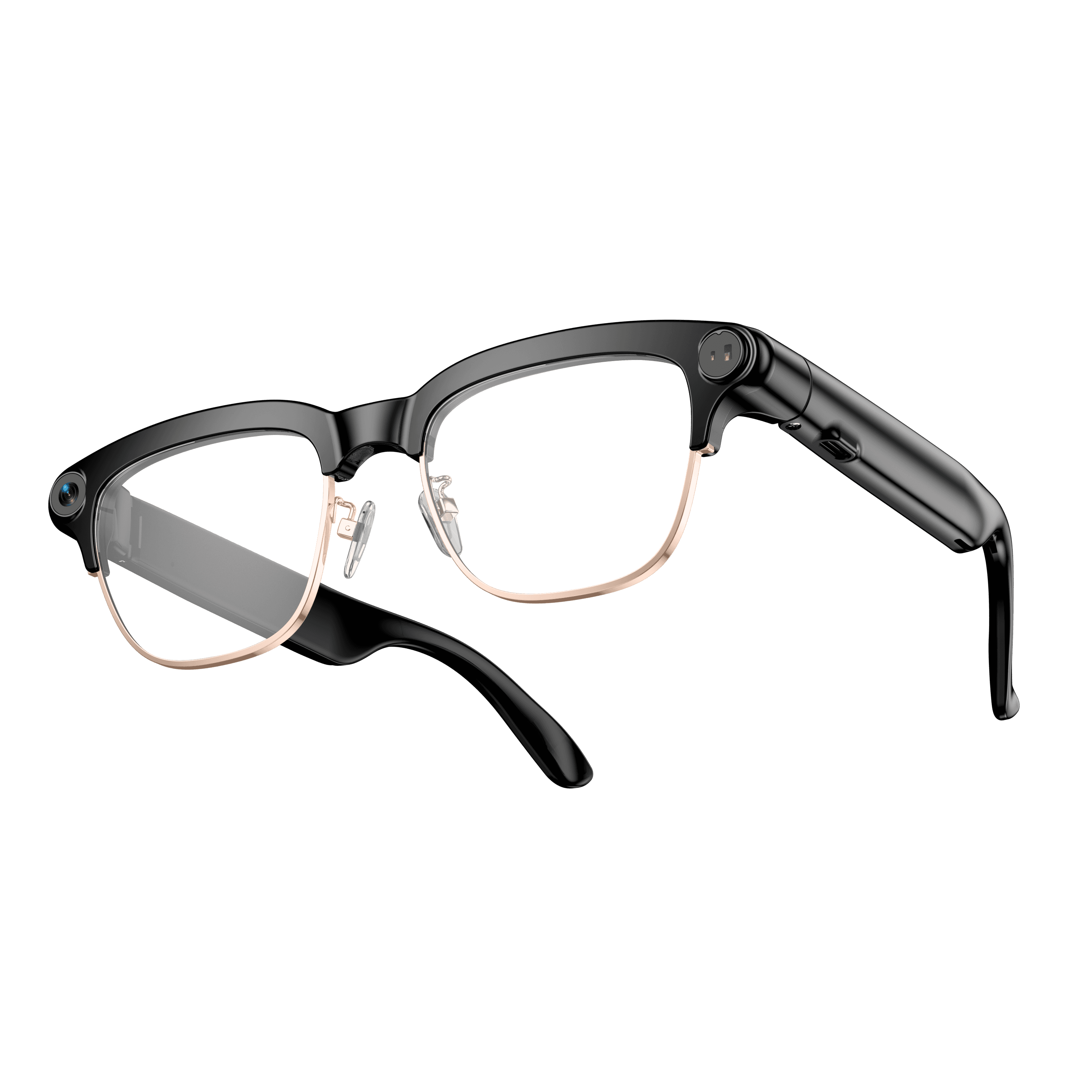 OXIVUE M08C$119 at checkout OXIVUE M08C$119 at checkout | |
|---|---|---|---|
| Camera | 8 MP | 8 MP | 8 MP |
| Weight | ~41 g | ~42 g | ~42 g |
| Water rating | IP65 | — | — |
| Lenses | Sunglasses · Photochromic · Clear | Sunglasses · Photochromic · Clear | Sunglasses · Photochromic · Clear |
| Translation | 40+ languages | 40+ languages | 40+ languages |
| Visual AI | Yes | — | — |
| Metal trim | — | — | Gold · Silver |
From each frame’s product page. Every model: open-ear audio, Bluetooth 5.4, no subscription. Full spec table
What these frames won’t do
- No prescription lenses yet, on any model. If you need vision correction all day, these can't replace your glasses.
- No display. Nothing appears in your view; you hear answers and capture photos and video.
- Open-ear speakers leak some sound at high volume and won't block out a loud train or a windy road the way sealed earbuds do.
- Translation, music, calls and the assistant need your phone nearby and connected. Translation pauses after each sentence, and only you hear the translated audio; the other person reads the reply on your phone.
- M02C: IP65 resists dust and water jets, not immersion. No swimming, no saltwater.
Check these before you order: see the warranty and refund policy.