Trade-in and resale · 2026
Meta glasses trade-in: trade, sell or keep your old pair
You own Ray-Ban Meta Gen 1 or Gen 2, Oakley Meta or another pair, and something newer has your attention. This guide checks what Meta, Best Buy and Ray-Ban actually offer for the old pair, how to reset and sell it safely if no trade-in fits, and when keeping it is the better call.
Still deciding? Get the M08 and M02C comparison in your inbox, with your new-customer price already applied.
One email with the comparison, one follow-up a few days later. Unsubscribe any time.
1. Does Meta run a trade-in for its glasses?
Yes. Meta’s Wearables Trade-In Program terms (checked October 31, 2026) say the offer is valid in the US only, through meta.com, from April 16, 2026 “until canceled by Meta.” It is credit toward a new pair, not a cash buy-back, and Meta can change or end it, so read the terms again on the day you trade.
- Glasses Meta takes as a trade-in: Ray-Ban Meta (Gen 1) and Ray-Ban Meta (Gen 2). The same list also names some Apple AirPods, Beats and Samsung Galaxy Buds models.
- What you can put the credit toward: Meta Glasses, Ray-Ban Meta (Gen 2), Ray-Ban Meta (Gen 3), Ray-Ban Meta Audio, Meta Ray-Ban Display, Oakley Meta HSTN and Oakley Meta Vanguard. Limited-edition and refurbished products do not count as new devices.
- Not on the trade-in list: Oakley Meta HSTN, Oakley Meta Vanguard and Meta Ray-Ban Display. They appear only as new devices you can buy.
- Condition: the old pair must be in working condition, hold a charge and include its charging case.
- Limits: one trade-in per new device bought, you must be 18 or the age of majority in your state, and the offer cannot be combined with other offers, discounts, bundles, gift cards or coupons.
If you are not sure which generation you own, our Ray-Ban Meta Gen 2 vs Gen 1 guide lists the differences from Meta’s own spec pages.
2. How Meta’s trade-in works, step by step
Meta publishes no trade-in amounts: your credit is the quote you get from a short survey when you start the trade-in. The steps below follow the order in Meta’s terms (checked October 31, 2026).
- On the new model’s product page at meta.com, or in your bag, tap Start Trade-In, answer the survey about your old pair and read the quote.
- Tap Add Trade-In, then buy the new pair on meta.com.
- Open the order confirmation email. It has a trade-in section; tap Complete trade-in to confirm your details.
- Reconext, Meta’s vendor partner, emails you a shipping label. Mail the old pair within the deadline in Meta’s trade-in terms (linked above); the terms also say the quote is only valid for a set period from the purchase date, so do not wait.
- Reconext inspects the pair. If it matches what you told the survey, the quoted value is credited to your original payment method. If you pay monthly, the credit reduces the number of payments. Meta says to allow two to three weeks from delivery.
Three terms are worth reading twice. If the pair arrives late or differs from your survey answers in model, serial number or condition, the value can be revised to more, less or nothing. A missing charging case is deducted. And the trade-in is final: once Reconext receives the pair you cannot get it back, and if you return the new pair, Meta refunds the purchase price minus any credit already issued. Meta also lists a Meta account, its companion app and a compatible Android or iOS phone as requirements.
3. Does Best Buy or Ray-Ban take Meta glasses?
Best Buy’s trade-in page (checked October 31, 2026) does not name smart glasses. It lists cell phones, headphones, tablets, e-readers, wearables, computers, gaming consoles, gaming accessories, networking and computing accessories, and pays in a Best Buy eGift Card. “Wearables” is not defined on the page, and Best Buy’s trade-in FAQ says every accepted item is in its Trade-In Estimator Tool. Search that tool for your exact model before you plan around Best Buy credit; we could not confirm that it takes Meta glasses.
Ray-Ban’s US site refused our automated check on October 31, 2026, and a search of ray-ban.com turned up its terms of sale, return policy and protection plan pages but no trade-in page. The Ray-Ban Meta trade-in we could confirm is Meta’s own, on meta.com.
4. Before you sell: unpair, reset, note the serial
Whichever route you choose, someone else holds your glasses next, so do these four things first. Meta’s trade-in terms ask you to remove all accounts, data and credentials and reset the device, and say Meta is not responsible for data left after a standard factory reset.
- Import your photos and videos. Meta’s packing guide says to import all media to your phone or the Meta AI app first, because a reset deletes everything on the glasses.
- Write down both serial numbers (Meta help): on Ray-Ban Meta and Oakley Meta the glasses’ serial is printed inside the left temple, and the Meta AI app shows it, plus a separate case serial number, under General then About. Do this while the app still shows the pair.
- Unpair them (Meta help): in the Meta AI app, tap Glasses at the top right, then Device settings, your glasses, General, Unpair glasses and Unpair. Meta notes that unpairing does not erase settings and that you may also need to tap Forget for the glasses in your phone’s Bluetooth settings.
- Factory reset them (Meta help): for Ray-Ban Meta and Oakley Meta, take the glasses out of the case, charged and powered on, close both arms, press the capture button five times until the LED turns orange, then press and hold it and release when the LED flashes. Meta Ray-Ban Display has its own reset article. Meta says a reset is needed before someone else can pair the glasses to their account. Then power them off completely.
We found no separate “remove glasses from your account” step in Meta’s AI-glasses help pages on October 31, 2026; unpairing and the factory reset are the steps Meta describes. A buyer can check the reset worked by pairing the glasses to their own phone in front of you. Our used Meta glasses checklistis the buyer’s side of this page.
5. The charging case and the warranty
Sell the glasses with their charging case. Meta’s trade-in requires it and deducts an amount when it is missing, and the case has its own serial number, which the Meta AI app lists next to the glasses’ serial. If you still have the original box and microfiber cloth, Meta’s packing guide uses both.
The warranty does not go with the glasses. Meta’s limited warranty (checked October 31, 2026) says it is “non-transferable, to the extent permitted by law,” and excludes products “used or resold (except Refurbished Products).” For US purchases it runs one year from purchase or delivery, whichever is later, and claims need proof of purchase. Say this in your listing rather than letting a buyer assume otherwise. If your pair has a fault and is still covered, claim first: the trade-in needs a working pair that holds a charge. Our Meta glasses warranty guide explains who handles Ray-Ban and Oakley claims.
6. Where to sell Meta glasses yourself
If you want cash, or own a model Meta does not take, there are three other routes; the table sets them next to Meta’s. We quote no resale prices: they move with condition and generation, so look at what your exact model has recently sold for.
| Route | What you get | Which glasses | Main catch |
|---|---|---|---|
| Meta trade-in (meta.com, US) | Credit to your original payment method after inspection | Ray-Ban Meta Gen 1 and Gen 2 only | Only toward a new eligible pair from meta.com; quote can be revised |
| Best Buy trade-in | Best Buy eGift Card (its FAQ: online trade-ins go back to the order’s payment method) | Not named on its trade-in pages; check its estimator tool | May not accept smart glasses at all |
| Online buyback service or in-store electronics buyer | Cash or store credit at the buyer’s quote | Varies by service | The offer depends on their inspection; read their condition and missing-parts terms |
| Selling privately (online marketplace or local listing) | Whatever a buyer agrees to pay | Any model, in any condition you describe honestly | You handle photos, questions, payment, shipping and meeting strangers |
If you sell privately, a few habits keep it safe:
- Describe it exactly. Name the frame, generation, lens and colour, say whether the case is included, and photograph any scratches. A listing that matches the serial number helps avoid disputes.
- Get paid before the glasses leave you.If you meet a buyer, choose a busy public place and take payment that has cleared. If you ship, use the marketplace’s own checkout rather than a link a buyer sends you.
- Reset before the meeting, then let them pair. A buyer pairing the glasses to their own phone on the spot is the simplest proof that it works and that your account is gone.
- Ship it tracked. If the glasses go by post, pack them in the case, use a tracked service and keep photos of the pair as packed until the buyer confirms it arrived.
7. When keeping the old pair makes sense
Keep the old pair, or hand it to someone in your household after a reset, when one of these is true:
- The quote is small next to what the pair does for you. A second pair with a different lens, say clear for indoors and sun for driving, can be worth more in use than the credit.
- Your model is not on Meta’s trade-in list. Oakley Meta and Meta Ray-Ban Display owners get no Meta credit, so the decision is purely whether selling privately is worth the effort.
- The new model does not change your day. Read what actually changed before you upgrade: our Gen 3 guide and Meta glasses price snapshot are a quick check, and refurbished Meta glasses are another way to change models for less.
- It has a fault that is still under warranty. Claim first. A faulty pair fails the trade-in condition, and a repaired or replaced pair is worth more to you and to a buyer.
8. Upgrading for camera and audio, not a display
If what you mostly use is the camera, music, calls and translation, and the display or a newer Meta model is not the point, a cheaper non-Meta frame is another option. OXIVUE publishes this guide and sells these two frames. They are not Meta products, they do not run Meta AI, they have no display and they take no prescription lenses. They use their own free companion app, and OXIVUE runs no trade-in, so you would sell or keep your Meta pair as above.
- M08, $99 at checkout ($149 list): an 8 MP camera, open-ear speakers, about 42 g, rated 7 hours of listening and 4 hours of calls, with a sun, photochromic or clear lens. It has no published water rating.
- M02C, $109 at checkout ($159 list): a Sony IMX219 8 MP sensor with dual stabilisation, IP65 for rain and sweat (not immersion), voice-activated visual AI that can describe what you are looking at, magnetic charging and about 41 g.
Both translate 40+ languages through the companion app on your phone. You hear the translation; the other person reads your reply on the phone screen, and it pauses after each sentence. Every model is side by side on our comparison page, and our Ray-Ban Meta alternatives guide compares frames from other brands too.
Shipping, refunds and warranty. Free shipping from $99. US orders typically arrive in 5–9 business days; international orders take 9–14 business days. No refunds except transit damage (replaced or refunded); faults are repaired or replaced under the 2-year warranty; change of mind and unmet expectations are not refundable. None of our frames take prescription lenses. Read the refund policy and warranty.
Frequently asked questions
Can I trade in my Ray-Ban Meta glasses?
Yes, in the US. Meta's Wearables Trade-In Program on meta.com (checked October 31, 2026) accepts one Ray-Ban Meta Gen 1 or Gen 2 pair for each eligible new device you buy there, such as Ray-Ban Meta Gen 3, Oakley Meta HSTN or Vanguard, or Meta Ray-Ban Display. The pair must work, hold a charge and come with its charging case. You start it with the Start Trade-In button on the product page or in your bag.
Can I trade in Meta glasses at Best Buy?
Best Buy's trade-in pages do not name them. Its trade-in page lists phones, headphones, tablets, wearables and other categories, pays in a Best Buy eGift Card, and does not name smart glasses or Ray-Ban Meta (checked October 31, 2026). Its FAQ says every accepted item is in its Trade-In Estimator Tool, so search there for your exact model before you count on any credit.
How much trade-in credit will I get for Meta glasses?
Meta does not publish a figure. Its trade-in terms (checked October 31, 2026) say you get a quote from a short survey when you start the trade-in, and that Reconext, Meta's vendor partner, can revise it after inspection to more, less or nothing if the pair differs from your answers. A missing charging case is deducted. The credit goes back to your original payment method, usually two to three weeks after the pair arrives.
Can I trade in Oakley Meta or Meta Ray-Ban Display glasses?
No, not under Meta's current terms. On October 31, 2026 the trade-in list for glasses named only Ray-Ban Meta Gen 1 and Gen 2. Oakley Meta HSTN, Oakley Meta Vanguard and Meta Ray-Ban Display appear only on the list of new devices you can buy with the credit. Owners of those models who want to upgrade can sell privately after unpairing and factory-resetting the pair.
How do I exchange Gen 1 Meta glasses for a newer model?
Use Meta's trade-in: add your Gen 1 pair on the new model's page at meta.com, buy the new pair, then complete the trade-in from the order confirmation email and mail the old pair within the deadline set in Meta's trade-in terms. The quote is only valid for a limited period from the purchase date, so ship it promptly. Meta's terms (checked October 31, 2026) allow one trade-in per new device, and the credit goes back to your original payment method.
Do I need to reset Meta glasses before selling them?
Yes. Meta's help page says you need to factory reset the glasses before someone else can pair them to their account, and a reset deletes all photos and videos on the glasses. Import your media first, unpair the glasses in the Meta AI app, then reset them. Meta's trade-in terms also ask you to remove your accounts and data, and say Meta is not responsible for data left after a standard reset.
Does the Meta warranty transfer to the person who buys my glasses?
No. Meta's limited warranty (checked October 31, 2026) says it is non-transferable to the extent permitted by law and excludes products that are used or resold, apart from Meta's own refurbished products. Tell your buyer this plainly. If your pair has a fault and is still in its own warranty period, file the claim before you sell or trade it, because a trade-in pair must work and hold a charge.
OXIVUE frames side by side
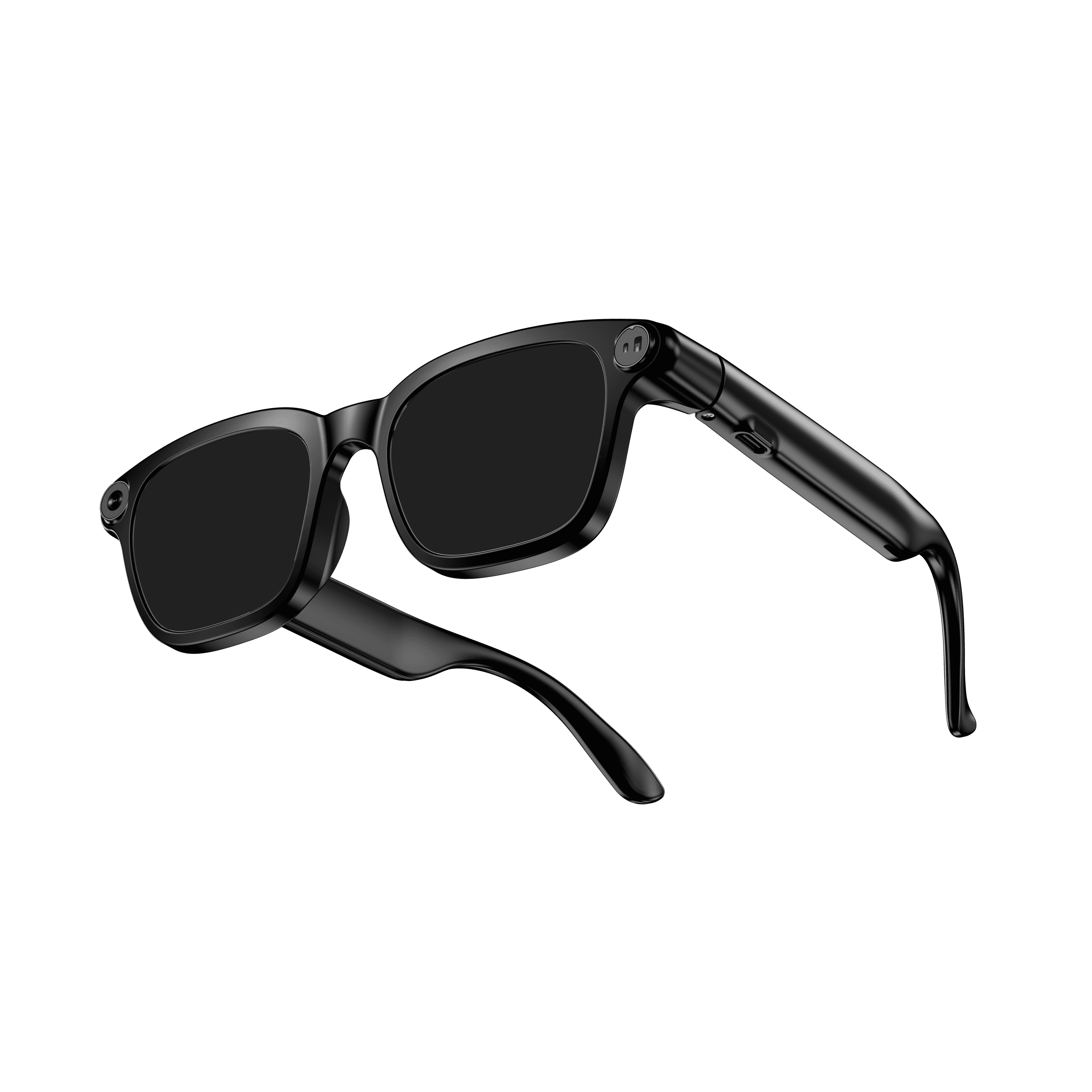 OXIVUE M08$99 at checkout OXIVUE M08$99 at checkout | 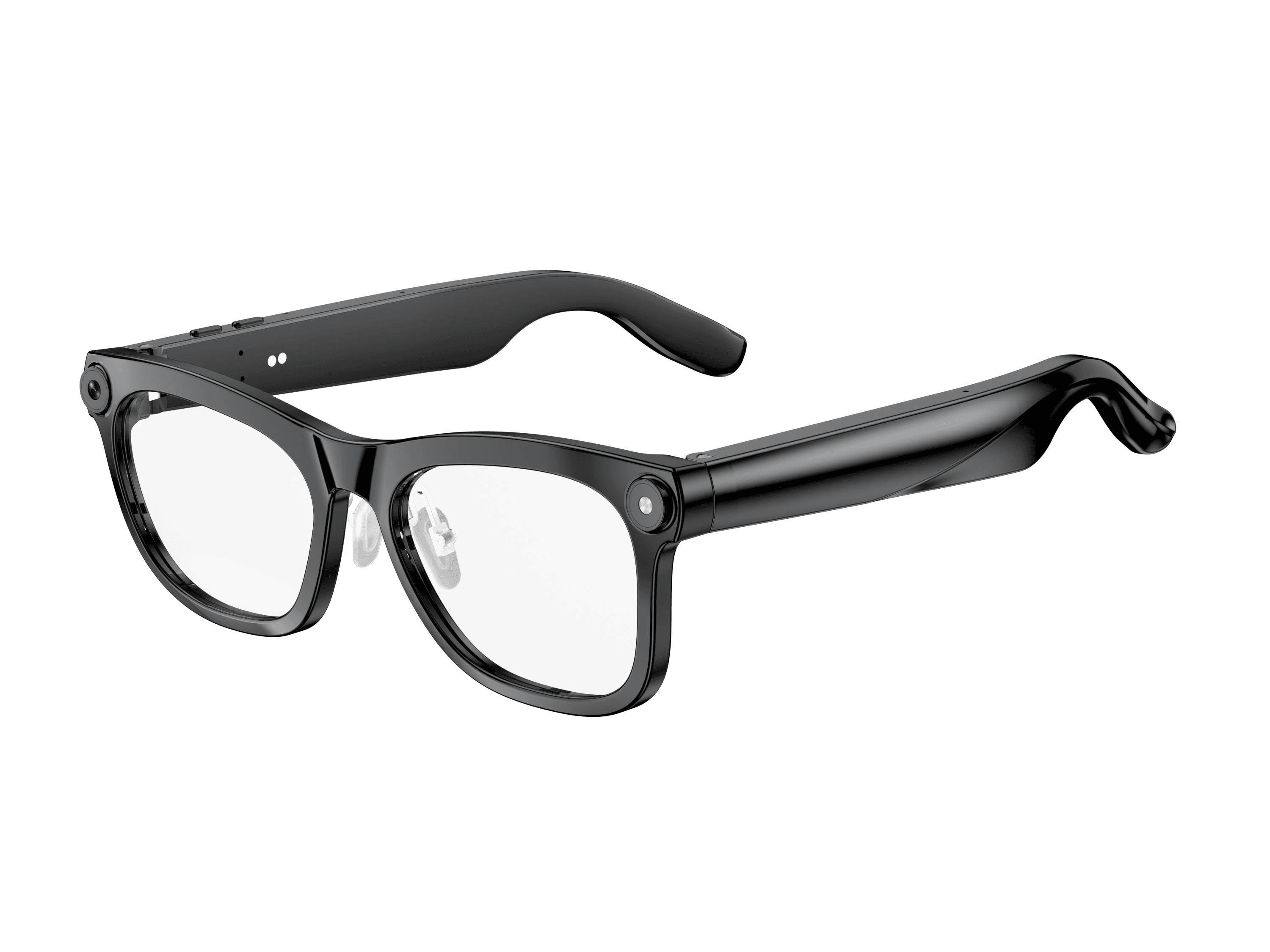 OXIVUE M02C$109 at checkout OXIVUE M02C$109 at checkout | |
|---|---|---|
| Camera | 8 MP | 8 MP |
| Weight | ~42 g | ~41 g |
| Water rating | — | IP65 |
| Lenses | Sunglasses · Photochromic · Clear | Sunglasses · Photochromic · Clear |
| Translation | 40+ languages | 40+ languages |
| Visual AI | — | Yes |
From each frame’s product page. Every model: open-ear audio, Bluetooth 5.4, no subscription. Full spec table
What these frames won’t do
- No prescription lenses yet, on any model. If you need vision correction all day, these can't replace your glasses.
- No display. Nothing appears in your view; you hear answers and capture photos and video.
- Open-ear speakers leak some sound at high volume and won't block out a loud train or a windy road the way sealed earbuds do.
- Translation, music, calls and the assistant need your phone nearby and connected. Translation pauses after each sentence, and only you hear the translated audio; the other person reads the reply on your phone.
- M08: no published water rating, so keep it out of heavy rain and spray.
- M02C: IP65 resists dust and water jets, not immersion. No swimming, no saltwater.
Check these before you order: see the warranty and refund policy.