Meta accessories · Charging
The Meta glasses charger is the case: which one fits, and what replaces it
If you are shopping for a Meta glasses charger, the part you need is almost always the case: Ray-Ban Meta and Oakley Meta glasses charge in it, and it charges from a USB-C cable that Meta does not put in the box. This guide lists every charging case, stand, cable and plug on meta.com on October 31, 2026, which glasses each one fits, what to buy when a case is lost or stops charging, and whether a third-party stand is worth it.
Still deciding? Get the M02C and M08 comparison in your inbox, with your new-customer price already applied.
One email with the comparison, one follow-up a few days later. Unsubscribe any time.
1. What charges Meta glasses, and what is not in the box
The charging case is the charger. Meta’s help page “How to charge AI glasses” covers Ray-Ban Meta and Oakley Meta and says the glasses charge while docked in the case with the nose bridge on the charging port: “This is the only way to charge the glasses” (checked October 31, 2026). The case has its own battery and charges through a USB-C port on its bottom.
What the box does not include is the cable. The meta.com pages for Ray-Ban Meta Gen 2 and Gen 3 list the box as glasses, charging case, cleaning cloth and reference guide, followed by “USB-C charging cable not included.” Neither lists a wall adapter. Every standalone case and the stand carry the same cable note; the Meta Glasses case and the stand add that the wall adapter is not included either.
Meta’s own-brand line, sold simply as Meta Glasses (Capri, Nova, Adventurer, Starfire and Fury), works a little differently. Meta says most of them come with a portable, foldable charging case, while the $249 Adventurer with Plug-In Case (Black with Grey lenses) comes with a plug-in case, “a smaller case that charges your glasses when plugged in instead of on the go.” That plug-in case is not sold separately. For the step-by-step docking routine, see how to charge Meta glasses; this page is about the hardware.
2. Replacement charging cases: which one fits your glasses
Meta sells seven charging cases on their own, priced from $89 to $139, and describes the Ray-Ban Meta cases as identical to the ones that come in the box. Prices and fit below are as listed on meta.com on October 31, 2026. None includes a USB-C cable.
| Case | meta.com price | Listed as fitting | Listed as not fitting |
|---|---|---|---|
| Ray-Ban Meta (Gen 1, Gen 2) Charging Case | $99 | Wayfarer, Headliner, Skyler | Gen 2 Optics, Gen 3, Ray-Ban Meta Audio, Meta Glasses, Meta Ray-Ban Display, Oakley Meta |
| Ray-Ban Meta (Gen 3) Charging Case | $99 | Wayfarer, Aviator, Zena, Headliner, Skyler, Blayzer Optics, Scriber Optics; Gen 1, Gen 2 and Gen 3 | Ray-Ban Meta Audio, Meta Ray-Ban Display, Oakley Meta |
| Ray-Ban Meta Optics Styles Charging Case | $99 | “All Ray-Ban Meta Gen 2 styles”; same as the Blayzer / Scriber Optics in-box case | Meta Ray-Ban Display, Oakley Meta |
| Oakley Meta HSTN Charging Case | $139 | Oakley Meta HSTN only | Other models not listed |
| Oakley Meta Vanguard Charging Case | $139 | Oakley Meta Vanguard only | Other models not listed |
| Meta Glasses Charging Case (5 colours) | $89 | Capri, Nova, Adventurer, Starfire, Fury | “Only compatible with Meta Glasses” |
| Meta Ray-Ban Display Charging Case | $99 | Meta Ray-Ban Display only | Other models not listed |
Three details in that table matter when you order. First, the Gen 3 case works backwards: Meta says it fits Gen 1, Gen 2 and Gen 3 glasses, but the Gen 1/Gen 2 case is listed as not compatible with Gen 3. Second, Blayzer and Scriber Optics are excluded from the Gen 1/Gen 2 case, so those frames need the Optics Styles case or the Gen 3 case. Third, Ray-Ban Meta Audio is excluded from both Ray-Ban Meta cases, and Meta’s accessories page did not list a separate case for it on October 31, 2026.
Meta’s pages are not always consistent: the Optics Styles page lists “All Ray-Ban Meta Gen 2 styles” in one place and “all generations” in its FAQ. When the lists disagree, enter your model code on the Ray-Ban After Sales Portal or ask Meta support before you order.
3. Lost or broken case: where to get a replacement
A Ray-Ban Meta case can be ordered on meta.com in seven countries, or through the Ray-Ban After Sales Portal. Per Meta’s help page (checked October 31, 2026), meta.com ordering covers the US, Canada, the UK, France, Germany, Italy and Spain; on the portal you create an account, choose “Buy replacement parts” and enter your model code, one case per order. Dock the glasses in the new case and open the Meta AI app; Meta says your settings update to show the new case’s serial number.
The same help page says it is not possible to replace the battery inside the glasses or the charging case. A case that no longer holds a charge is replaced, not repaired at home. If the case is fairly new, check whether it is a warranty matter before paying $99 or $139; our Meta glasses warranty guide explains who handles claims for each brand.
There is also a stop-gap for home. Meta’s $59 Charging Stand lists Ray-Ban Meta Wayfarer, Aviator, Zena, Skyler, Headliner, Blayzer Optics and Scriber Optics, Oakley Meta HSTN and all five Meta Glasses styles as compatible, and Meta says it charges glasses fully in just over an hour, or to 50% in about 20 minutes. It must be plugged in, so it covers the nightstand, not a day out. Two cautions: Meta’s charging help page for Ray-Ban Meta and Oakley Meta still calls the case “the only way to charge the glasses”, and the stand page lists Ray-Ban Meta styles by name without naming generations, so confirm yours with Meta support first. Buying a pair second-hand without its case means one of these purchases on top of the price; our used Meta glasses guide covers what else to check.
4. The right cable and wall plug
A compliant USB-C cable rated 1.2A or more and a USB adapter rated 5W or more meet Meta’s stated minimum for charging a Ray-Ban Meta or Oakley Meta case, though Meta also notes that some power adapters aren’t compatible. The full requirements, from Meta’s help page (checked October 31, 2026):
- Cable: USB-C to USB-C or USB-C to USB-A, compliant with the USB-C standard. Any USB generation is compatible. Rated for at least 1.2A; Meta says lower-rated cables still work but charge more slowly.
- Adapter: USB-C or USB-A, rated 5W or greater. Lower-wattage adapters are likely to work, more slowly. USB Power Delivery is not required.
If you would rather buy Meta’s own parts, the Meta USB-C Charging Cable (1m) was listed at $24.99 and names Ray-Ban Meta and Oakley Meta among compatible devices, with the power adapter not included. The Meta Power Adapter 18W USB-C was listed at $39.99(showing “Notify me” when we checked); Meta describes it as a Type-A plug for the US, Canada, Japan and Taiwan, cable not included.
5. Case not charging: is it the cable, the plug or the case?
By Meta’s account, a case that won’t charge usually needs a clean, a cool-down or a different power adapter, not a replacement. Meta’s troubleshooting page for Ray-Ban Meta, Oakley Meta and Meta Glasses (checked October 31, 2026) says the cause is usually dirt or liquid on the contacts, a case that is too hot, or a cable or adapter that isn’t compatible, and that “most USB-C cables work with the charging case, but some power adapters aren’t compatible.” Use the table to decide what, if anything, to replace; the cleaning and restart steps are in our how-to guide.
| What you see | What Meta says it means | What to try or replace |
|---|---|---|
| Case light pulses orange or green without stopping, or no charging icon in the Meta AI app | Incompatible power adapter | Swap the USB-C cable, then the adapter (5W or more) |
| Case light blinking red | Charging error: liquid on the contacts, high temperature or an incompatible charger | Wipe both sets of contacts, let it cool, try another cable or adapter |
| Blinking orange with the case empty | Case battery low | Plug the case in; nothing to replace |
| Case charged, glasses won’t turn on | Dried sweat, dirt or liquid between the nose bridge and the case | Clean the glasses and the case, then dock again |
With the glasses out, the button on the back of the case shows the case’s own charge: solid green full, solid orange not full, blinking orange low, blinking red error. If a different cable and a 5W-or-better adapter change nothing and the contacts are clean, the problem is in the case or the glasses. Since neither battery can be replaced, contact Meta support before you buy a replacement case: if the glasses themselves won’t take a charge, a new case will not fix them. For the contacts, see how to clean Meta glasses.
6. Charging stands and third-party docks: worth it?
A stand is a convenience, not a replacement for the case on the go. Meta’s Charging Stand ($59, checked October 31, 2026) has a stainless steel shell, sits on a desk or nightstand, needs a USB-C cable and wall adapter you supply, and shows an orange light while charging and green when full. It does not fit Meta Ray-Ban Display or Oakley Meta Vanguard, and Meta recommends docking with the temple arms closed.
Google’s shopping results for “meta glasses charger” on October 31, 2026 were mostly third-party stands, docks and cables from marketplace sellers, next to Meta’s own stand. Before you buy one, check four things:
- Your exact model.Meta’s own cases fit only the models they list, so a dock sold for “Ray-Ban Meta” may not suit Gen 3, the Optics styles, Oakley Meta or Meta Glasses. Look for your model by name on the listing.
- What is in the box.Meta’s stand ships without a cable or adapter; check whether a third-party one includes them.
- Battery or wall power. Check whether it has its own battery or charges only while plugged in, since that decides whether it can stand in for a lost case on a trip.
- Warranty.Meta’s limited warranty for the Americas (checked October 31, 2026) excludes damage from use with accessories “not expressly approved by Meta as compatible”, and third-party accessories themselves. Read the terms that cover your glasses before relying on a dock.
Our view: among Meta’s own parts, the case is the one that charges on the go, so if you lose it, replace the case first, and add a stand only if you want a fixed spot at home. If the real problem is how long a charge lasts, the Meta glasses battery life guidelists Meta’s hours for every model.
7. OXIVUE glasses: no case to lose, no top-up on the go
OXIVUE frames charge from a cable and have no charging case. Our support page lists the box as the glasses, a charging cable, a user manual and a microfiber lens cloth, packed in a rigid gift box, with no separate carrying case or charging dock. The M02C ($109 at checkout) lists magnetic pogo charging: the connector snaps onto the frame like a pen cap. The M08 ($99 at checkout) is rated 7 hours of listening and 4 hours of calls from a battery of about 300 mAh.
That is a trade-off, not an upgrade. There is no case to lose, no case battery to wear out and no $89 to $139 part to replace. There is also no stored charge in your bag: when the glasses run down, you need the cable and a USB power source. Nor are they a Meta substitute: they have no display, take no prescription lenses, do not run Meta AI and use their own free companion app rather than the Meta AI app. Keep the cable with the glasses; if it goes missing or a pair stops charging, start at support, and see the warranty page for what the 2-year cover includes.
Shipping, refunds and warranty. Free shipping from $99. US orders typically arrive in 5–9 business days; international orders take 9–14 business days after shipment, and import VAT or duties outside the US are paid by the recipient. No refunds except transit damage (replaced or refunded); faults are repaired or replaced under the 2-year warranty; change of mind and unmet expectations are not refundable. None of our frames take prescription lenses or have a display. Details on the shipping policy and return policy pages.
Frequently asked questions
Do Meta glasses come with a charger?
Yes: the charging case in the box is the charger. What is missing is the cable. Meta's Ray-Ban Meta Gen 2 and Gen 3 pages list the box as glasses, charging case, cleaning cloth and reference guide, followed by "USB-C charging cable not included" (checked October 31, 2026), and no wall adapter is listed. Meta's minimum is a USB-C to USB-C or USB-C to USB-A cable rated 1.2A or more and an adapter rated 5W or more; USB Power Delivery is not required.
What happens if I lose my Meta glasses case?
You will need a replacement case, or Meta's $59 charging stand for home use. Meta's help page says docking in the case is the only way to charge Ray-Ban Meta and Oakley Meta glasses. On October 31, 2026, meta.com listed replacement cases at $99 for Ray-Ban Meta, $139 for Oakley Meta HSTN or Vanguard and $89 for Meta Glasses. The stand lists most Ray-Ban Meta styles, Oakley Meta HSTN and Meta Glasses as compatible, but it charges only while plugged in.
How much is a replacement Meta glasses charging case?
$89 to $139 on meta.com (checked October 31, 2026). Each of the three Ray-Ban Meta cases (Gen 1/Gen 2, Gen 3 and Optics Styles) is $99, the Oakley Meta HSTN and Vanguard cases are $139 each, the Meta Ray-Ban Display case is $99 and the Meta Glasses case is $89. None includes a USB-C cable. Buy the case whose compatibility list names your model: the Gen 1/Gen 2 Ray-Ban Meta case, for example, is listed as not compatible with Gen 3.
Why is my Meta glasses case not charging?
Often the power adapter, by Meta's account. Meta says most USB-C cables work with the case but some power adapters aren't compatible; the signs are an orange or green light that pulses continuously, or no charging icon in the Meta AI app. Try a different USB-C cable, then a different adapter rated 5W or more. A blinking red light is a charging error from liquid on the contacts, high temperature or an incompatible charger. Meta says the case battery cannot be replaced, so if nothing works, contact Meta support.
How do I see if my Meta glasses are charging?
Three ways for Ray-Ban Meta and Oakley Meta, according to Meta (checked October 31, 2026). The case light blinks when you dock the glasses and close the lid. With the glasses docked, press the button on the back of the case: solid orange means charging, solid green means full and blinking red means an error. When the glasses are on and paired, the Meta AI app shows their charge. On Meta's charging stand, the top light stays orange while charging and turns green when full.
How long does a Meta glasses battery last?
About 8 to 9 hours for current Ray-Ban Meta and Meta Glasses models, by Meta's figures (checked October 31, 2026). Ray-Ban Meta Gen 2 is rated up to 8 hours plus up to 48 more from a full case, Gen 3 up to 9 hours plus 50 more, and Meta Glasses over 8 hours plus up to 40 more from the portable case. Meta notes that the hours vary with how you use the features. Our battery life guide lists every model.
Can I use a third-party charger or stand with Meta glasses?
Yes for the cable and plug; take more care with docks. Meta's stated requirements are a USB-C to USB-C or USB-C to USB-A cable that meets the USB-C standard and an adapter of 5W or more, though it notes some adapters aren't compatible. A third-party stand is not a Meta product, and Meta's limited warranty for the Americas excludes damage from use with accessories "not expressly approved by Meta as compatible" (checked October 31, 2026). Check that the seller's listing names your exact model.
OXIVUE frames side by side
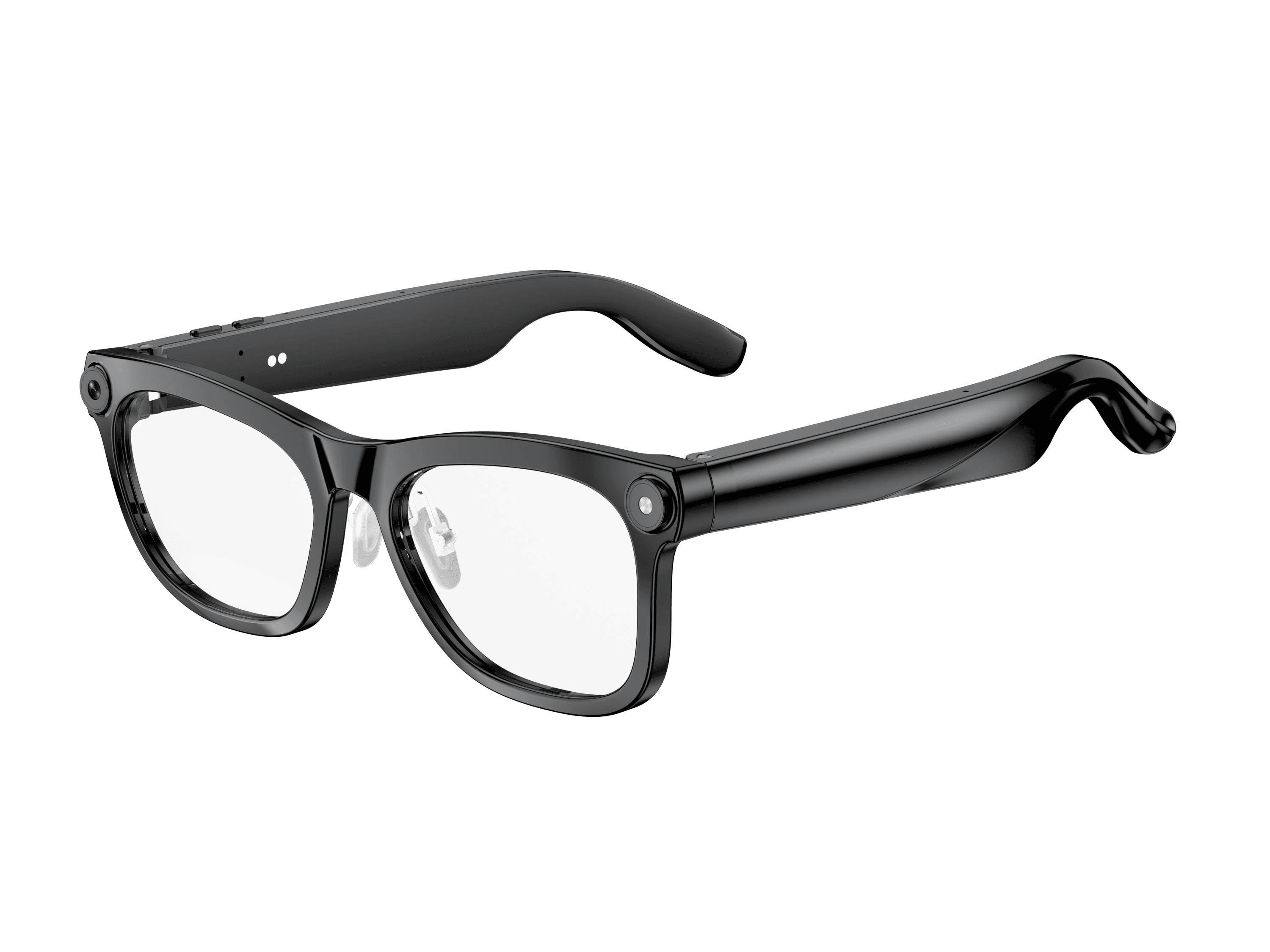 OXIVUE M02C$109 at checkout OXIVUE M02C$109 at checkout | 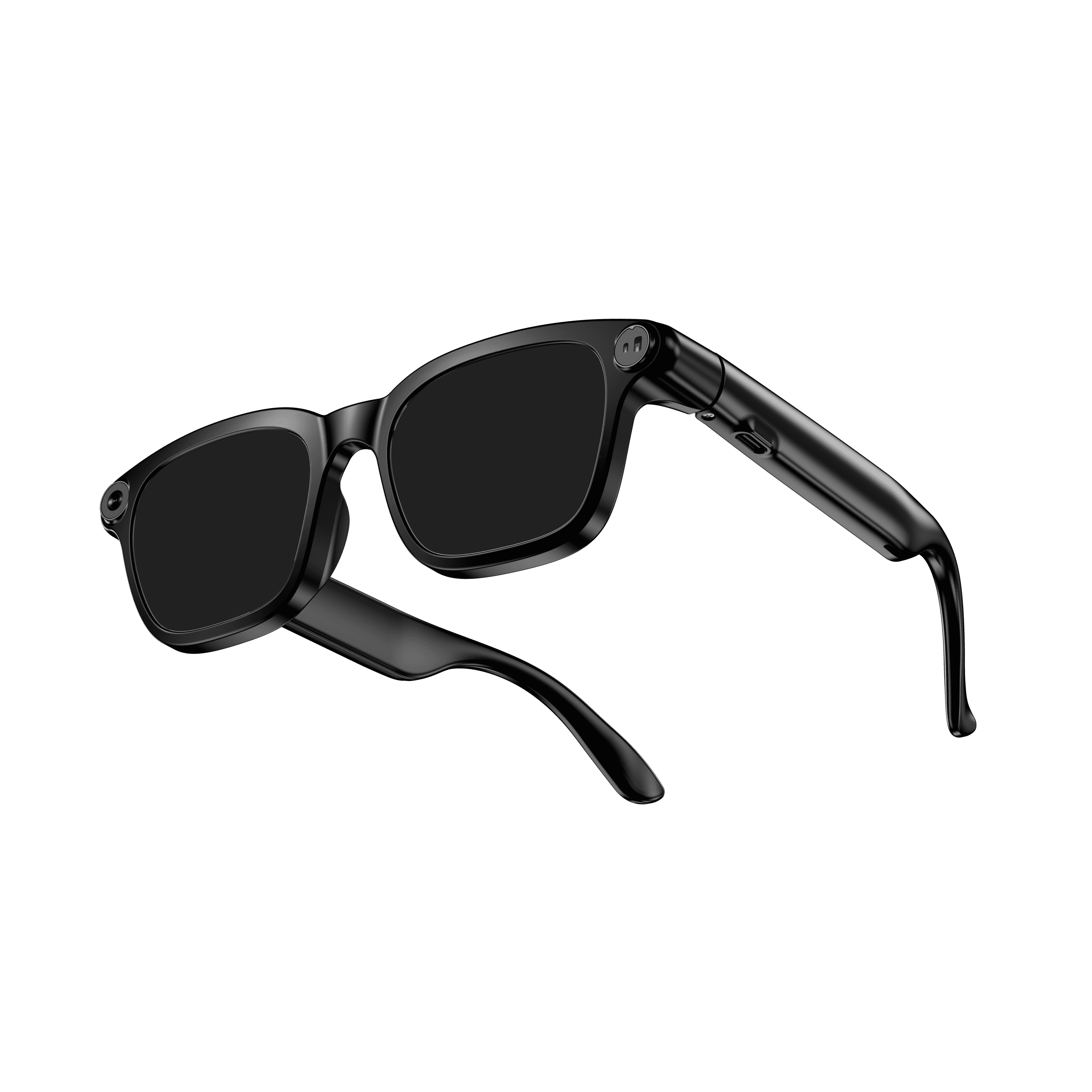 OXIVUE M08$99 at checkout OXIVUE M08$99 at checkout | |
|---|---|---|
| Camera | 8 MP | 8 MP |
| Weight | ~41 g | ~42 g |
| Water rating | IP65 | — |
| Lenses | Sunglasses · Photochromic · Clear | Sunglasses · Photochromic · Clear |
| Translation | 40+ languages | 40+ languages |
| Visual AI | Yes | — |
From each frame’s product page. Every model: open-ear audio, Bluetooth 5.4, no subscription. Full spec table
What these frames won’t do
- No prescription lenses yet, on any model. If you need vision correction all day, these can't replace your glasses.
- No display. Nothing appears in your view; you hear answers and capture photos and video.
- Open-ear speakers leak some sound at high volume and won't block out a loud train or a windy road the way sealed earbuds do.
- Translation, music, calls and the assistant need your phone nearby and connected. Translation pauses after each sentence, and only you hear the translated audio; the other person reads the reply on your phone.
- M02C: IP65 resists dust and water jets, not immersion. No swimming, no saltwater.
- M08: no published water rating, so keep it out of heavy rain and spray.
Check these before you order: see the warranty and refund policy.