Meta glasses owners · 2026
Meta glasses accessories: what is worth buying, and what to skip
Meta glasses accessories fall into three groups: the parts Meta sells for Ray-Ban Meta and Oakley Meta frames, cheap generic extras that fix real problems such as slipping, drops and scratches, and LED covers, which you should not buy. This guide prices the first group from meta.com, explains the second by type, and says why the capture light stays visible.
Still deciding? Get the M08 and M02C comparison in your inbox, with your new-customer price already applied.
One email with the comparison, one follow-up a few days later. Unsubscribe any time.
1. The short list: which Meta glasses accessories are worth it
Three are worth buying for most owners: a strap if you are active, spare microfiber cloths, and nose pads if the frame slides. Everything else depends on what you lost or broke. The table lists the official option where Meta sells one, priced from Meta’s US accessories page on October 31, 2026, and the generic option where it does not.
| Accessory | Official option (meta.com, checked October 31, 2026) | Worth buying? |
|---|---|---|
| Spare charging case | $89 to $139, depending on the frame | Only to replace a lost or broken case; one comes in the box |
| Stand, cable, adapter | Stand $59 · 1 m USB-C cable $24.99 · 18W adapter $39.99 | A cable, if you have none: the Gen 3 box does not include one |
| Replacement lenses | Oakley Meta HSTN and Vanguard: from $85 | For Oakley owners who want a second tint |
| Nose pads | Oakley Meta Vanguard set of three sizes: $13 | Yes, if the frame slides or pinches |
| Strap or retainer | None listed | Yes for sport, boats and travel; generic |
| Microfiber cloths | None listed (a cloth comes with Gen 3) | Yes; cheap spares |
| Case sleeve | None listed | Optional; scratches only |
| Tracker-tag holder | None listed | If you misplace things; it tracks the case |
| LED cover or blocker sticker | None, and against Meta’s terms | No |
2. What Meta sells, with prices
Meta’s accessories page listed 20 items on October 31, 2026, and none of them is a strap, a cloth or a case sleeve. Apart from charging gear and Oakley parts, the rest were the Meta Neural Band ($199) and a $39 Neural Band charger listed for Meta Ray-Ban Display, and five Garmin watches. Every listing carries a compatibility line, and cases in particular are shaped for one family of frames, so read it before you add anything to the bag.
Charging.Cases cost $89 for Meta’s own-brand line (Fury, Adventurer, Capri, Nova and Starfire, which Meta calls Meta Glasses), $99 for Ray-Ban Meta (separate cases for Gen 1 and Gen 2, Gen 3 and Optics styles) and Meta Ray-Ban Display, and $139 for Oakley Meta HSTN or Vanguard. Meta also sells a $59 Meta Glasses Charging Stand, an 18W USB-C adapter at $39.99 and a 1 m USB-C cable at $24.99. How charging works and what the case lights mean are in our guide to how to charge Meta glasses.
Lenses. The only replacement lenses on the page were for Oakley Meta, from $85 for the HSTN and for the Vanguard depending on the tint, each made for that one frame. Nothing was listed for Ray-Ban Meta; changing those lenses runs through the prescription route covered in Meta glasses prescription.
Ray-Ban and Oakley also sell accessories on their own sites, and a Ray-Ban lanyard ranks for “meta glasses strap”. Both sites refused our requests on October 31, 2026, so we quote no prices from them; check ray-ban.com or oakley.com directly.
3. “Meta glasses cover”: why the capture LED should stay visible
Do not cover the capture LED. When we searched “meta glasses cover” on October 31, 2026, most of the results were LED-blocking stickers, 3D-printable LED covers or camera covers, not cases. Meta’s own pages answer the question directly.
- What the light is for.Meta says the Capture LED was “designed solely to let others know you are capturing content”. It blinks briefly for a photo and keeps blinking for as long as you record video.
- What the glasses do. If they detect the light is covered, tampered with or destroyed, Meta says they disable the camera, and you are told to clear it before you can take a photo or video. So a blocker mostly stops your own camera working.
- What the terms say.Meta’s Supplemental Meta Platforms Technologies Terms of Service, which Meta lists among its AI glasses legal documents, say you may not “obscure or modify any features that are intended to signal to others that the product is recording”. Meta’s responsible-innovation page adds that deliberately covering the light when recording goes against its guidelines.
The light is also how a bystander knows the camera is on. In some US states everyone in a private conversation has to agree before it is recorded, and our recording laws by stateguide sets that out. This is general information, not legal advice. If what you want is to show people you are not recording, Meta’s answer is the power switch: sliding it off “turns them into regular eyewear”, and Meta suggests powering off in places like a doctor’s office or a locker room. Watch for accidents too: a clip-on lens or a frame skin that overlaps the light can trigger the same covered-light notice. What Meta does with your photos and voice data is a separate question, covered in Meta glasses privacy.
4. Nose pads: what to do when the frame slides
Only one official replacement set was on sale on October 31, 2026: Oakley Meta Vanguard nose pads at $13. The pack holds a universal, a low-bridge and a high-bridge pad in Oakley’s Unobtainium, which Meta says grips more as you sweat, and Meta describes them as identical to the pads that come with the glasses.
- Ray-Ban Meta Optics stylesalready come with three sizes, marked by dots: one dot for a high bridge, two for universal, three for a low bridge. Meta’s help page shows the swap with the small triangular tool, lining the new pads up with the microphone holes until they click.
- Meta Glasses (the Fury and Adventurer line) have pads with three positions. Meta says pushing them closer together raises the frame and stops it sliding down; further apart lowers it and can ease pinching.
- Other Ray-Ban Meta framessuch as the Wayfarer, Skyler and Headliner had no pads on Meta’s page. Third-party stick-on and clip-on pads fill that gap.
If you buy third-party pads, check three things. Meta’s care page tells owners to clean the “nose bridge charging contacts”, so a pad must not cover them. The glasses still have to sit in the charging case, so a thick clip-on can stop them seating properly to charge. And the pads must stay off any microphone openings. Do not reshape the frame instead: Meta’s safety warnings for Meta Glasses say not to bend the front frame or temple arms to adjust fit, because they “may become damaged and overheat”.
5. Straps and retainers
Meta’s accessories page listed no strap on October 31, 2026, so any strap on Meta glasses is a third-party one. That is fine: a strap is passive, holds the frame by its temple tips and plugs into nothing. Pick the type for the job.
- Adjustable sports retainer. Silicone or rubber loops on each temple and a slider behind the head. It keeps the frame on your face for running, cycling, rowing or a boat deck, which matters more on a pair that costs hundreds of dollars.
- Loose cord or lanyard. Lets the glasses hang on your chest between uses. Good for travel and for anyone who takes them off often indoors.
- Floating strap. Useful near water, but it does not make the glasses waterproof; see are Meta glasses waterproof before you take them on a boat.
Before you rely on one, check that the end loops grip the temple tips without sitting over the speaker openings, that the strap does not pull the arms inward (Meta’s safety warnings advise against bending them), and whether the glasses still close into the charging case with it attached. If not, unhook it each time you charge. On rides and at events, ask the operator; a strap does not change their rules on loose items.
6. Case sleeves, cleaning kits and tracker tags
Microfiber cloths are the most useful cheap extra, a case sleeve is optional, and a tracker tag only helps if you misplace the case. None of the three is sold on Meta’s accessories page.
Cleaning.The Gen 3 box includes a cleaning cloth, and spares are worth having in a bag or a jacket pocket. Meta’s care page says to use “a dampened cloth and mild soap, avoiding all types of solvents or alcohol”, not to use dirty or abrasive cloths, and to clean the camera lens and charging contacts too. Check the ingredients of any pre-moistened lens wipe before you use it. The full routine is in how to clean Meta glasses.
Case sleeve.A silicone or fabric sleeve keeps the case itself from scuffing in a bag. Meta’s safety warnings for Meta Glasses make three points worth applying to any case: the case is not water-resistant, and a fabric sleeve does not change that; the case contains magnets and should not sit on credit cards or key cards, so skip sleeves with a card pocket; and covering a charging case with materials that significantly affect air flow can affect performance or cause damage, so take a thick sleeve off while it charges. Keep the port and status light reachable.
Tracker-tag holder. A small loop or pocket that carries a Bluetooth tracker tag on the case. It finds the case, and the glasses only while they are inside it.
Any third-party add-on. The same Meta warnings say the glasses are not designed for unauthorized accessories and that damage from them may fall outside the warranty. Straps, cloths and sleeves plug into nothing; chargers, battery packs and anything that covers contacts, microphones, speakers or the LED deserve more caution. Our Meta glasses warranty guide covers who handles a claim and what is excluded.
7. Shopping for a second pair: what OXIVUE frames need
OXIVUE frames ship without a glasses case or a charging dock, so the accessory worth adding is a case or pouch of your own. They are not Meta glasses: they have no Meta AI, no display and no prescription lenses, and they use their own free companion app. The M08 is $99 at checkout and weighs about 42 g; the M02C is $109, weighs about 41 g and is rated IP65 (water jets, not immersion).
- In the box: the glasses, a charging cable, a user manual and a microfiber lens cloth, in a rigid gift box. No carrying case, no charging dock, no strap.
- Lenses: you choose sunglasses, photochromic or clear when you order.
- Recording: a photo or clip starts only with a visible touch on the temple; ask before recording people.
Shipping, refunds and warranty. Free shipping from $99. US orders typically arrive in 5–9 business days; international orders take 9–14 business days after shipment, and import VAT or duties outside the US are paid by the recipient. No refunds except transit damage (replaced or refunded); faults are repaired or replaced under the 2-year warranty; change of mind and unmet expectations are not refundable. None of our frames take prescription lenses. Compare every model on the comparison page.
Frequently asked questions
Can I cover the LED on Meta glasses?
No. Meta's privacy page says that if the glasses detect the capture LED has been covered, physically tampered with or destroyed, they automatically disable the camera, and that you are notified to clear the light before taking a photo or video. Meta's Supplemental Meta Platforms Technologies Terms of Service also say you may not obscure or modify any features intended to signal to others that the product is recording (both checked October 31, 2026). The light is how people around you know the camera is on.
How do I show people I am not recording?
Turn the glasses off. Meta's privacy page says the glasses have a power switch and that sliding it turns them into regular eyewear, and it suggests powering off in sensitive places such as a doctor's office, a locker room or a school (checked October 31, 2026). You do not need a cover for that, and anything placed over the capture LED will trigger Meta's covered-light notice the next time you try to take a photo or video.
What accessories come with Ray-Ban Meta glasses?
Four items on the current Gen 3 Wayfarer. Meta's page for it lists the glasses, a charging case, a cleaning cloth and a reference guide in the box, and says the USB-C charging cable is not included (checked October 31, 2026). That makes a cable the one thing you may need to add: Meta sells a 1 m USB-C cable for $24.99, or you can use a suitable one you already own. Box contents can differ by style, so check the page for your model.
Does Meta sell nose pads for Ray-Ban Meta glasses?
Not as a separate item on October 31, 2026. The only nose pads on Meta's accessories page were Oakley Meta Vanguard pads at $13 for a set of three sizes. Ray-Ban Meta Optics styles come with three nose-pad sizes you can swap, and Meta's own-brand Meta Glasses have pads that move between three positions. For other Ray-Ban Meta frames, third-party stick-on and clip-on pads exist; choose ones that leave the charging contacts at the bridge clear.
What strap fits Meta glasses?
Any adjustable eyewear retainer whose end loops grip the temple tips can work. Meta's accessories page listed no strap on October 31, 2026, so any strap you buy is a third-party one. An adjustable sports retainer suits running, cycling and boats; a loose cord suits hanging the glasses on your chest between uses. Keep the loops clear of the speaker openings in the arms, and unhook the strap if it stops the glasses sitting properly in the charging case.
Are third-party Meta glasses accessories safe to use?
Mostly yes for passive items such as straps, cloths and sleeves, which plug into nothing. Be more careful with anything that charges or covers a part of the frame. Meta's health and safety warnings for its Meta Glasses line say the product is not designed for use with unauthorized accessories, that resulting damage may not be covered by the warranty, and that you should use only an authorized charging case and cable (checked October 31, 2026).
Do OXIVUE glasses come with a case?
No. OXIVUE frames ship with the glasses, a charging cable, a user manual and a microfiber lens cloth, packed in a rigid gift box; there is no separate carrying case and no charging dock. Add a glasses case or pouch of your own. The M08 is $99 at checkout and the M02C $109. They are not Meta glasses: no Meta AI, no display, no prescription lenses, and they use their own companion app.
OXIVUE frames side by side
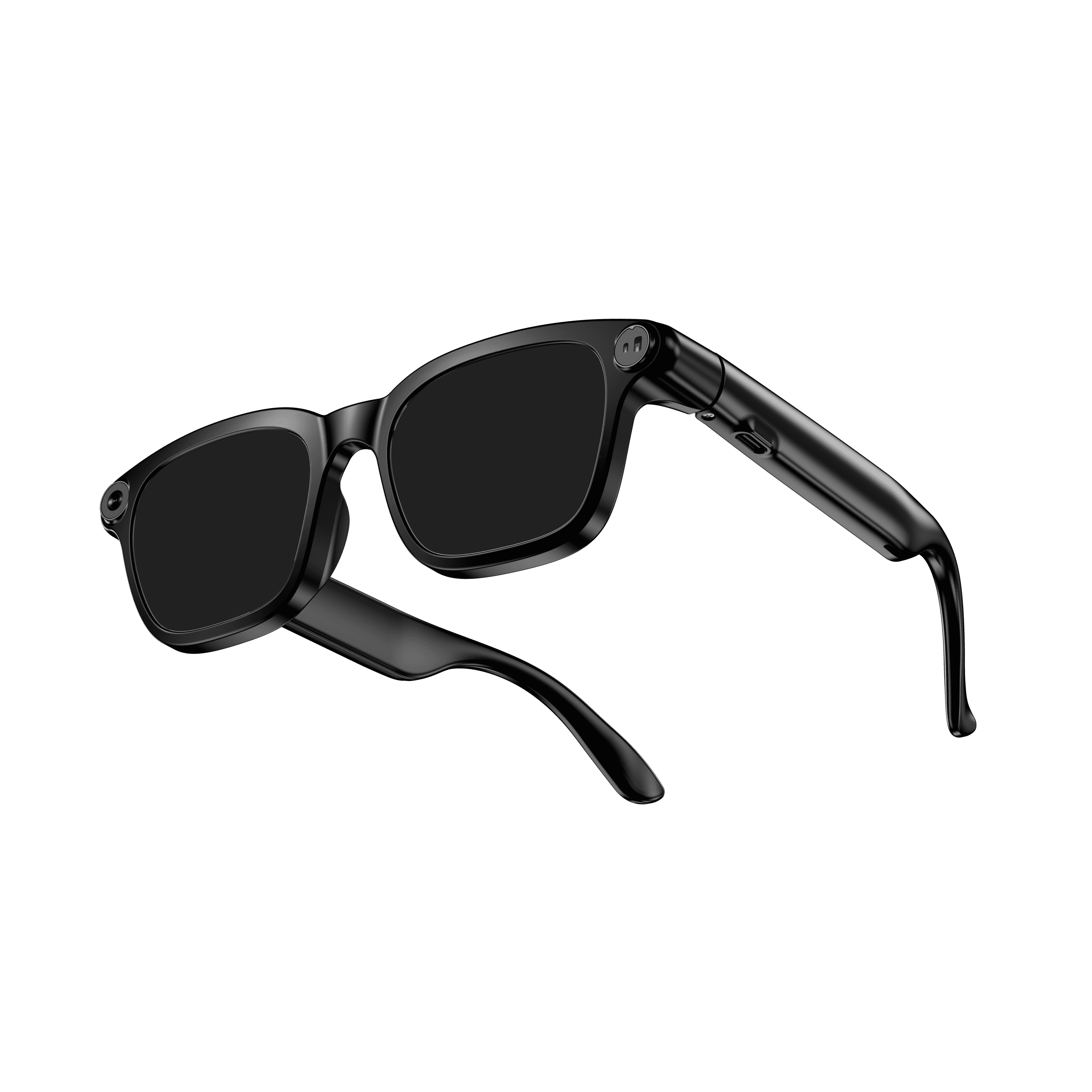 OXIVUE M08$99 at checkout OXIVUE M08$99 at checkout | 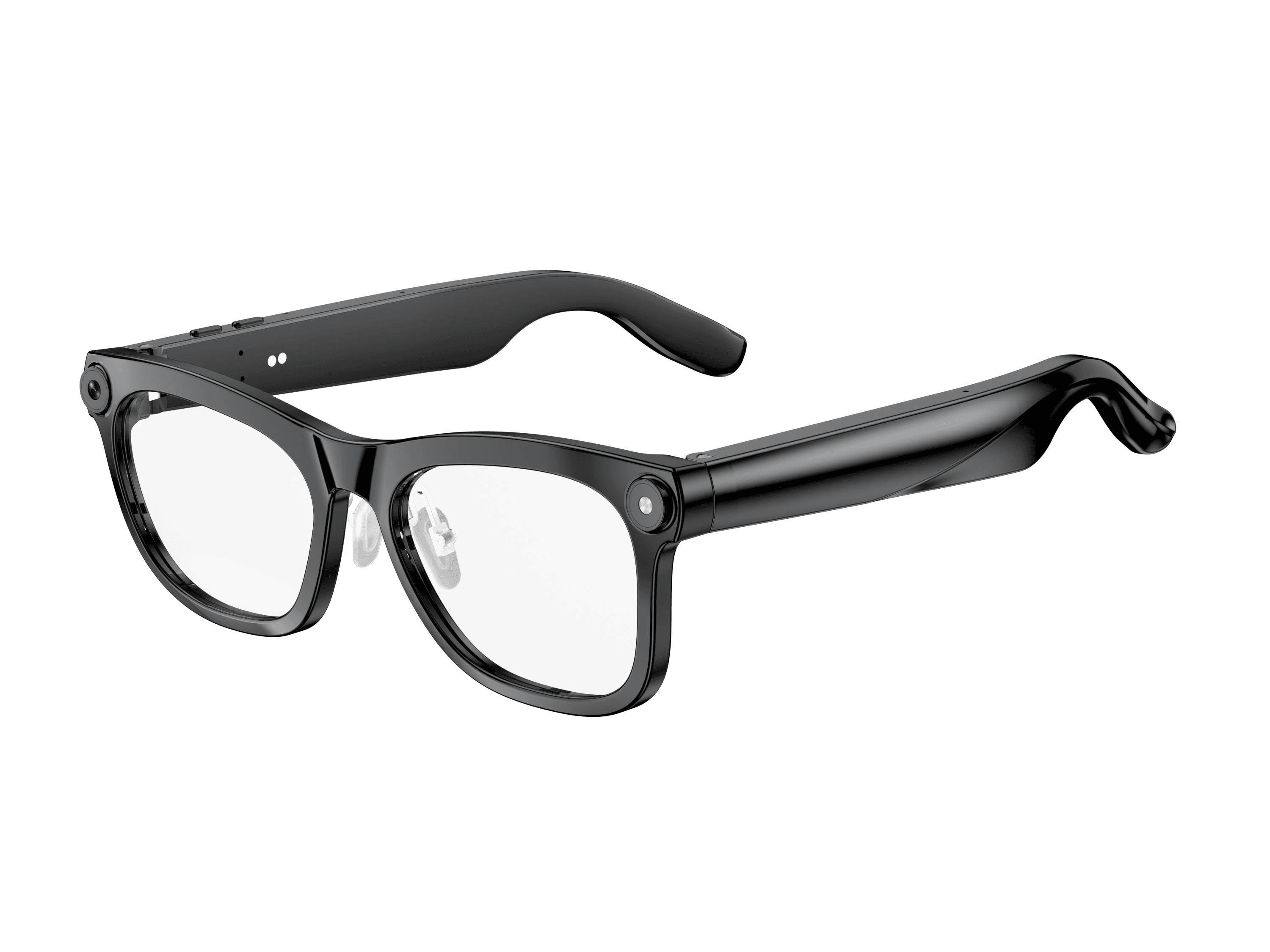 OXIVUE M02C$109 at checkout OXIVUE M02C$109 at checkout | |
|---|---|---|
| Camera | 8 MP | 8 MP |
| Weight | ~42 g | ~41 g |
| Water rating | — | IP65 |
| Lenses | Sunglasses · Photochromic · Clear | Sunglasses · Photochromic · Clear |
| Translation | 40+ languages | 40+ languages |
| Visual AI | — | Yes |
From each frame’s product page. Every model: open-ear audio, Bluetooth 5.4, no subscription. Full spec table
What these frames won’t do
- No prescription lenses yet, on any model. If you need vision correction all day, these can't replace your glasses.
- No display. Nothing appears in your view; you hear answers and capture photos and video.
- Open-ear speakers leak some sound at high volume and won't block out a loud train or a windy road the way sealed earbuds do.
- Translation, music, calls and the assistant need your phone nearby and connected. Translation pauses after each sentence, and only you hear the translated audio; the other person reads the reply on your phone.
- M08: no published water rating, so keep it out of heavy rain and spray.
- M02C: IP65 resists dust and water jets, not immersion. No swimming, no saltwater.
Check these before you order: see the warranty and refund policy.