Developer comparison · 2026
A kit you program. A frame you just wear.
The Brilliant Labs Frame is one of the most honest products in this category: open-source AI glasses that tell you up front you'll be building, not just wearing. This guide respects that honesty and returns it — the dev kit and the consumer frame are a fork, not a ladder, and the only mistake is buying one while wanting the other.
Still deciding? Get the M02C, M08 and M08C comparison in your inbox, with your new-customer price already applied.
One email with the comparison, one follow-up a few days later. Unsubscribe any time.
Two products sharing one shelf
Search results flatten this category into one list, and that flattening causes most of the buyer’s remorse in it. The Frame and a consumer camera frame are barely the same kind of object:
- The Frame is a platform. Its design files and firmware live on GitHub; its SDK is the product as much as the hardware is. The out-of-box experience — an AI assistant and a small heads-up display — is a starting point the community extends, not a finished behaviour set.
- A consumer frame is an appliance.It ships doing everything it will ever do, and that’s the point: capture, audio, and translation that work on day one, with a warranty behind them and nobody expecting you to open a terminal.
We’ve written before about AR developer hardware versus everyday eyewear; the Frame is the most sincere version of the developer side, because it doesn’t hide what it is. This guide won’t either.
What the open-source dev kit genuinely buys you
We don’t publish competitor spec tables — specs and prices move every season and a stale table helps nobody. The structural facts are what hold, and for the Frame they are genuinely attractive to the right buyer:
- You own the behaviour. Open schematics and open firmware mean nothing in the glasses is a black box. You can inspect what they send, reflash what they run, and build what they do next. No consumer product — ours included — offers this.
- A display to program against.The Frame’s heads-up display makes it a canvas for glanceable apps in a way camera-first frames structurally are not.
- A real community.Open-source eyewear attracts tinkerers, and the ecosystem of examples, libraries, and shared projects is part of what you’re buying. The successor generation the company has announced is expected to continue the same open model.
The honest costs sit in the same places: the polish of a platform is the community’s job, not a QA department’s; the cloud assistant’s heavier use sits behind a paid tier; and the price lands in the low-to-mid hundreds for what is, deliberately, an unfinished product. None of that is a flaw. It’s the deal, stated plainly.
Buy the dev kit instead if…
Four tests. If any of them is a yes, stop reading the consumer section — nothing below substitutes for open firmware, and we’d rather you spent the money correctly.
- 1. You intend to write code against the glasses. Reflashing firmware, calling an SDK, shipping your own app — that is the product, and no consumer frame (ours included) exposes any of it.
- 2. You need a display to draw on. A heads-up display is a canvas for glanceable apps. No OXIVUE frame has a display, HUD or AR overlay of any kind.
- 3. You want to audit what the hardware sends. Open schematics mean nothing is a black box. Closed consumer firmware cannot offer that, however good the privacy policy reads.
- 4. Community-maintained software is a feature, not a risk, to you. Examples, libraries and shared projects are part of what you’re buying — and so is being the QA department some of the time.
Dev kit vs consumer frame, side by side
Structure only — we don’t restate competitor hardware numbers. Everything in the right-hand column is our own published spec sheet, current on the comparison table.
| Open-source dev kit | Consumer frame (OXIVUE) | |
|---|---|---|
| What you buy | A platform: schematics, firmware, SDK | A finished behaviour set, done before it ships |
| Who writes the behaviour | You and the community | Us — you configure nothing |
| Display | Heads-up display to program against | None — audio-first, no HUD, no AR overlay |
| Camera | Varies by kit | 8 MP on every frame; M14 records 1080p 30 fps with EIS |
| Translation | A project you build | Shipped: 40+ languages (M08 family) · 139 (M14), free companion app |
| Lenses | Not the point of the product | Photochromic / sun / clear on the M08 family; fixed PC shield, 4 colourways, on the M14 |
| Weight | Varies by kit | 41 g (M02C) · 42 g (M08, M08C) · 52 g (M14) |
| Recurring cost | Assistant’s heavier use typically a paid tier | None — no plan, no storage tier, no Meta or social-media account |
| Price | Low-to-mid hundreds for an unfinished product | $149 · $159 · $169 · $199, one time |
| Who fixes it | Community-maintained | No refunds · 2-year warranty: repair or replace |
The consumer frames that ship finished — ranked
Four frames from the Milan studio. All four carry an 8 MP camera, open-ear directional audio and Bluetooth 5.4; nothing else is shared across the range, so the numbers below are per frame.
1. OXIVUE M08 — $99 at checkout · the honest entry
The cheapest finished camera frame we make, and the one that reads most like ordinary eyewear.
- 42 g Italian TR90, 8 MP camera set flush in the frame corner, one-touch capture.
- ~300 mAh: 7 h listening, 4 h calls, 2 h video.
- 40+ languages, two-way, through the free companion app.
- Three interchangeable lenses: photochromic, sunglasses, clear.
- US delivery — 5–9 business days inside the US.
2. OXIVUE M02C — $109 at checkout · the most complete
The one to buy if you only buy one: it adds a visual-AI wake word and the toughest ingress rating in the range for $10 over the M08.
- Voice wake word + visual AI — ask what you’re looking at, hear the answer.
- Sony 219 sensor with dual stabilisation, 8 MP capture.
- 41 g — the lightest camera frame we make — with a ~290 mAh battery and magnetic pogo charging.
- IP65, the strongest rating we publish; 40+ languages; three interchangeable lenses.
- US delivery — 5–9 business days inside the US.
3. OXIVUE M08C — $119 at checkout · the meeting frame
Same working parts as the M08 in a metal-trimmed frame you can wear into a board meeting.
- Gold or Silver trim on TR90 — 6 variants (2 metals × 3 lenses).
- 42 g, 8 MP camera, Bluetooth 5.4.
- ~300 mAh: 7 h listening, 4 h calls, 2 h video.
- 40+ languages, two-way in the app, heard in your ear through open-ear audio.
- US delivery — 5–9 business days inside the US.
4. OXIVUE M14 — $149 at checkout · the sport wrap
A different machine to the M08 family, not a bigger one — check the numbers before you assume anything carries over.
- 139 languages via the companion app — the widest coverage we make.
- 8 MP Sony IMX219, 1080p 30 fps AVI with electronic stabilisation.
- 52 g, 150 × 56 × 169 mm, IPX4; one-piece PC shield in Nero, Azzurro, Ghiaccio or Tramonto — no interchangeable lenses.
- 300 mAh: 4 h listening, 7 h calls, 2 h to charge — the reverse of the M08 family’s split.
- 4 GB onboard memory, Wi-Fi transfer, OTA updates. US delivery 5–9 business days.
Across all four: no subscription, no Meta or social-media account, footage moves to your phone rather than a vendor cloud, free shipping from $99 and a 2-year warranty against defects. Where recurring fees hide in this category: our subscription guide.
The honest limits of our answer
Symmetry demands the same plainness about ours. OXIVUE frames have no display, no HUD, no AR overlay — if glanceable visual output is the point, we are the wrong category, and our three-question display test will tell you quickly. The firmware is not openand there is no SDK — you cannot build on an OXIVUE frame, full stop. No frame in the range takes prescription lenses. And we don’t offer refunds for a change of mind — faults after delivery are a warranty repair or replacement, which we’d rather say here than at the returns desk.
Buy a consumer frame if…
The mirror image of the four tests above. Any yes here and the fork points our way.
- 1. You want it working the day the box opens. Capture, open-ear audio and translation are configured before it ships, with a 2-year warranty behind them.
- 2. Your use case is daily wear — commutes, travel, meetings — at 41–52 grams, not a build log.
- 3. You’d rather pay once. $99, $109, $119 or $149 for one pair at checkout ($149–$199 list, $50 off one pair applied automatically); no subscription, no account, no firmware you maintain yourself.
- 4. You need it soon. US orders on every model typically arrive in 5–9 business days; international orders take 9–14.
If published code and licences matter more to you than finished hardware, our open source smart glasses guide sets out what Brilliant Labs, Mentra and OpenGlass each publish, checked October 31, 2026.
Bottom line
The Frame deserves better than being called “another AI glasses option” — it is a developer kit, sold honestly as one, and if hacking your eyewear is the point, nothing we make substitutes for it. But most people searching for alternatives to it have discovered mid-search that they wanted the other side of the fork: a finished frame that just works. That’s the M08 at $99 at checkout, the M02C at $109 at checkout, or the M14 at $149 at checkout — camera, translation, open-ear audio, no code, no subscription. Start with the under-$200 buyer’s guide and the full spec comparison.
Brilliant Labs’ newer pair is covered in our Halo smart glasses guide.
Frequently asked questions
Is there a consumer-ready alternative to the Brilliant Labs Frame?
Yes, but it's a different kind of product, not a cheaper copy. The Frame is an open-source developer kit — schematics and firmware on GitHub, an SDK, a heads-up display you program against. A consumer frame like the OXIVUE M08 ($99 at checkout, 42 g, 7 h listening) or M14 ($149 at checkout, 52 g, 139 languages) inverts every one of those choices: an 8 MP camera, two-way translation (40+ languages on the M08 family), open-ear audio, no display, no code required, no Meta or social-media account, no subscription, and a 2-year warranty against defects. If you want to build what your glasses do, buy the dev kit. If you want them to just work every day, buy the consumer frame.
What's the difference between open-source smart glasses and consumer smart glasses?
Ownership of the behaviour. Open-source eyewear publishes its hardware schematics and firmware so you can inspect, reflash, and extend it — the product is the platform, and the out-of-box experience is a starting point. Consumer smart glasses ship a finished behaviour set — capture, audio, translation — that works on day one and doesn't ask you to maintain it. Neither is the 'better' category; they answer different buyers. The honest failure mode is buying one while wanting the other.
Can you write your own apps for OXIVUE glasses?
No, and we won't pretend otherwise. OXIVUE frames pair with the free companion app; the firmware is not open and there is no public SDK. If programmability is the point of the purchase — you want to reflash, extend, or build against a display — an open-source kit like the Frame or its announced successor is the right buy and no consumer frame substitutes for it. What we sell instead is the finished version: camera, translation, and audio that need zero maintenance.
Do OXIVUE glasses have a display like the Frame?
No. No OXIVUE frame has a display, HUD, or AR overlay — the M08 family and M14 are camera-and-audio-first glasses: an 8 MP camera, open-ear directional speakers, and translation delivered by voice to the wearer's ear (two-way in the app), not text in the lens. If glanceable visual output is a requirement rather than a curiosity, a display product is the right category; our three-question test for whether a screen earns its price is in the display alternatives guide.
Do open-source smart glasses have a subscription?
The hardware openness and the assistant economics are separate questions. Open-source eyewear typically ships with a cloud AI assistant that carries a paid tier for heavier use, so 'open source' does not automatically mean 'no recurring cost.' OXIVUE frames carry no subscription and no paid tier of any kind: translation across 40+ languages (139 on the M14) is included in the price, and it needs only a normal data connection on your phone — not an account with a platform.
OXIVUE frames side by side
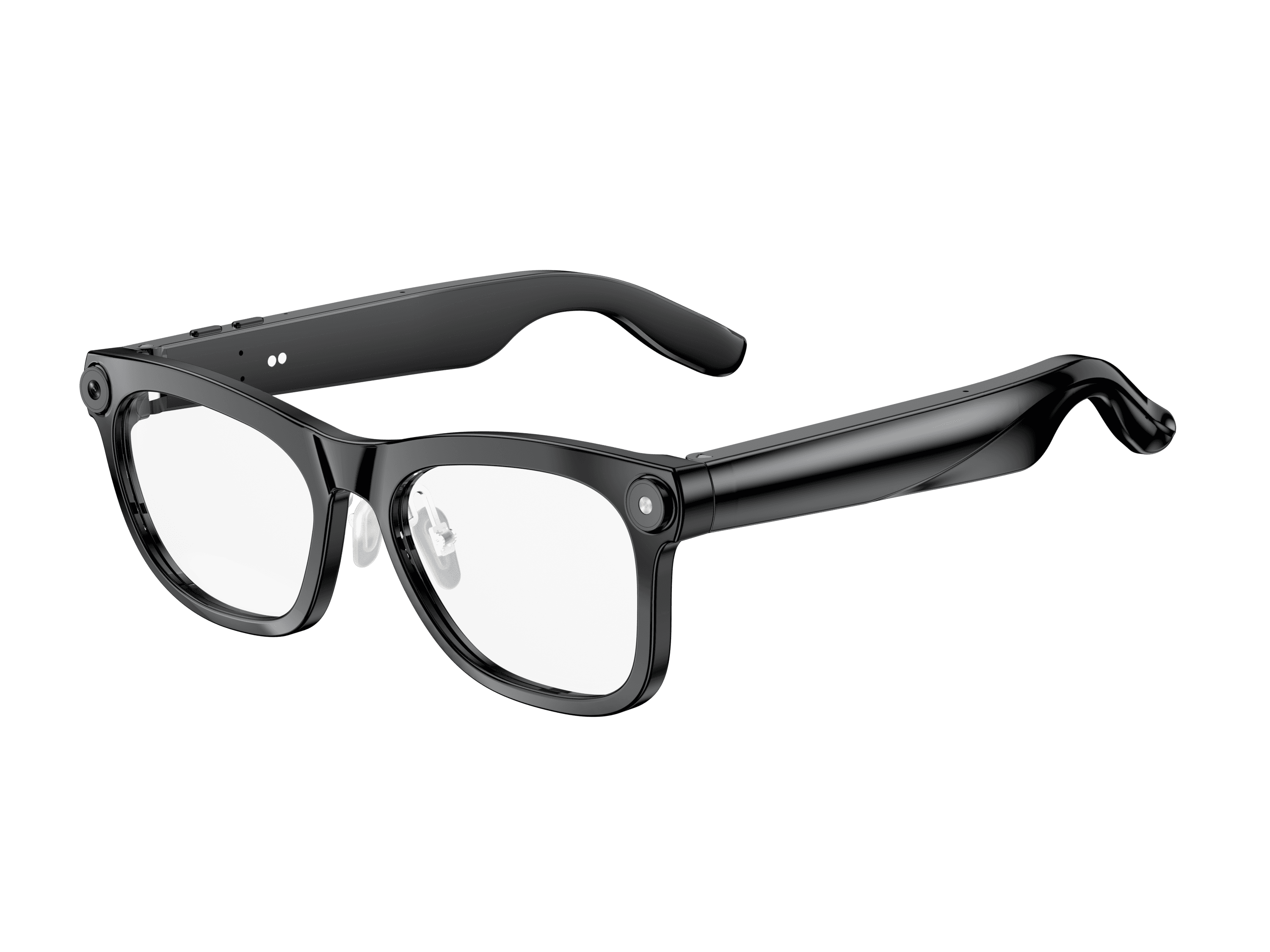 OXIVUE M02C$109 at checkout OXIVUE M02C$109 at checkout | 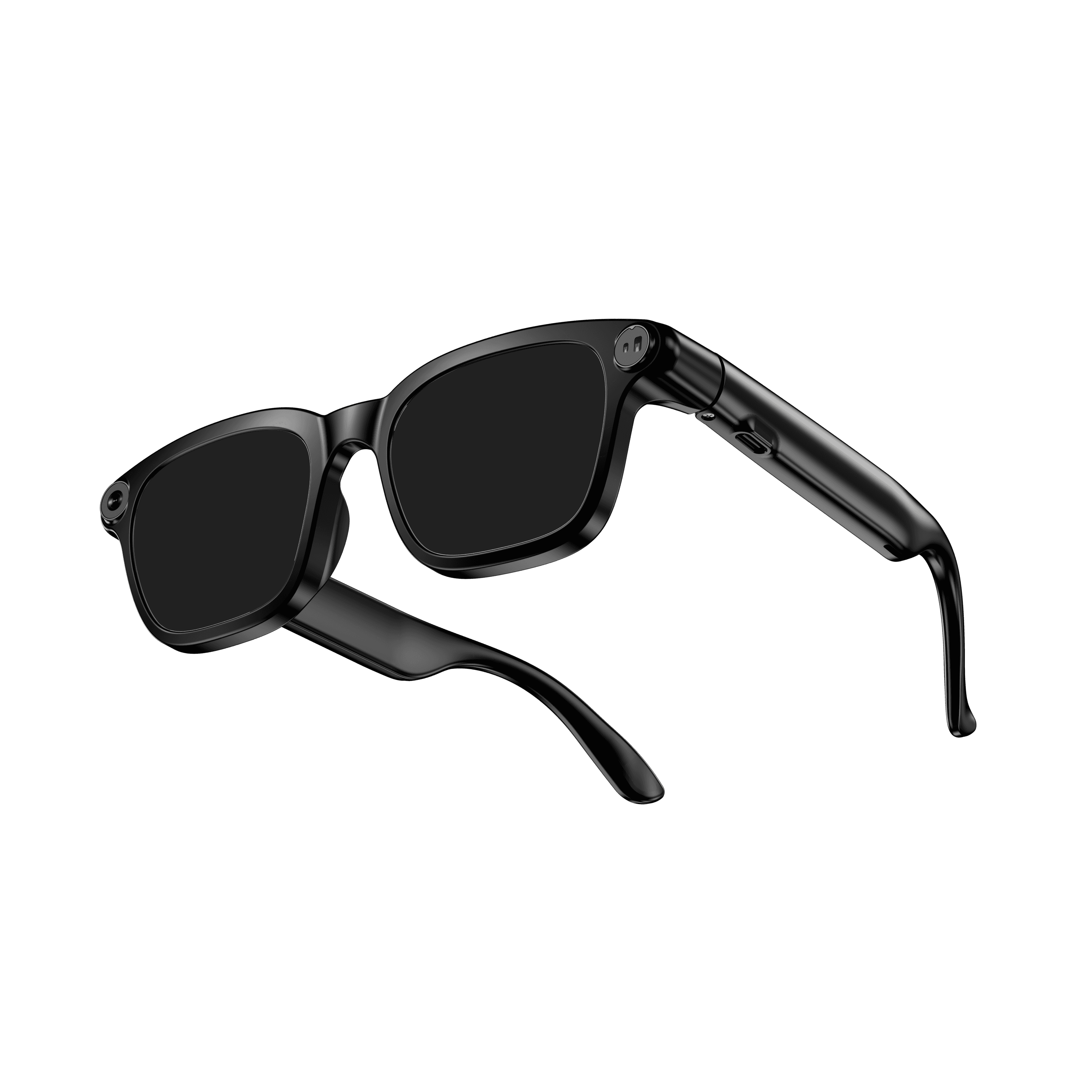 OXIVUE M08$99 at checkout OXIVUE M08$99 at checkout | 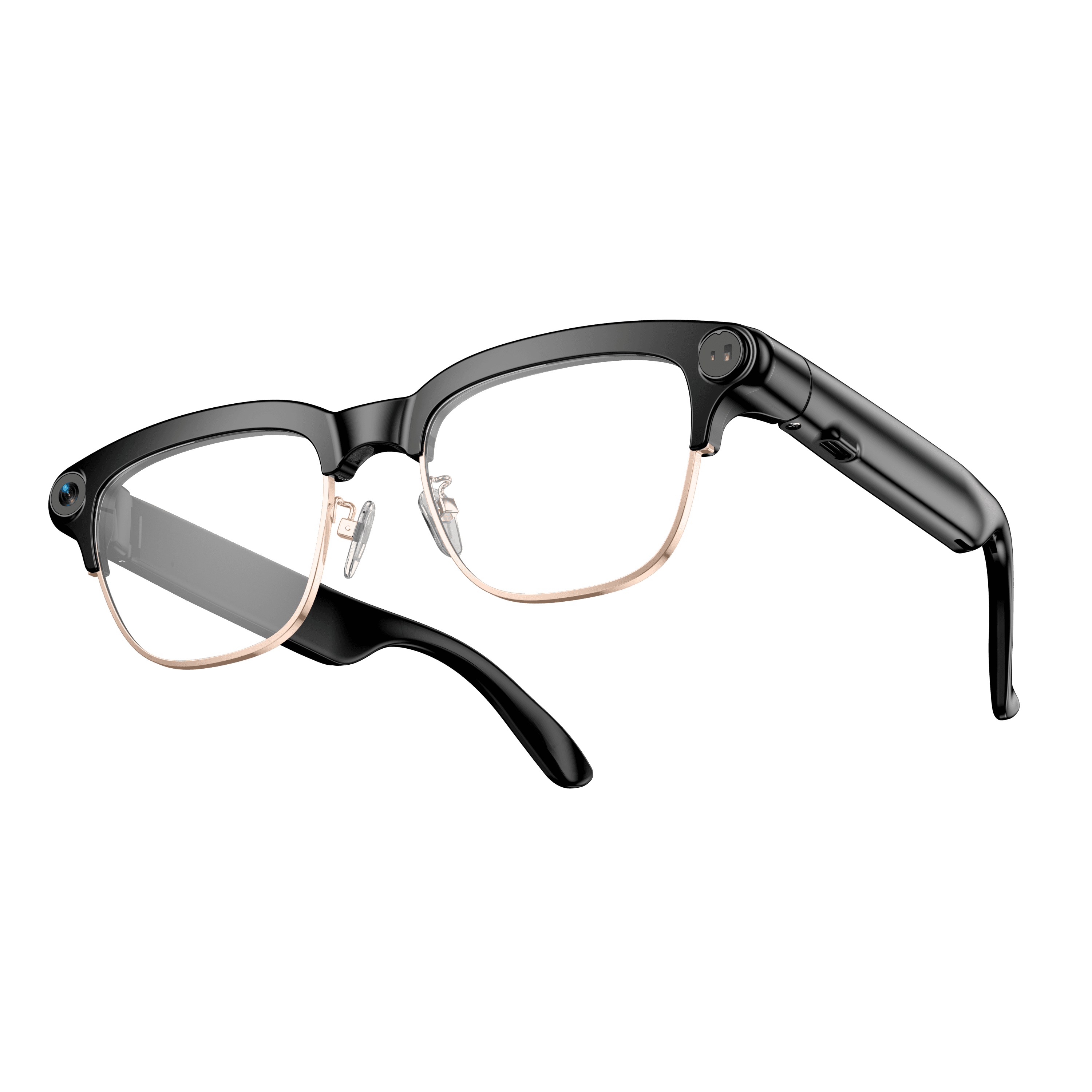 OXIVUE M08C$119 at checkout OXIVUE M08C$119 at checkout | |
|---|---|---|---|
| Camera | 8 MP | 8 MP | 8 MP |
| Weight | ~41 g | ~42 g | ~42 g |
| Water rating | IP65 | — | — |
| Lenses | Sunglasses · Photochromic · Clear | Sunglasses · Photochromic · Clear | Sunglasses · Photochromic · Clear |
| Translation | 40+ languages | 40+ languages | 40+ languages |
| Visual AI | Yes | — | — |
| Metal trim | — | — | Gold · Silver |
From each frame’s product page. Every model: open-ear audio, Bluetooth 5.4, no subscription. Full spec table
What these frames won’t do
- No prescription lenses yet, on any model. If you need vision correction all day, these can't replace your glasses.
- No display. Nothing appears in your view; you hear answers and capture photos and video.
- Open-ear speakers leak some sound at high volume and won't block out a loud train or a windy road the way sealed earbuds do.
- Translation, music, calls and the assistant need your phone nearby and connected. Translation pauses after each sentence, and only you hear the translated audio; the other person reads the reply on your phone.
Check these before you order: see the warranty and refund policy.