Meta glasses owners · 2026
The Meta glasses case is also the charger: what it holds, what its lights mean, what fits
Ray-Ban Meta and Oakley Meta glasses charge only in their case, so a lost, flat or mismatched case is a bigger problem than it sounds. This guide is built from Meta's own help and store pages, read on November 12, 2026: how much the case holds, how to charge it, what the LED means, which case fits which model, and what to do when it will not charge.
Still deciding? Get the M02C and M08 comparison in your inbox, with your new-customer price already applied.
One email with the comparison, one follow-up a few days later. Unsubscribe any time.
1. What the Meta case does
The case is not an accessory you can skip. Meta’s help page says all of its AI glasses charge in their charging case, and that placing the glasses with the nose bridge on the charging port “is the only way to charge the glasses” (checked November 12, 2026). The glasses and the case each have their own battery. Dock the glasses, close the lid, and the case LED blinks to confirm they are charging. If the LED does not light at all, Meta’s advice is to clean the charging contacts on the glasses and in the case, then dock again.
Two first-time details catch people out. Meta says that the first time you charge your glasses you must remove the protective plastic tab from the metal charging connections on the case. And the case is brand-specific: Meta warns not to store other glasses in it, because “storing any other glasses in the case can damage both the glasses and the case.” Pull glasses out straight, holding the top and bottom of the frame, rather than lifting by an arm.
For the wider picture of Meta’s hardware, see the Meta glasses charger guide (stand, cable and plug) and how to charge Meta glasses (step by step). This page stays on the case.
2. How much charge the case holds
Meta does not give a number of charges. It gives hours of extra charging per model, and it says the hours vary with how you use the features. The figures below come from Meta’s battery-life help page (checked November 12, 2026).
| Model | Glasses, per Meta | Case provides, per Meta |
|---|---|---|
| Ray-Ban Meta (Gen 1) | Up to 4 hours, moderate usage | Up to 32 hours of charging |
| Ray-Ban Meta (Gen 2) | Up to 8 hours, moderate usage | Up to 48 hours |
| Ray-Ban Meta (Gen 3) | Up to 9 hours, moderate usage | Up to 50 hours |
| Oakley Meta HSTN | Up to 5 hours continuous audio, 8 typical, 19 standby | Up to 48 hours; glasses to 80% in 45 minutes in the case |
| Oakley Meta Vanguard | Up to 6 hours continuous audio, 9 typical | Up to 36 hours; glasses to 50% in 20 minutes in the case |
| Meta Glasses | Up to 8 hours, moderate usage | Up to 40 hours |
Meta lists a 3.5-hour full recharge of the case over USB-C for the Oakley Meta cases and for the Ray-Ban Meta (Gen 1, Gen 2) case. The practical reading: the case adds many hours of glasses battery away from a wall socket, but it is a battery that runs down too, so a flat case needs recharging like anything else.
3. Charging the case itself
The case charges through a USB-C port on the bottom. Meta’s requirements (checked November 12, 2026): a cable that is USB-C to USB-C or USB-C to USB-A and compliant with the USB-C standard, any USB generation, rated for at least 1.2A (a lower rating still works, only more slowly), and a USB-C or USB-A power adapter rated at 5W or greater. Lower-wattage adapters are likely to still work with slower charging, and USB Power Delivery is not a requirement.
Two practical points. Meta’s store pages mark the USB-C cable as not included with a replacement case, so a case ordered on its own arrives without one. And Meta’s fix page says to avoid USB hubs and low-power laptop ports, which is a quiet reason a case charges on one wall adapter and not another.
4. What the lights on the case mean
Press the button on the back of the case to read the LED. You can also see both charge levels in the Meta AI app (the Glasses tab shows the case level when the glasses are docked). Meta lists the meanings below for Ray-Ban Meta and Oakley Meta; Meta Glasses cases work differently, and Meta lists those under Gestures & LEDs in the app.
| When | LED | Meaning (Meta) |
|---|---|---|
| Glasses docked | Green solid | Glasses fully charged |
| Glasses docked | Orange solid | Glasses charging |
| Glasses docked | Red blinking | Charging error |
| Case empty | Green solid | Case fully charged |
| Case empty | Orange solid | Case not fully charged |
| Case empty | Orange blinking | Case battery low |
| Case empty | Red blinking | Charging error |
| Case plugged in | Orange or green pattern that pulses continuously | Suggests an incompatible power adapter (see section 7) |
5. Which case fits which model
This is where owners get stuck, and where Meta’s own pages are not fully consistent. The table is what each Meta product page says about itself (checked November 12, 2026). Every case is a standalone product and none includes glasses or a cable.
| Meta case | Price on meta.com | What the page says it fits |
|---|---|---|
| Ray-Ban Meta (Gen 1, Gen 2) | $99 | Wayfarer, Headliner, Skyler. Not for Gen 2 Optics, Gen 3, Ray-Ban Meta Audio, Meta Glasses, Meta Ray-Ban Display or Oakley Meta |
| Ray-Ban Meta (Gen 3) | $99 | Wayfarer, Aviator, Zena, Headliner, Skyler, Blayzer Optics, Scriber Optics. Not for Ray-Ban Meta Audio, Meta Ray-Ban Display or Oakley Meta |
| Ray-Ban Meta Optics Styles | $99 | All Ray-Ban Meta Gen 2 styles. Not for Meta Ray-Ban Display or Oakley Meta |
| Oakley Meta HSTN | $139 | Designed specifically for Oakley Meta HSTN |
| Oakley Meta Vanguard | $139 | Designed specifically for Oakley Meta Vanguard |
| Charging Case (Meta) | $89 | Listed on the accessories page with five colours and no compatibility line |
| Meta Ray-Ban Display | $99 | Listed with two colours and no compatibility line |
The rule that holds across every page: a Ray-Ban Meta case is only for Ray-Ban Meta glasses and an Oakley Meta case only for Oakley Meta. Within Ray-Ban Meta, the pages disagree. The Gen 1 and Gen 2 case page’s intro claims most generations and styles (excluding Blayzer and Scriber Optics) while its spec line excludes Gen 3 and Gen 2 Optics; only the Optics case page lists Gen 2 styles and says “all generations” in its FAQ. The safest choice is the case that came in your box, or the one whose product page names your exact style.
6. Replacing a lost or broken case, and third-party cases
Meta’s replacement page (checked November 12, 2026) gives two routes for Ray-Ban Meta: order a charging case on meta.com, currently available in the US, Canada, UK, France, Germany, Italy and Spain, or buy one through the Ray-Ban After Sales Portal, where you create an account, choose “Buy replacement parts”, enter your model code and order one case at a time. Put the glasses in the new case and open the Meta AI app, and your settings update to show the new case serial number. Meta also states that it is not possible to replace the battery inside the glasses or the case, so a case whose battery has failed is a replacement, not a repair.
Third-party cases are sold too; search results for this phrase show both protective hard cases and cases that claim to charge. We do not quote any third-party seller’s product, price or specification, because we could not verify them against an official page. Two checks from Meta’s own pages apply to any of them: Meta’s warning that a case is for the glasses it was made for, and the charging requirements in section 3. If a listing does not name your exact model, treat the fit as unconfirmed. For the case types side by side, read smart glasses case: charging case or carrying case, and for straps, cloths and the rest see Meta glasses accessories.
7. If the case will not charge, and how to reset it
Meta’s own order of steps (checked November 12, 2026), shortest first:
- Swap the cable, then the adapter. Most USB-C cables work; some power adapters do not. An incompatible adapter shows as an orange or green LED pattern that pulses continuously, or no charging icon in the Meta AI app. Use an adapter rated at 5W or greater and avoid hubs and low-power laptop ports.
- Red blinking LED. Meta names three causes. Liquid: wipe the contacts on glasses and case and dock again, and if the case was exposed to liquid let it dry completely for 24 to 48 hours somewhere well ventilated. Heat: move the case and glasses somewhere cooler and wait. Charger: see the first step.
- Clean the contacts. Use a dry, lint-free cloth or a cotton swab on the gold contacts on the glasses and inside the case cradle, then dock, close the lid, wait 10 seconds and open it to read the LED.
- Reset the case. If the case LED is behaving abnormally, remove the glasses, plug the case into power, and press and hold the button on the back of the case for 10 seconds.
- Glasses that will not wake.Leave them docked and powered for at least 30 minutes. Then Meta describes a force restart (hold the capture button for 16 seconds with the glasses out of the case) and a manual factory reset (in the case, hold the capture button while sliding the case’s back power switch off and on, keep holding for 15 seconds, and the glasses LED blinks white).
Meta says to move to a warranty claim if the glasses LED stays solid red, shows no activity after 30 minutes or more of charging, or the glasses power on in the case but switch off the moment you remove them. Cleaning advice that goes with this is in how to clean Meta glasses.
8. OXIVUE frames: no case to lose
OXIVUE glasses work differently, and we list the differences so you can judge. The box holds the glasses, a magnetic charging cable, a manual and a microfiber lens cloth in a rigid gift box, and there is no carrying case or charging dock. The M02C ($109 at checkout, listed $159) charges through a magnetic pogo connector, weighs about 41 g, and has an IP65 rating (dust and water jets, not immersion). The M08 ($99 at checkout, listed $149) weighs about 42 g and has an 8 MP camera and open-ear speakers. Neither has a display, and neither takes prescription lenses.
The trade is plain. You skip the case-fit puzzle and the lost-case problem, and you give up a pocket battery that tops the glasses up on the go. If that is the feature you want, a Meta case does it and ours does not; the comparison page lays out the OXIVUE models side by side.
Shipping, refunds and warranty. Free shipping from $99. US orders typically arrive in 5–9 business days; international orders take 9–14 business days. OXIVUE does not offer refunds except for an order damaged in transit, which is replaced or refunded. Faults after delivery are covered by the 2-year warranty through repair or replacement; change of mind and unmet expectations are not refundable. See the shipping policy and warranty.
Frequently asked questions
How many times can the Meta glasses case charge my glasses?
Meta does not publish a number of charges. It publishes hours: a fully charged case provides up to 32 hours of charging for Ray-Ban Meta Gen 1, 48 for Gen 2, 50 for Gen 3, 48 for Oakley Meta HSTN, 36 for Oakley Meta Vanguard and 40 for Meta Glasses (checked November 12, 2026). Meta adds that the hours vary with how you use the features, so treat any charge count you divide out of those numbers as a rough guide only.
What do the lights on the Meta glasses case mean?
Press the button on the back of the case. With glasses docked, green solid means the glasses are full, orange solid means charging and red blinking means a charging error. With the case empty, green solid means the case is full, orange solid means not full, orange blinking means the case battery is low and red blinking means a charging error (Meta help page, checked November 12, 2026). Meta Glasses cases use different LED meanings, which Meta lists in the Meta AI app.
What if I lose my Meta glasses case?
You can order a replacement. Meta's help pages describe charging the glasses in the case, so the case is the charging route they describe. Meta sells replacement cases on meta.com in the US, Canada, UK, France, Germany, Italy and Spain, and for Ray-Ban Meta also through the Ray-Ban After Sales Portal, one case per order. Match the case to your model using the fit table above, because Oakley Meta and Ray-Ban Meta cases are not interchangeable.
Where is the serial number on a Meta glasses case?
The Meta pages we read do not say where it is printed. They say that after you put your glasses in a new case and open the Meta AI app, your settings update to show the new case serial number. That is where Meta points you to see it. If you need it for a warranty claim, Meta's charging-problems page asks for the serial number printed on the inside of the left temple arm of the glasses, and proof of purchase.
Can I use an older Ray-Ban Meta case with newer glasses?
Not reliably, because Meta's own pages disagree. The Gen 1 and Gen 2 case page lists Wayfarer, Headliner and Skyler, and its intro claims most generations and styles (excluding Blayzer and Scriber Optics), yet its spec line excludes Gen 3 and Gen 2 Optics. The Gen 3 case page says it works with Gen 1, Gen 2 and Gen 3. Use the case that came with your glasses, or the one whose page lists your exact style.
Why won't my Meta glasses case charge?
Usually the cable or adapter, liquid on the contacts, or heat. Meta's order of steps: try a different USB-C cable, then a different power adapter rated at 5W or greater, avoiding USB hubs and low-power laptop ports. If the LED is red and blinking, wipe the contacts and let a wet case dry for 24 to 48 hours, or move everything somewhere cooler. As a last step, reset the case by holding the back button for 10 seconds while it is plugged in.
Do OXIVUE glasses come with a charging case?
No. The OXIVUE box holds the glasses, a magnetic charging cable, a manual and a microfiber lens cloth in a rigid gift box, and there is no carrying case or charging dock. The M02C ($109 at checkout) charges through a magnetic pogo connector and the M08 ($99 at checkout) uses its own cable, so you charge the frame directly and add your own case if you want one.
OXIVUE frames side by side
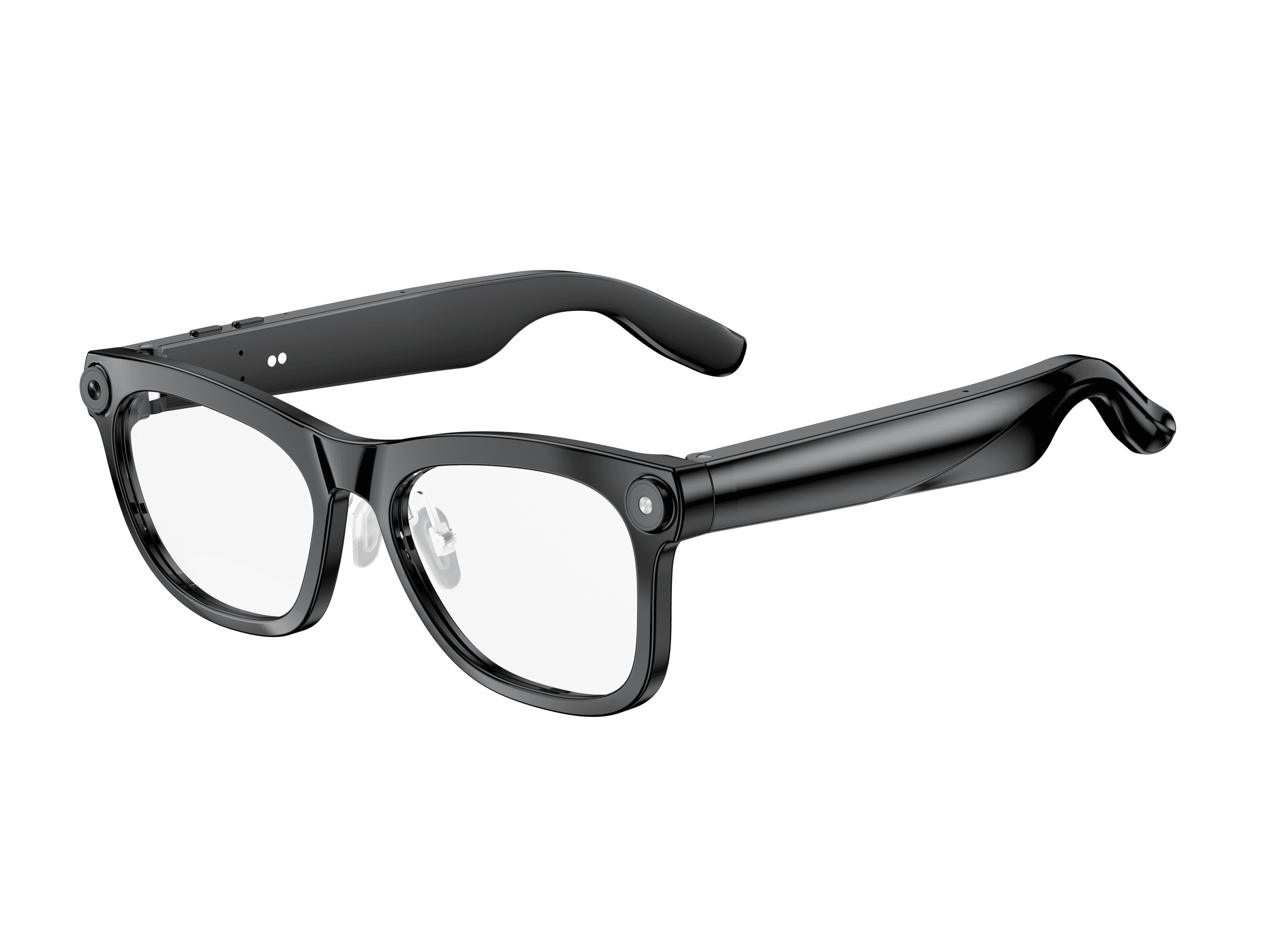 OXIVUE M02C$109 at checkout | 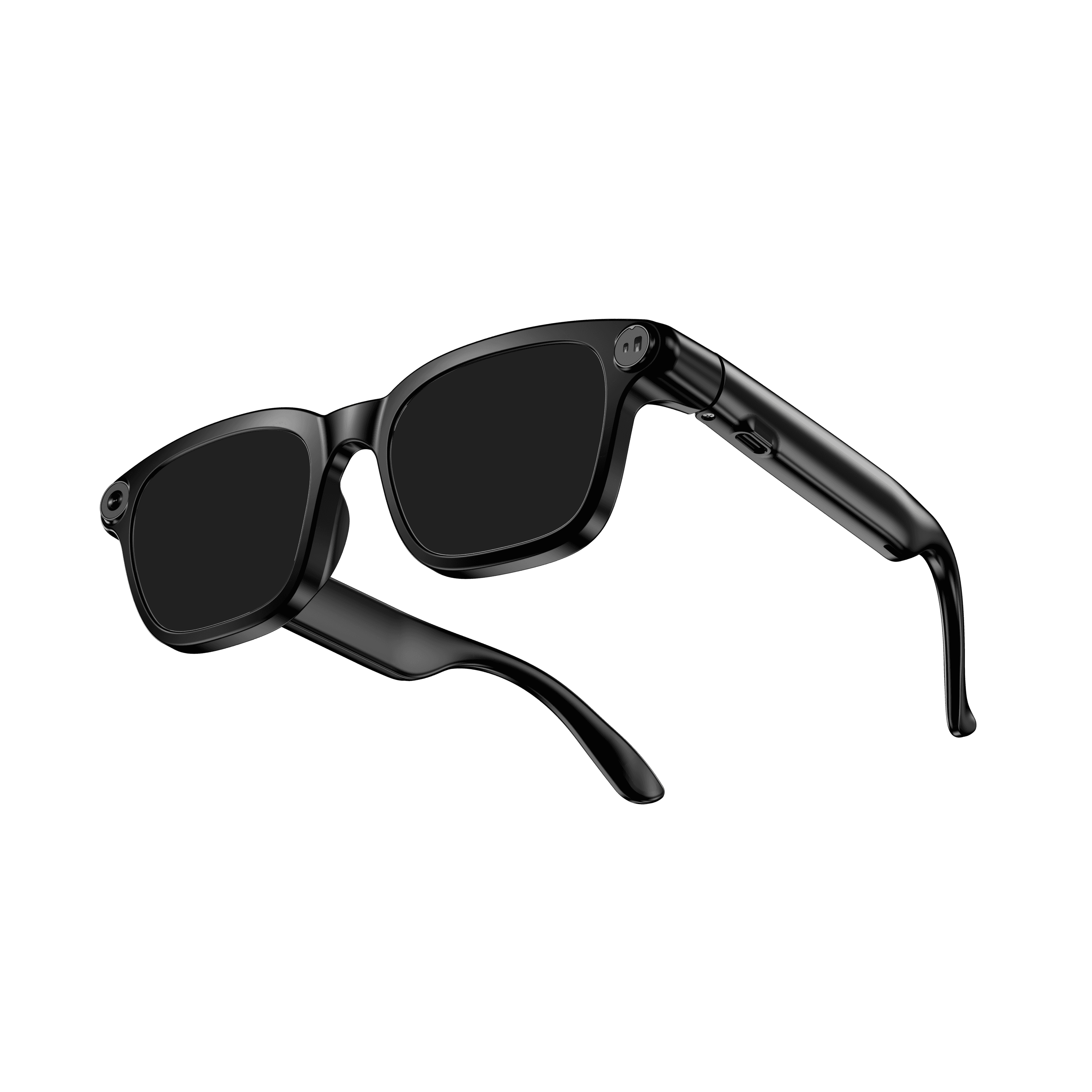 OXIVUE M08$99 at checkout | |
|---|---|---|
| Camera | 8 MP | 8 MP |
| Weight | ~41 g | ~42 g |
| Water rating | IP65 | — |
| Lenses | Sunglasses · Photochromic · Clear | Sunglasses · Photochromic · Clear |
| Translation | 40+ languages | 40+ languages |
| Visual AI | Yes | — |
From each frame’s product page. Every model: open-ear audio, Bluetooth 5.4, no subscription. Full spec table
What these frames won’t do
- No prescription lenses yet, on any model. If you need vision correction all day, these can't replace your glasses.
- No display. Nothing appears in your view; you hear answers and capture photos and video.
- Open-ear speakers leak some sound at high volume and won't block out a loud train or a windy road the way sealed earbuds do.
- Translation, music, calls and the assistant need your phone nearby and connected. Translation pauses after each sentence, and only you hear the translated audio; the other person reads the reply on your phone.
- M02C: IP65 resists dust and water jets, not immersion. No swimming, no saltwater.
- M08: no published water rating, so keep it out of heavy rain and spray.
Check these before you order: see the warranty and refund policy.