Productivity · 2026
Smart glasses for productivity: what they do, task by task
Searching for smart glasses for productivity turns up two different products: display glasses that put text in your eye line, and camera glasses that capture, listen and translate. This guide goes through the tasks of a working day, says which kind of glasses fits each, and is plain about what ours cannot do.
Still deciding? Get the M08C and M14 comparison in your inbox, with your new-customer price already applied.
One email with the comparison, one follow-up a few days later. Unsubscribe any time.
1. Two kinds of glasses sit under this search
“Smart glasses for productivity” covers two different products. Display glasses put text or video in your line of sight: a teleprompter, notifications, or a large virtual screen next to a laptop. Camera-and-audio glasses have no display; they take photos, play audio through open-ear speakers, and hand features such as translation to a phone app. The first kind is for reading. The second is for doing things with your hands full.
We make the second kind, so we publish this page with a bias and say so: OXIVUE publishes this guide and sells the M08C and M14 mentioned in it. The third-party facts below come from each maker’s own site, fetched on November 12, 2026, and we quote no price we could not read there.
2. Which glasses fit which task
There is no overall winner in this table, because the tasks pull in different directions. Even Realities and XREAL figures are as their official pages state them (checked November 12, 2026).
| Task | OXIVUE M08C / M14 | Even G2 (display) | XREAL One Pro (display) |
|---|---|---|---|
| Hands-free photo of a slide or whiteboard | Yes: 8 MP camera, started with a touch on the temple | No: the page says “Camera-free. By design.” | Not covered on the page we read |
| Notes or a script in your line of sight | No display | Yes: “Voice controlled teleprompter” | Display, but tethered to a source device |
| Large screen beside a laptop | No display | — | Built for it: up to a 57° FoV, “up to a 171 inch screen”, 120 Hz; needs a USB-C DP port that supports DP output |
| Calls and audio while working | Open-ear speakers: M08C 7 h listen / 4 h call; M14 4 h listen / 7 h call | Not covered here | Not covered here |
| Meeting transcription | M08C lists meeting transcription | “Conversate captures and transcribes every word, turning it into an AI summary” | Not covered on the page we read |
| Translation | 40+ languages (M08C), 139 (M14) via the companion app; audio heard only by you | “35 languages, right in your line of sight” | Not covered on the page we read |
| Prescription lenses | No | Custom lenses from −12.00 to +12.00 | Prescription lens services through partner opticians (US, EU, UK) |
| Weight and battery | M08C ~42 g; M14 52 g | “Just 36 grams”; up to two days of battery life | Not covered on the page we read |
| Price | $119 (M08C) / $149 (M14) at checkout | Not stated on the page we read | Not stated on the page we read |
OXIVUE prices checked 2026-11-12; checkout price may change. The M08C is $119 at checkout (listed $169) and the M14 is $149 at checkout (listed $199) for one pair.
3. Capturing notes, slides and whiteboards
Camera glasses can photograph what you are looking at without you reaching for a phone, which is the one productivity job a display model cannot do at all. On the M08C and M14 an 8 MP camera starts only when you touch the temple, so a quick photo of a whiteboard at the end of a workshop takes a second. Check the result on your phone before the room is wiped: we make no claim about how legible a distant board or small print will be.
The routine is short: touch the temple, take the photo, and look at it on your phone, where files and settings live. The camera is the same 8 MP unit on both frames, so the choice between them for capture rests on other facts: the M08C is about 42 g and takes sun, photochromic or clear lenses, while the M14 is 52 g with a fixed one-piece shield. Even Realities says its G2 is “Camera-free. By design.” (checked November 12, 2026), so if photographing a whiteboard is part of your day, a display model is the wrong tool; if reading a script in your line of sight is, camera glasses are.
Ask first. A photo of a slide in a meeting you were invited to is usually unremarkable, but photographing people, screens with client data or anything a colleague has not agreed to is a different matter. See recording laws by state for the legal background.
4. Calls, voice and the assistant
Open-ear speakers and microphones are the everyday part. The M08C is rated for 7 hours of listening and 4 hours of calls; the M14 reverses that to 4 hours of listening and 7 hours of calls, which matters if your day is mostly on the phone. Open-ear means you still hear the room, so you can take a call while carrying a laptop and a coffee.
Voice features such as asking the assistant a question run through the free companion app on your phone, so they need the phone and a connection. The M02C adds voice-activated visual AI that describes what you are looking at.
5. Translation and transcription in meetings
The M08C and M02C translate 40+ languages through the companion app and the M14 supports 139. Translated audio is heard only by the wearer, the other person reads the reply on your phone, and translation pauses after each sentence, so it suits a short exchange better than a fast-moving negotiation. The translation page has the details.
A longer language list does not tell you how well a particular pair of languages works, and we publish no accuracy figure, so test the languages you need before you rely on them in a meeting. The method also differs from display glasses: with ours the translated audio reaches only you and your counterpart reads the reply on your phone, whereas Even Realities describes translation across 35 languages “right in your line of sight” (checked November 12, 2026).
Meeting transcription is listed as a feature of the M08C. We say only that it is listed; what you get depends on the app and your phone, and the people on the call need to know it is happening. Even Realities describes its own version, Conversate, in its app (checked November 12, 2026). For the job-based view of work frames, see our smart glasses for work and smart glasses for meetings guides.
6. What camera glasses cannot do for your productivity
- Show you anything. OXIVUE frames have no display: no notes, no captions, no second monitor. Files and settings live on your phone.
- Take prescription lenses. None of our frames do. Even Realities and XREAL both describe prescription options on their official pages.
- Run without your phone. Translation, the assistant and file transfer all depend on the companion app.
- Capture on their own. Photos start with a deliberate touch, so nothing is recorded unless you start it.
- Replace a laptop. They add hands-free capture and audio around a laptop; they do not run work applications.
7. Using them at work without trouble
The practical limit is rarely technical. Many offices, client sites and meeting rooms restrict cameras, and some jobs ban them outright; in that case a camera-free pair is the right tool, and our guide to camera-free smart glasses for workcovers it. Where cameras are allowed, say what you are doing, keep captures short and relevant, and follow both the law where you work and your employer’s policy. This is general information, not legal advice.
A short checklist helps. Ask whether cameras are allowed before you wear the glasses in. Decide in advance which tasks you want them for, such as photographing a slide, taking a call or translating a short exchange, because the same pair will not also give you notes on a lens. Plan around the battery figures: the M08C is rated for 7 hours of listening and 4 hours of calls, and the M14 for 4 hours of listening and 7 hours of calls, so pick by whether your day is mostly audio or mostly calls. Keep the phone charged and connected, since translation, the assistant and file transfer all depend on the companion app. If any of that does not fit, a display model or a camera-free pair may serve you better, and we would rather you buy the right one.
Shipping, refunds and warranty. Free shipping from $99. US orders typically arrive in 5–9 business days; international orders take 9–14 business days. OXIVUE does not offer refunds except for an order damaged in transit, which is replaced or refunded. Faults after delivery are covered by the 2-year warranty through repair or replacement. None of our frames take prescription lenses. Compare every model on the comparison page.
Frequently asked questions
Do smart glasses actually make you more productive?
Only for specific tasks, and no published measurement says by how much. Camera glasses save you pulling out a phone for a quick photo, open-ear audio keeps calls hands-free, and translation or transcription features can help in a meeting. They do not replace a laptop or a notebook. If a task needs a screen, you need display glasses or a monitor instead. Pick the task first, then the hardware.
Which smart glasses are best for productivity?
No single pair is best for every task, because the tasks differ. For reading notes or a script in your line of sight, display glasses such as the Even G2 fit. For a big virtual screen beside a laptop, the XREAL One Pro is built for that. For hands-free photos, calls and translation without a screen, camera glasses such as the OXIVUE M08C at $119 at checkout fit. We publish this page, so weigh our picks accordingly.
Can smart glasses transcribe meetings?
Some can. OXIVUE lists meeting transcription as a feature of the M08C. Even Realities says its G2 captures and transcribes speech into an AI summary in its app (checked November 12, 2026). Whatever you use, get consent first: recording or transcribing other people can be regulated by state law and by your employer, and in many places everyone in a conversation must agree.
Do productivity smart glasses have a display?
Some do and most camera glasses do not. The Even G2 has a display and no camera. The XREAL One Pro is a display device that connects to a USB-C DP source. OXIVUE glasses have no display: they capture photos, play audio through open-ear speakers and send files to a phone app. If you need on-lens text such as a teleprompter or navigation, choose a display model.
Can I get prescription lenses in productivity smart glasses?
Not in OXIVUE frames, which take no prescription lenses. Even Realities lists custom lenses from -12.00 to +12.00 for the G2, and XREAL says it partners with optical companies for prescription lens services (both checked November 12, 2026). If you wear glasses all day, that difference alone can decide the purchase, so check it before anything else.
Are smart glasses allowed at work?
Not always: it depends on your employer. Many workplaces restrict cameras in meeting rooms, on shop floors or around client data, and some require permission for any wearable recorder. Ask before you wear camera glasses to work, and use a camera-free model where cameras are banned. Capturing starts with a deliberate touch on OXIVUE frames, but a visible camera can still be against policy.
OXIVUE frames side by side
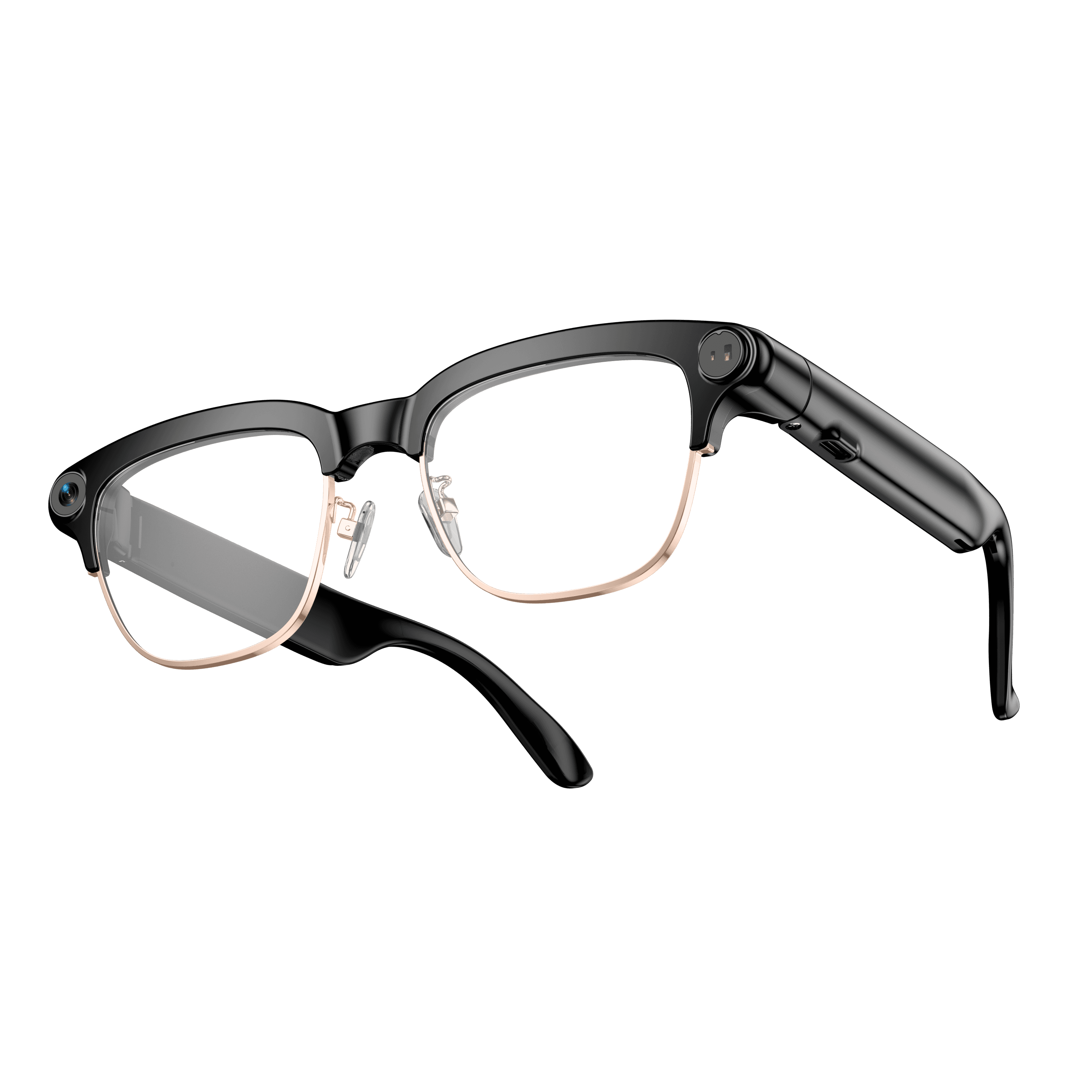 OXIVUE M08C$119 at checkout | 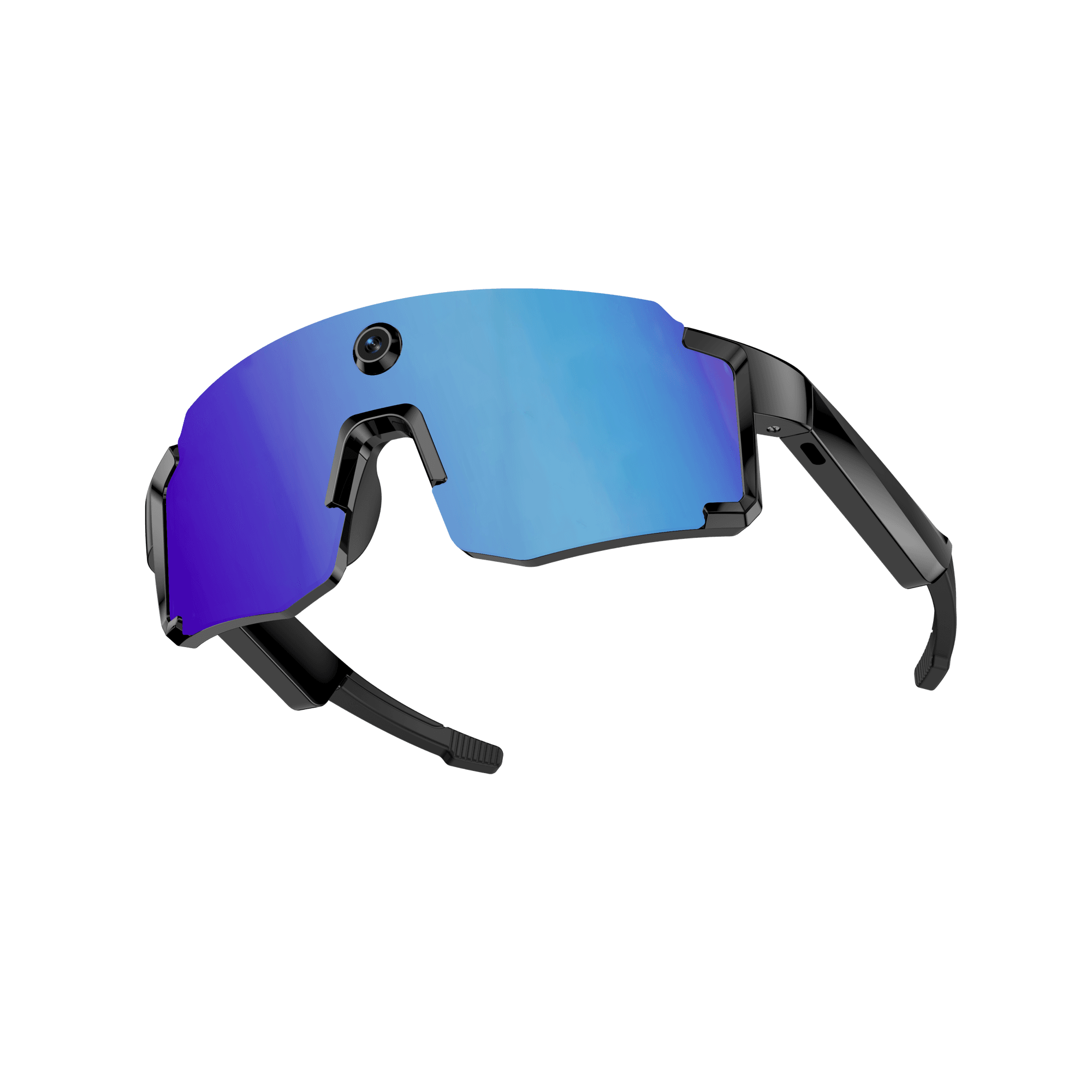 OXIVUE M14$149 at checkout | |
|---|---|---|
| Camera | 8 MP | 8 MP |
| Weight | ~42 g | 52 g |
| Water rating | — | IPX4 |
| Lenses | Sunglasses · Photochromic · Clear | Fixed wrap shield · 4 colours |
| Translation | 40+ languages | 139 languages |
| Metal trim | Gold · Silver | — |
| Onboard memory | — | 4 GB onboard |
From each frame’s product page. Every model: open-ear audio, Bluetooth 5.4, no subscription. Full spec table
What these frames won’t do
- No prescription lenses yet, on any model. If you need vision correction all day, these can't replace your glasses.
- No display. Nothing appears in your view; you hear answers and capture photos and video.
- Open-ear speakers leak some sound at high volume and won't block out a loud train or a windy road the way sealed earbuds do.
- Translation, music, calls and the assistant need your phone nearby and connected. Translation pauses after each sentence, and only you hear the translated audio; the other person reads the reply on your phone.
- M08C: no published water rating, so keep it out of heavy rain and spray.
- M14: one-piece shield, so the lens can't be swapped for clear or photochromic.
- M14: IPX4 covers splash, spray and rain only, and at 52 g it is heavier than the 41–42 g frames.
Check these before you order: see the warranty and refund policy.