Calls · Meta glasses
How to answer calls on Meta glasses, and make them by voice
Ray-Ban Meta, Oakley Meta and Meta Glasses take calls and messages by voice once your phone and messaging apps are connected. This guide gives the exact commands and the touch-pad gesture Meta documents for answering, declining and ending a call, which apps work (WhatsApp, Messenger, Instagram, your phone), and the limits Meta states, including emergency calls.
Still deciding? Get the M08 and M14 comparison in your inbox, with your new-customer price already applied.
One email with the comparison, one follow-up a few days later. Unsubscribe any time.
A disclosure before the steps: OXIVUE sells camera glasses that compete with Meta’s, and we publish this page. Everything below about Meta comes from two Meta pages we read on November 12, 2026, and we quote Meta’s own wording wherever the exact words matter.
1. Answer, decline and end a call
Say “Hey Meta, answer” to take an incoming call and “Hey Meta, decline” to refuse it.Those are the two commands Meta’s help page lists for Ray-Ban Meta, Oakley Meta and Meta Glasses. Meta’s hands-free communication page adds that a short audio cue announces incoming calls and messages, so you do not have to reach for your phone to find out who is trying to reach you. The routine Meta describes is short: listen for the cue, then say either the answer command or the decline command. Both commands only work once the provider, whether your phone, WhatsApp, Messenger or Instagram, has been connected in the Meta AI app, which section 5 walks through.
To end a call, double-tap the touch pad on the glasses, or hang up from your phone. You can also keep your hands free during the call. Meta says that while you are on a call you can say “Hey Meta” and then one of: Mute, Unmute, Camera on, Camera off, Hang up or End call. The camera commands only matter on a video call, covered below. Meta also states that these commands are processed on your device and that nothing from your call is stored by Meta.
| You want to… | Say or do (as Meta documents it) |
|---|---|
| Answer an incoming call | “Hey Meta, answer” |
| Decline an incoming call | “Hey Meta, decline” |
| End a call | Double-tap the touch pad, hang up from your phone, or say “Hey Meta,” then Hang up or End call |
| Mute or unmute | “Hey Meta,” then Mute or Unmute |
| Turn your camera on or off | “Hey Meta,” then Camera on or Camera off (video calls) |
| Call someone | “Hey Meta, call [name],” then confirm the person |
Source: Meta, “How to call and message on AI glasses,” checked November 12, 2026.
2. Make a call by voice
Put the glasses on and say “Hey Meta, call [name].”Meta’s steps then have you listen and confirm that the glasses picked the right person. After you confirm, the call starts connecting. That confirmation step matters when two contacts have similar names, because it is your chance to stop the glasses before the wrong person is rung. To choose the app yourself, add it to the command, for example “Hey Meta, call [name] on WhatsApp.”
For Instagram contacts that have no name attached to their account, Meta says you can set a nickname in an existing chat in the Instagram app and then use that nickname to call and message them from the glasses. On a Messenger, WhatsApp or Instagram video call you can also share the view from your glasses, according to Meta’s help page.
3. Messages and voice messages
Say “Hey Meta, send a message to [name],” then speak the message.The glasses read it back to you, and you reply Yes, No or Cancel. To pick the app, say, for example, “Hey Meta, message [name] on WhatsApp.” Meta says the glasses can also announce messages when they arrive and read them aloud, which is the answer to the common question of whether Meta glasses can read your texts.
Voice messages work on WhatsApp, Messenger and Instagram. Say “Hey Meta, send a voice message to [name]” (add “on WhatsApp” to choose the app), and start speaking once recording begins. The recording stops after 3 seconds of silence or at the 1 minute limit. The glasses then ask you to confirm; the replies are Yes, No or Change. If you pause for longer than 3 seconds while thinking of the next sentence, the recording ends, so it helps to know what you want to say before you start. A longer message is better sent as a normal call or as several short voice messages, since the 1 minute limit is the most Meta allows for one.
4. Which apps work on Meta glasses
Meta names four connections: WhatsApp, Messenger, Instagram, and your iPhone or Android phone.The table summarises what Meta’s two pages say about each. It does not list iMessage by name, so we do not claim it is supported.
| Connection | Calls and messages | Notes from Meta |
|---|---|---|
| Your phone (iPhone or Android) | Hands-free calls and texts | Asks permission to access contacts; carrier charges may apply; default SIM used on dual-SIM phones |
| Calls, messages, voice messages, video calls | Say “on WhatsApp” to choose it | |
| Messenger | Calls, messages, voice messages, video calls | Connect under Communication in the Meta AI app |
| Calls, messages, voice messages, video calls | Nickname trick for contacts with no name | |
| iMessage | Not named on the Meta pages we read | Do not assume it works |
Sources: Meta help page and Meta “AI glasses for hands-free communication,” both checked November 12, 2026.Meta also says Meta Ray-Ban Display adds on-lens extras such as seeing who you’re talking to and an in-lens end-call button.
5. Connect your apps first
Nothing above works until you connect the provider in the Meta AI app.Meta’s steps are: open the Meta AI app and tap Glasses in the top right, tap Device settings, choose your glasses (swipe to pick one if several devices are paired), tap Communication, then tap Connect next to Messenger, WhatsApp, Instagram or your phone. To remove one, repeat the path and tap the provider, then Disconnect.
When you connect your phone, Meta says you will be asked for permission to access your contacts so hands-free calls can work, and that phone numbers and contact history stay on your devices and are not shared with Meta servers. If calls fail with voice commands, the connection under Communication is the first thing to check; our Meta glasses not connecting guide covers pairing problems.
6. Limits Meta states
- Emergency calls.Meta says calls such as 911 in the US must be initiated from your mobile device. If your glasses are connected to your phone, it advises checking your carrier’s emergency-calling information for limitations.
- Carrier charges. Meta says wireless carrier charges may apply when you connect the glasses to an iPhone or Android phone.
- Voice messages. One minute at most, ending early after 3 seconds of silence.
- Call quality. Meta says the multi-microphone arrays on its AI glasses filter out background noise on calls, and that open-ear speakers let you hear a call while staying aware of your surroundings. Meta publishes no call-quality measurement on the pages we read, so how you sound in wind or a loud street is something to test rather than assume.
- Contacts and privacy. When you connect your phone, Meta asks for permission to access your contacts, and says phone numbers and contact history stay on your devices and are not shared with Meta servers.
- Dual-SIM phones.Meta says the default SIM is used for hands-free calls, so change your phone’s default line first if you want a call to go out on the other number.
7. Calls on OXIVUE glasses
OXIVUE frames take phone calls over Bluetooth, with microphones and open-ear speakers. The M08 (and the M02C and M08C) is rated 7 hours of listening and 4 hours of calls; the M08 weighs about 42 g and the M02C about 41 g. The M14reverses the split: 4 hours of listening and 7 hours of calls, at 52 g. Calls use the phone paired over Bluetooth 5.4. The “Hey Meta” contact calling, the Communication settings and the WhatsApp, Messenger and Instagram connections described above are Meta features, and we make no claim that OXIVUE frames offer them.
Our wider guide, phone calls on smart glasses, covers microphones, wind and what the caller hears. If you are on an iPhone or Android phone, see smart glasses for iPhone and smart glasses for Android.
Shipping, refunds and warranty. Free shipping from $99. US orders typically arrive in 5–9 business days; international orders take 9–14 business days after shipment. No refunds except transit damage (replaced or refunded); faults are repaired or replaced under the 2-year warranty; change of mind and unmet expectations are not refundable. None of our frames take prescription lenses. Compare every model on the comparison page.
Frequently asked questions
Can you take calls on Meta glasses?
Yes. Meta says that once you connect your phone, WhatsApp, Messenger or Instagram in the Meta AI app, you can make and answer calls with your voice. You say a command such as “Hey Meta, call [name]” and confirm the contact. Wireless carrier charges may apply if you connect an iPhone or Android phone, and emergency calls must still be started from your phone (Meta help page, checked November 12, 2026).
How do I answer a call on Meta glasses?
Say “Hey Meta, answer.” To refuse the call, say “Hey Meta, decline.” Those are the two commands Meta lists for incoming calls on Ray-Ban Meta, Oakley Meta and Meta Glasses. A short audio cue announces an incoming call, so you hear it before you reply. If the glasses do not react, check that the provider is connected under Communication in the Meta AI app, because that is the first step in Meta’s setup instructions.
How do I end a call on Meta glasses?
Double-tap the touch pad on the glasses, or hang up from your phone. Meta also lists voice commands for use during a call: say “Hey Meta” and then Hang up or End call. The same list includes Mute, Unmute, Camera on and Camera off. Meta states that these commands are processed on your device and that nothing from your call is stored by Meta (checked November 12, 2026).
Can you use WhatsApp on Meta glasses?
Yes. WhatsApp is one of the providers you connect in the Meta AI app. After that you can say “Hey Meta, call [name] on WhatsApp” or “Hey Meta, message [name] on WhatsApp,” and you can send WhatsApp voice messages the same way. Meta’s hands-free communication page also says video calling works on WhatsApp, Messenger and Instagram. Meta Ray-Ban Display has extra on-lens features that the other models do not.
Can Meta glasses read text messages?
Yes, in the sense that Meta says the glasses can announce when you get messages and read them aloud. You can also dictate a reply: say “Hey Meta, send a message to [name],” speak the text, and the glasses read it back so you can answer Yes, No or Cancel before it goes. Meta’s pages name Messenger, WhatsApp, Instagram and your phone for this, and do not name iMessage.
Can I call 911 from Meta glasses?
No. Meta’s help page says emergency calls, such as 911 in the US, must be initiated from your mobile device, not from the glasses. If your glasses are connected to an iPhone or Android phone, Meta also advises reading your carrier’s emergency-calling information to understand any limitations. Treat the glasses as a convenience for everyday calls and keep your phone within reach for emergencies (checked November 12, 2026).
Do calls on Meta glasses cost extra?
Meta says wireless carrier charges may apply if you connect your glasses to your iPhone or Android phone. Meta’s page does not say what WhatsApp, Messenger or Instagram calls cost, so check your own data plan. Meta also notes that on a dual-SIM phone the default SIM is used for hands-free calls. Check your own plan before you count on any call being free.
Can OXIVUE glasses take phone calls too?
Yes, as Bluetooth glasses with microphones and open-ear speakers. The M08, M02C and M08C are rated 4 hours of calls (7 hours of listening), and the M14 is the reverse at 7 hours of calls (4 hours of listening). Meta’s “Hey Meta” contact calling and its WhatsApp, Messenger and Instagram connections are Meta features, and we do not claim an equivalent for OXIVUE. Calls use the phone paired over Bluetooth 5.4.
OXIVUE frames side by side
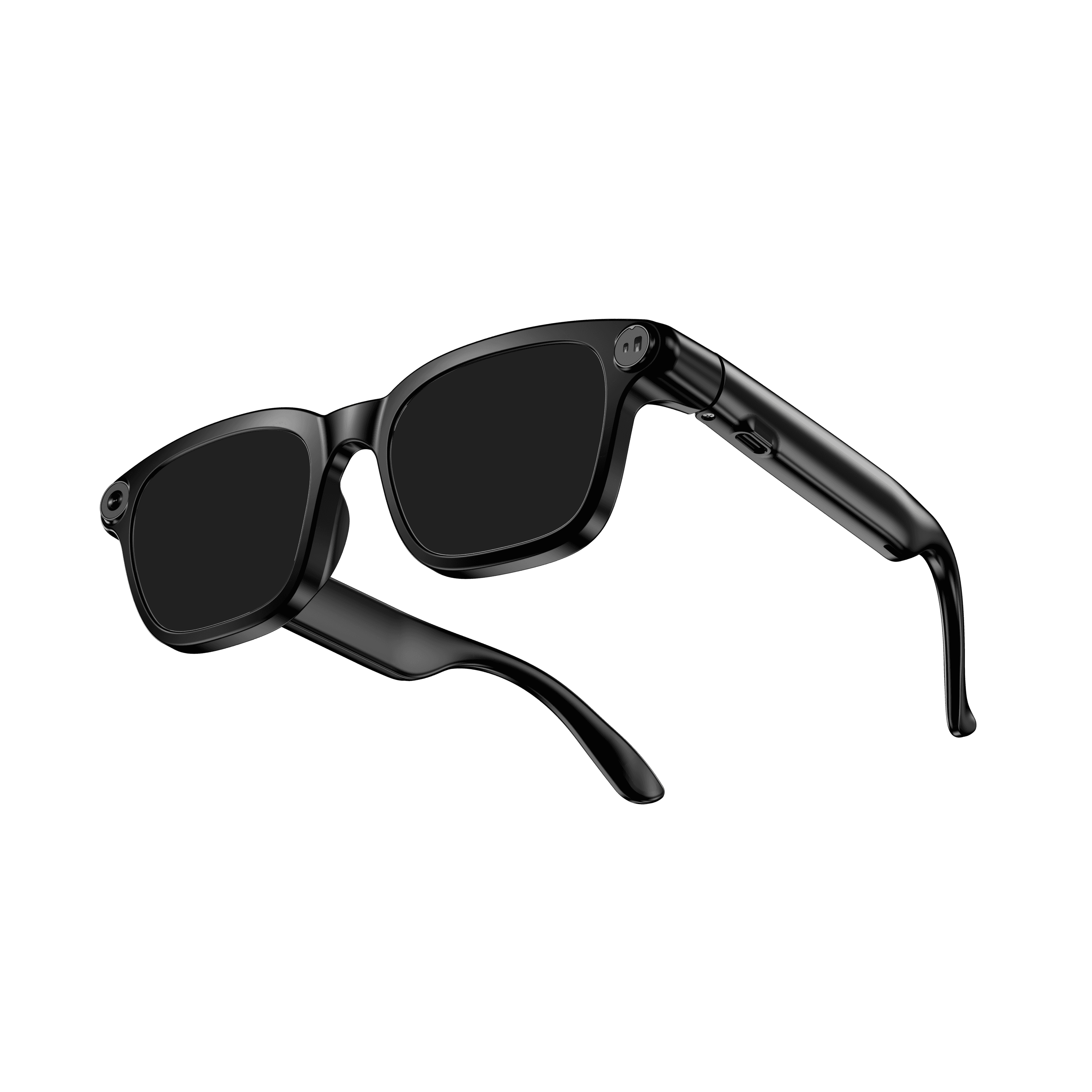 OXIVUE M08$99 at checkout | 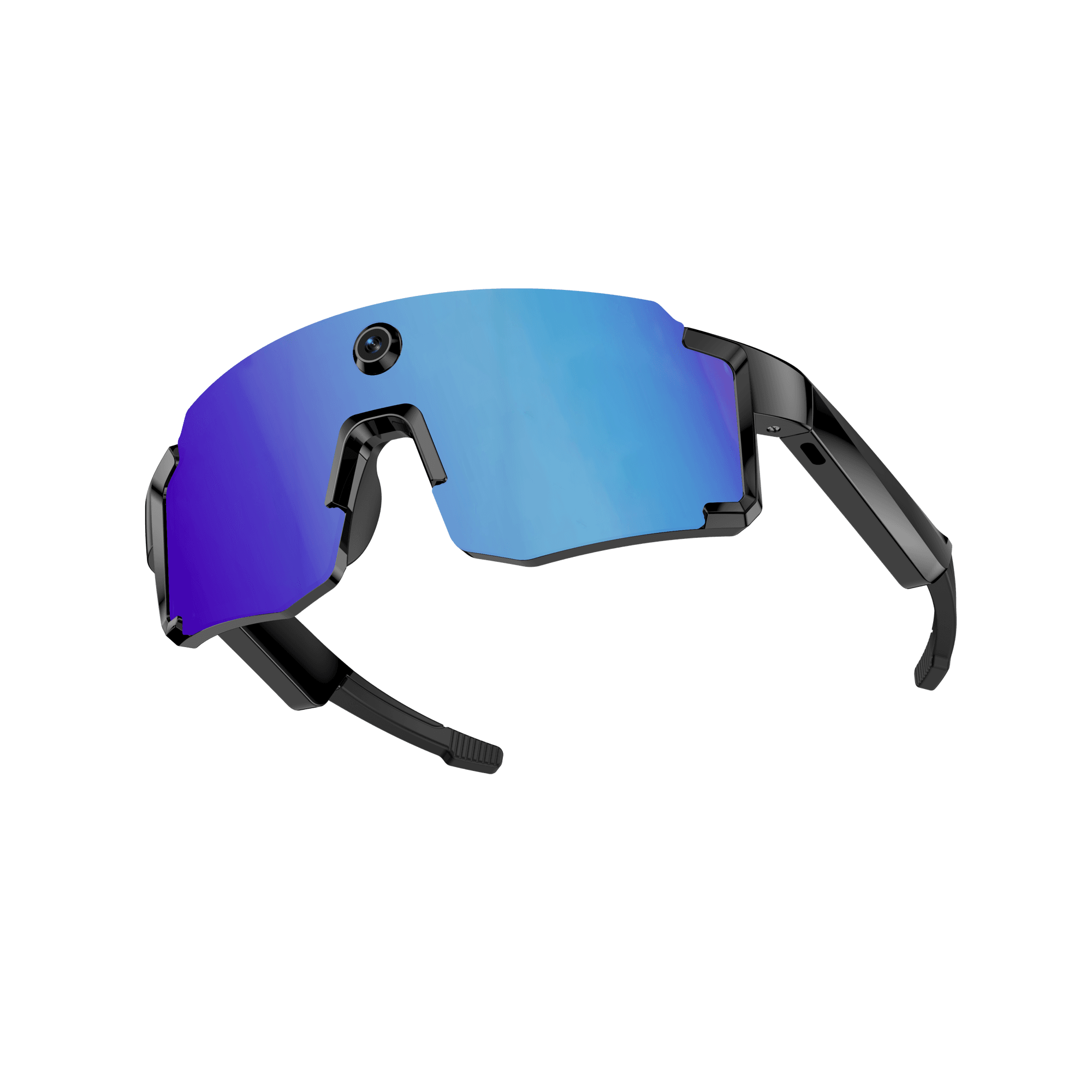 OXIVUE M14$149 at checkout | |
|---|---|---|
| Camera | 8 MP | 8 MP |
| Weight | ~42 g | 52 g |
| Water rating | — | IPX4 |
| Lenses | Sunglasses · Photochromic · Clear | Fixed wrap shield · 4 colours |
| Translation | 40+ languages | 139 languages |
| Onboard memory | — | 4 GB onboard |
From each frame’s product page. Every model: open-ear audio, Bluetooth 5.4, no subscription. Full spec table
What these frames won’t do
- No prescription lenses yet, on any model. If you need vision correction all day, these can't replace your glasses.
- No display. Nothing appears in your view; you hear answers and capture photos and video.
- Open-ear speakers leak some sound at high volume and won't block out a loud train or a windy road the way sealed earbuds do.
- Translation, music, calls and the assistant need your phone nearby and connected. Translation pauses after each sentence, and only you hear the translated audio; the other person reads the reply on your phone.
- M08: no published water rating, so keep it out of heavy rain and spray.
- M14: one-piece shield, so the lens can't be swapped for clear or photochromic.
- M14: IPX4 covers splash, spray and rain only, and at 52 g it is heavier than the 41–42 g frames.
Check these before you order: see the warranty and refund policy.