Display glasses · 2026
The VITURE Beast and Luma, screens you wear rather than camera glasses
The VITURE Beast and the VITURE Luma line are XR display glasses: you plug them into a phone, laptop or handheld and they show its screen as a large virtual display. VITURE presents them as display glasses, and the pages we read describe no photo capture and no built-in voice assistant. This guide sets out what VITURE's own pages and two named reviews say about price, field of view and compatibility, all checked October 31, 2026, and says where the sources leave a question open.
Still deciding? Get the M02C, M08 and M08C comparison in your inbox, with your new-customer price already applied.
One email with the comparison, one follow-up a few days later. Unsubscribe any time.
1. What the VITURE Beast and Luma are
The VITURE Beast and the VITURE Luma line are XR display glasses: you connect them to a phone, laptop or game handheld and they show that device’s screen as a large virtual display in front of you. VITURE’s Beast page says “174-inch Screen at 4m” and its blog gives a 58-degree field of view (both checked October 31, 2026). They are made for watching, playing and working on a screen.
VITURE sells two ranges side by side. On its home page the Beast is “The New Flagship in 2026” at $549 (its own page says “FROM $549”), and the blog gives its launch date as April 27, 2026. The Luma range is three models: Luma at $399, Luma Pro at $499 and Luma Ultra at $599. The same page lists a Pro 2 at $299 and a Phantom Beast at $599 (all checked October 31, 2026).
Google’s results for “viture beast” on October 31, 2026 included VITURE’s own product pages, a Reddit review thread, an Amazon page and a video hands-on. We have not tested either range, so every figure below is a maker or reviewer statement with its date, and we say where the sources leave a question open.
“Luma” here is a VITURE model name. VITURE titles its Luma page “VITURE Luma XR/AR Glasses”, and the page we read (checked October 31, 2026) does not describe a built-in voice assistant. For how the display category compares with the camera category, see our guide to XREAL alternatives, or smart glasses with a display for the other display types.
2. VITURE Beast: price and specs
The VITURE Beast starts from $549 on VITURE’s own pages (the Beast page reads “FROM $549”), with a 58° field of view and a 174-inch virtual screen at 4 m (checked October 31, 2026). The table sets VITURE’s claims beside what the two reviews we read report.
| VITURE says | Reviewers say | |
|---|---|---|
| Price | “FROM $549” on the Beast page; $549 on the home page and in the blog | Android Authority (July 15, 2026): MSRP $549.00 |
| Field of view | “58-degree FOV” (blog) | Gaming Nexus (April 27, 2026): 58°, against 52° for the Luma and 57° for the XREAL One Pro |
| Resolution and refresh | “1200p per eye”, “120Hz refresh rate” (blog); “Up to 1200p” on the Beast page | Android Authority: defaults to 1080p at 60 Hz, and 1200p at 120 Hz must be switched on. Gaming Nexus: launched at 1080p, with a firmware update unlocking 1200p as the review published |
| Brightness | “1250 nits peak brightness” (blog) | Android Authority: 1,250 nits peak |
| Panel and optics | Micro-OLED, with “Sony’s latest-generation optical engine” and “completely new optical architecture” (blog) | Gaming Nexus describes flat prism-style lenses in place of the bird-bath optics of earlier VITURE models |
| Weight | Not stated on the pages we read | 88 g (Android Authority and Gaming Nexus) |
| Tracking | “VisionPair 3DoF”; no 6DoF mentioned | Android Authority: native 3DoF and a 0DoF mode |
| Dimming | “9-level electrochromic dimming” (blog) | Gaming Nexus: bands of dimming compared with VITURE’s older glasses, and less effective in sun than the Pro XR |
| Vision | No diopter or prescription option on the Beast page we read | Both reviews: no myopia adjustment, and both describe prescription inserts (Android Authority calls them thin) |
Android Authority’s Brady Snyder (July 15, 2026) writes that for anyone willing to pay $550 the Beast is “an easy sell”, is most enthusiastic about using it with a PC gaming handheld, suggests the XREAL One Pro for people who work with text often, and lists blurry smaller text among its cons. Gaming Nexus’s John Yan (April 27, 2026) rated it 8, labelled “Good”, praising bright colours, comfort and a standard USB-C cable, and marking it down for edge blur, colour fringing on white text and a 1080p start. Both reviews describe the glasses as they shipped, and firmware may have changed since.
Two practical points come out of the reviews. First, check the display mode: Android Authority says 1200p at 120 Hz is off by default, and Gaming Nexus reported a bug that returned the glasses to 60 Hz after they were unplugged and plugged back in. Second, the glasses connect by USB-C to a device with DisplayPort Alt Mode, so confirm that your phone, laptop or handheld supports it before you order.
3. VITURE Luma, Luma Pro and Luma Ultra
The Luma range is $399, $499 and $599 on VITURE’s Luma page, which carries the header “FROM $399” (checked October 31, 2026). VITURE gives the three models different roles, and the Luma page shares most of its specifications across them without a per-model breakdown.
| Model | Price | How VITURE describes it | What the page states |
|---|---|---|---|
| Luma | $399 | “Essential XR Glasses” on the home page | “No front camera or RGB”; myopia (diopter) support up to -6.0D |
| Luma Pro | $499 | “Premium XR Experience” on the home page, “All-Around” on the Luma page | Diopter support up to -4.0D |
| Luma Ultra | $599 | “Performance & AR” on the home page, “For Power Users” on the Luma page | No myopia range stated on the page we read |
The shared claims are “Up To 1200 p”, “Up to 1500 nits”, “DeltaE < 2” colour accuracy and a field of view “15% Larger Than VITURE Pro”, with no degree figure. The page also lists “6DoF + Hand Gestures” and labels a front RGB camera “To be unlocked after launch”, without saying which model carries each. For numbers VITURE does not give, Gaming Nexus puts the Luma at 52° and the Luma Ultra at 83 g.
The Luma page does not give a refresh rate, a weight or a battery figure (checked October 31, 2026). On price alone, the Luma line starts $150 below the Beast’s starting price, and the Luma Ultra costs $50 more than it.
4. Beast or Luma: what actually differs
The Beast starts from $549, between the Luma Pro at $499 and the Luma Ultra at $599. VITURE’s blog claims a 58° field of view and “completely new optical architecture” for it. The table lines up what the sources say.
| Beast | Luma line | |
|---|---|---|
| Price | From $549 | $399 / $499 / $599 |
| Field of view | 58° (VITURE blog) | “15% Larger Than VITURE Pro” (VITURE, no degrees); 52° (Gaming Nexus) |
| Brightness | Up to 1250 nits | Up to 1500 nits (VITURE, not assigned to a model); Gaming Nexus places the Beast below the Ultra and above the other Luma models |
| Weight | 88 g (reviewers) | Luma Ultra 83 g (Gaming Nexus) |
| Tracking | 3DoF | “6DoF + Hand Gestures” listed, with a footnote on the Pro Neckband, MacBook and Windows |
| Myopia dials | None (both reviews) | Luma up to -6.0D, Luma Pro up to -4.0D (VITURE) |
| Front camera | Present: Android Authority says it supports tracking; Gaming Nexus says it needs added functionality | Luma: “No front camera or RGB”; others not stated |
Android Authority says the Beast solves its biggest problems with the Luma Pro for only $50 more, with tracking it calls smoother than anything in the Luma series, but that unlike the Luma series it has no myopia adjustment dials. If you need built-in focus adjustment, VITURE’s Luma page, not the Beast page, is where diopter support is listed. If you want the wider view, the 58° figure comes from VITURE’s blog, and Gaming Nexus puts it ahead of the Luma line.
5. What the Beast and Luma connect to
VITURE’s Beast page shows Android and iOS, Mac and Windows, and Switch 2 and Switch headings, plus an Xbox logo under “Remote Play” and “Cloud Gaming” and a PlayStation logo under “Remote Play” (checked October 31, 2026). It does not name the PS5 or describe how a console connects. The page’s compatibility list does not include the Steam Deck, though VITURE’s blog and home page both name it.
Android Authority tested Android phones, laptops, and the Steam Deck, ASUS ROG Ally and Lenovo Legion Go handhelds over USB-C with DisplayPort Alt Mode, and says they worked without companion apps. It adds that for some devices, such as a laptop or a smartphone, downloading the SpaceWalker app is still worthwhile. It says a $129 dock is needed for Nintendo Switch consoles and does not mention the Switch 2. Gaming Nexus used the Beast mainly with a Steam Deck and describes a VITURE dock for the Switch 2 that has a battery.
The Beast page also offers “Seamless multi-screen setup across all platforms via SpaceWalker”, and Gaming Nexus says VITURE’s software for PC, Mac, iOS and Android adds features such as multi-screen support. Rather than guess which features need the software, check VITURE’s page for your device before you order.
6. Display glasses vs camera glasses, and where OXIVUE fits
Display glasses like the Beast and Luma put a screen in front of your eyes, while camera glasses like the OXIVUE M08 ($99 at checkout) have no display and capture what you look at. They are not substitutes for each other. OXIVUE does not make display glasses, and none of our frames can replace a virtual screen.
| VITURE Beast / Luma | OXIVUE M08 | |
|---|---|---|
| Job | A large virtual screen for video, games and work (VITURE’s blog lists gaming, cinema, productivity, Side Mode and use in a car) | An 8 MP camera with one-touch capture, open-ear audio for calls and music, translation through the phone app |
| Display | Beast: Micro-OLED (VITURE blog) | None |
| Connection | USB-C to a device with DisplayPort Alt Mode (Android Authority) | Bluetooth 5.4 to your phone |
| Weight | Beast 88 g, Luma Ultra 83 g (reviewers) | About 42 g |
| Price | Beast from $549, Luma $399 to $599 (VITURE) | $99 at checkout for one pair; two or more pairs 50% off all eyewear |
| Prescription | Both reviewers describe prescription inserts for the Beast; VITURE lists diopter support on Luma and Luma Pro | None of our frames take prescription lenses |
On cameras and AI, the sources are specific. The Beast has a front camera that Android Authority says supports on-device tracking, and VITURE’s blog describes a front-facing RGB camera for future features. Neither the VITURE pages we read nor the two reviews describe a photo or video capture feature (checked October 31, 2026). The AI wording we found is Gaming Nexus’s description of VITURE’s Immersive 3D software as turning video and images into 3D using AI (the Beast page lists “Real-Time 2D-to-3D Conversion”), and the separate Helix glasses, which VITURE’s home page announces with NVIDIA, links to a post about AI safety glasses and labels Enterprise Edition. Helix is not the Beast or the Luma.
The OXIVUE M08 weighs about 42 g, lists 7 hours of listening or 4 hours of calls, and comes with a sun, photochromic or clear lens. The free companion app translates 40+ languages, with translated audio heard only by the wearer. A touch on the temple starts a capture, and you should ask before recording people. The M02Chas a voice-activated visual assistant. OXIVUE does not publish which AI model powers the M02C’s voice-activated visual assistant. None of our frames have a display, so if you want a screen, see VITURE and the makers covered in our augmented glasses guide. For the wider sort of AI, smart and AR glasses, see AI glasses vs. smart glasses, or the full OXIVUE comparison page. If what you want is video on a large virtual screen, a display, or prescription lenses in the same pair, OXIVUE is not the right fit.
Shipping, refunds and warranty. Free shipping from $99. US orders typically arrive in 5–9 business days. International orders take 9–14 business days after shipment. Import VAT or duties outside the US are paid by the recipient. No refunds except transit damage (replaced or refunded); faults are repaired or replaced under the 2-year warranty; change of mind and unmet expectations are not refundable. None of our frames take prescription lenses. Read the refund policy and the shipping policy.
Frequently asked questions
How much does the VITURE Beast cost?
From $549 on VITURE's own pages. The Beast page read “FROM $549”, the home page listed The Beast at $549 and the blog said $549 USD (all checked October 31, 2026), and Android Authority gave an MSRP of $549.00 in its July 15, 2026 review. The home page also lists a separate Phantom Beast at $599 and a Pro 2 at $299. VITURE sells it on viture.com, and an Amazon page for it appeared in Google’s results that day. Check each for the current price and any variants.
Is the VITURE Beast worth it?
Both reviews we read were positive overall, with caveats. Android Authority (July 15, 2026) wrote that for anyone willing to pay about $550 the Beast is “an easy sell”, was most enthusiastic about using it with a PC gaming handheld, and suggested the XREAL One Pro for people who work with text often. Gaming Nexus (April 27, 2026) rated it 8, labelled “Good”, and noted edge blur, colour fringing and no myopia adjustment. Both reviews describe the glasses as they shipped, and firmware may have changed since.
Does the VITURE Beast work with PS5?
VITURE does not name the PS5 on the pages we read (checked October 31, 2026). Its Beast page shows an Xbox logo under “Remote Play” and “Cloud Gaming”, a PlayStation logo under “Remote Play” and a “Switch 2 and Switch” heading, and its blog caption starts “Full gaming ecosystem: Steam Deck, PlayStation, Xbox, Switch 2”. Neither describes how a console connects. Android Authority says a $129 dock is needed for Nintendo Switch consoles and does not mention the Switch 2. Check VITURE’s compatibility details for your console before you order.
Does the VITURE Beast have 6DoF?
Not according to VITURE’s Beast page, which lists 3DoF tracking and does not mention 6DoF (checked October 31, 2026). It names “Ultra-Low-Latency VisionPair 3DoF”, and Android Authority describes native 3DoF plus a 0DoF mode. 3DoF follows how your head turns; 6DoF also follows movement through the room. VITURE’s Luma page lists “6DoF + Hand Gestures” with a footnote that 6DoF works with the Pro Neckband, MacBook and Windows, and the page we read does not say which Luma models support it.
What is VITURE SpaceWalker?
SpaceWalker is VITURE’s name for its multi-screen software. The Beast page promises “Seamless multi-screen setup across all platforms via SpaceWalker” (checked October 31, 2026), and Gaming Nexus says VITURE’s software for PC, Mac, iOS and Android adds features such as multi-screen support and Immersive 3D, which did not work for the reviewer. Android Authority says the glasses worked on its test devices without companion apps, but that for some devices, such as a laptop or a smartphone, downloading the SpaceWalker app is still worthwhile. Check VITURE’s page for your device.
Are VITURE Luma glasses AI glasses?
No, not as VITURE presents them. The Luma page is headed “VITURE Luma XR/AR Glasses” and describes a display product, and the page we read (checked October 31, 2026) does not describe a built-in voice assistant. The AI wording we found is Gaming Nexus’s description of VITURE’s Immersive 3D software as turning video and images into 3D using AI, and a separate Helix enterprise product that VITURE’s home page links to as AI safety glasses. For a camera and open-ear audio with no screen, see the OXIVUE M08 at $99 at checkout.
What is the difference between the VITURE Beast and Luma Pro?
About $50 and a different set of trade-offs. The Beast is from $549 and the Luma Pro $499 on VITURE’s pages (checked October 31, 2026). Android Authority says the Beast’s tracking is smoother than anything in the Luma series and that, unlike the Luma series, it has no myopia adjustment dials; VITURE lists diopter support up to -4.0D on the Luma Pro. VITURE gives the Beast a 58° field of view, while its Luma page says only “15% Larger Than VITURE Pro”, and Gaming Nexus puts the Luma at 52°.
OXIVUE frames side by side
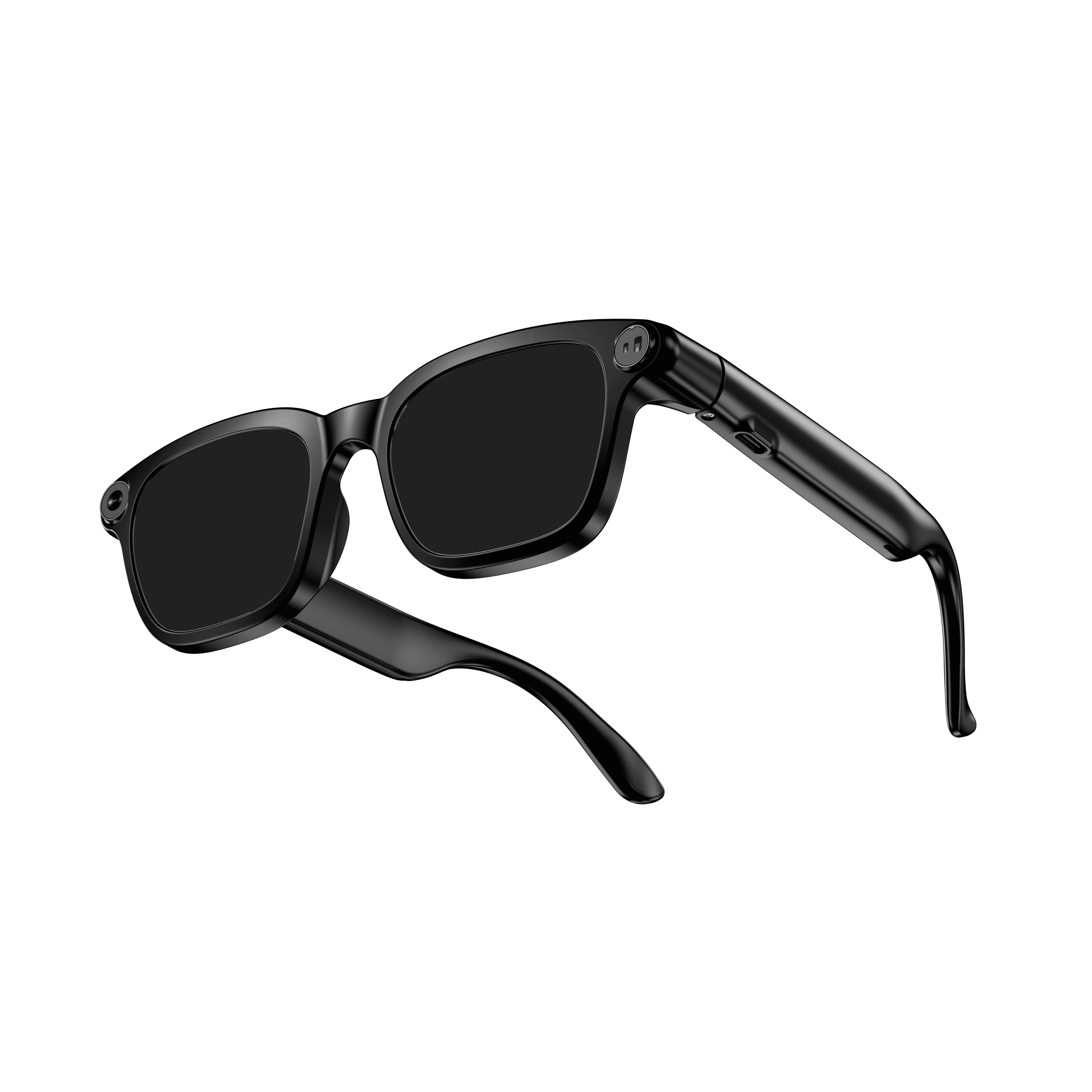 OXIVUE M08$99 at checkout OXIVUE M08$99 at checkout | 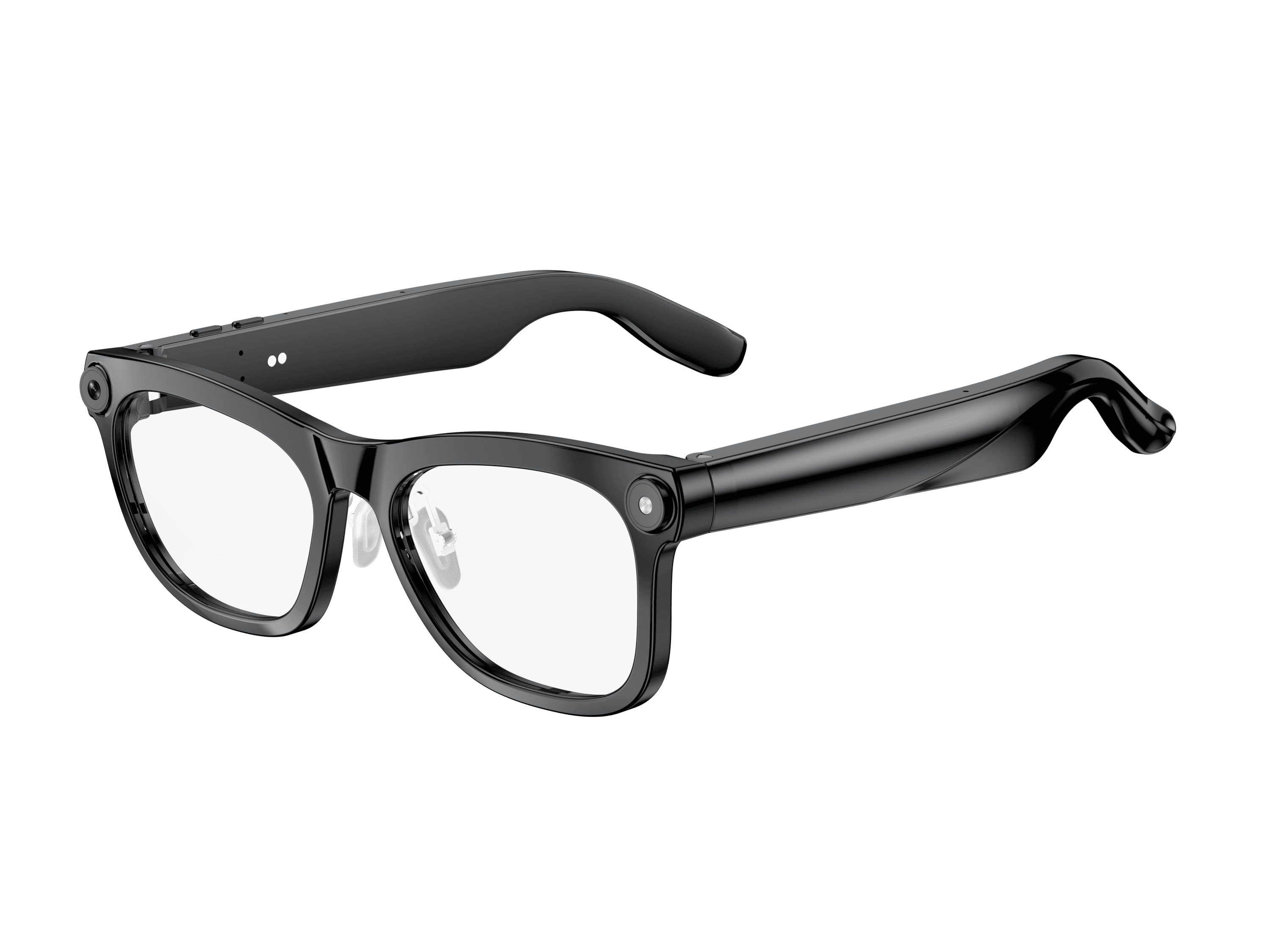 OXIVUE M02C$109 at checkout OXIVUE M02C$109 at checkout | 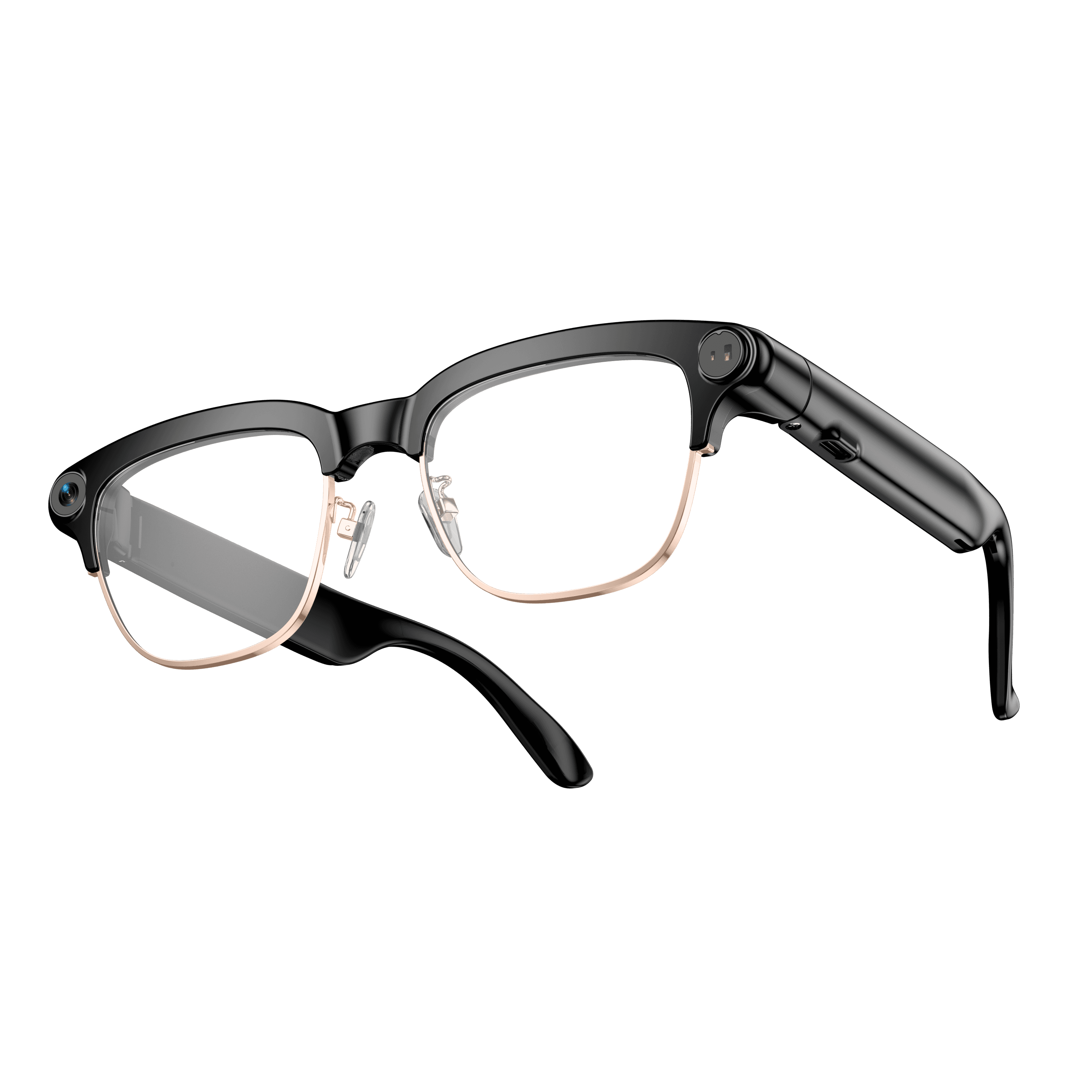 OXIVUE M08C$119 at checkout OXIVUE M08C$119 at checkout | |
|---|---|---|---|
| Camera | 8 MP | 8 MP | 8 MP |
| Weight | ~42 g | ~41 g | ~42 g |
| Water rating | — | IP65 | — |
| Lenses | Sunglasses · Photochromic · Clear | Sunglasses · Photochromic · Clear | Sunglasses · Photochromic · Clear |
| Translation | 40+ languages | 40+ languages | 40+ languages |
| Visual AI | — | Yes | — |
| Metal trim | — | — | Gold · Silver |
From each frame’s product page. Every model: open-ear audio, Bluetooth 5.4, no subscription. Full spec table
What these frames won’t do
- No prescription lenses yet, on any model. If you need vision correction all day, these can't replace your glasses.
- No display. Nothing appears in your view; you hear answers and capture photos and video.
- Open-ear speakers leak some sound at high volume and won't block out a loud train or a windy road the way sealed earbuds do.
- Translation, music, calls and the assistant need your phone nearby and connected. Translation pauses after each sentence, and only you hear the translated audio; the other person reads the reply on your phone.
- M08: no published water rating, so keep it out of heavy rain and spray.
Check these before you order: see the warranty and refund policy.