Gaming · Display glasses
Smart glasses for gaming are usually display glasses: here is what connects to what
Smart glasses for gaming usually means glasses with a screen in them, the XR and AR kind that XREAL, VITURE and ASUS sell, plugged into a phone, a handheld, a PC or a console. Camera and audio glasses such as OXIVUE's have no screen at all. This guide sorts out which is which, what each maker's own page says works with a Switch, an Xbox, a PS5 or a handheld on October 31, 2026, and the extra hardware you may have to buy.
Still deciding? Get the M02C, M08 and M08C comparison in your inbox, with your new-customer price already applied.
One email with the comparison, one follow-up a few days later. Unsubscribe any time.
1. “Smart glasses for gaming” usually means glasses with a screen in them
A pair of glasses can show you a game only if it has a display. The products that do are display glasses, sold as XR or AR glasses: a small display sits in front of each eye and shows whatever a source device sends it. The game itself runs on the phone, handheld, PC or console, not in the frames. XREAL states the requirement in a footnote on its One Pro page: the device must have a USB-C port that supports DisplayPort output (checked October 31, 2026).
That is why one search term covers two very different products. Display glasses give you a large virtual screen; XREAL’s shop page for the One Pro says up to 171 inches (checked October 31, 2026). Camera glasses without a display, the kind we sell, have no screen. Our XREAL alternatives guide covers the fork between a monitor you wear and a camera you wear, and smart glasses with display sorts the display types. This page stays on the gaming question: which glasses connect to which source, and what the makers say you must buy besides the glasses.
2. What connects to what: handhelds, phones, Switch, Xbox and PlayStation
XREAL, VITURE and ASUS each describe a USB-C video requirement. XREAL says the device must have a USB-C DP port and support DP output, VITURE puts it as “any device that outputs video over USB-C”, and ASUS says its glasses support any device with USB-C DP Alt Mode (all checked October 31, 2026). For consoles, the makers’ pages describe a dock, a hub or a streaming route, and that is where they differ.
| Source | XREAL One Pro | VITURE | ASUS ROG XREAL R1 |
|---|---|---|---|
| Handheld PC (ROG Ally, Steam Deck) | Lists Steam Deck and ROG Ally among compatible devices | The page we read does not describe a handheld setup; a banner about 3DoF support on Steam Deck links to a Reddit thread | USB-C plug-and-play with “deep ROG Ally integration”; Steam Deck not mentioned |
| Phone | Lists iPhone, iPad and Android | Lists iPhone and Android; apps for streaming a home console (PS Remote Play, Xbox app, Steam Link) | Lists iPhone 15/16 and Android flagships with USB-C DP Alt Mode; ASUS lists phones among devices capped at 60 Hz |
| Nintendo Switch | Requires an additional purchase of the XREAL Hub | Pro Mobile Dock described as made with the Switch and Switch 2 in mind | The Switch must be used with its own Dock, connected to the ROG Control Dock over HDMI with external power; ASUS lists the Switch among devices capped at 60 Hz |
| Xbox and PS5 | Lists Xbox and PlayStation 5; the text we read does not describe the connection | Xbox Remote Play, PS Remote Play and cloud gaming; Cloud Pack bundles list “Built-in PXPlay and XBPlay” | Through the ROG Control Dock over HDMI 2.0 or DisplayPort 1.4 |
| PC or Mac | Lists PC and Mac | Lists Mac and PC | Desktop PCs through the dock, or directly with USB-C DP Alt Mode |
Sources: XREAL One Pro page, VITURE remote and cloud gaming page and ASUS ROG XREAL R1 page, all checked October 31, 2026. Three patterns come out of the table. A handheld or phone with a USB-C video output is the simplest case; ASUS describes it as “a single USB-C cable”. For the Switch, XREAL and ASUS both describe extra hardware (a hub or a dock), and VITURE lists a dock described as made with the Switch and Switch 2 in mind, so budget for more than the glasses. And an Xbox or PS5 reaches the glasses either through a dock with HDMI (ASUS) or by streaming (VITURE); a streaming route sends the picture over a network. The pages we read (checked October 31, 2026) say “Xbox” without naming a model, so if you are asking about a specific console, check the maker’s own compatibility information before you order.
The streaming route deserves a closer look, because it changes what you buy. In a section about using a phone as the controller, VITURE’s page says to launch PS Remote Play, Xbox App or Steam Link and stream your home console. It lists its Pro 2 and Beast Cloud Pack bundles with “Built-in PXPlay and XBPlay”. Its Pro Neckband, listed at $328, is described as connecting remotely to a home console or PC, or cloud gaming over Wi-Fi 6E, and the Pro Neckband section says “Connect your Bluetooth controller.” In the remote-play and cloud modes VITURE describes, the game runs on a console, PC or cloud service elsewhere and the glasses show the stream, which is a different setup from a handheld on a cable.
One more caution on sources: check the date on any gaming-glasses list. An XDA Developers buyer’s guide titled “Best smart glasses for gaming in 2024”, which appeared in Google’s results for “smart glasses for gaming”, shows “Sep 11, 2023” as its publication date and no updated date on its page (checked October 31, 2026). Model names and prices in any list are as of its own date, so read the maker’s page for the current ones.
3. The specs that matter for games: refresh rate, field of view, weight
Three models show the range: a gaming-brand pair from ASUS, a general XR model from XREAL and a model from VITURE’s remote and cloud gaming page. This is not a ranking. Figures are as each maker lists them (checked October 31, 2026).
| ROG XREAL R1 | XREAL One Pro | VITURE The Beast | |
|---|---|---|---|
| Refresh rate | 240 Hz | 120 Hz | Not listed on the page we read |
| Resolution | FHD, 1920 × 1080 | 1080p | Described as “4K-like” |
| Field of view | 57° | Up to 57° | 58° |
| Weight | 91 g | 87 g | Not listed on the page we read |
| Price on the maker’s site | $849.99 (ASUS Store) | Check XREAL’s site for the current price | $549 for The Beast; the Beast Cloud Pack, which lists a controller, is $877 |
Refresh rate depends on the source.ASUS lists 240 Hz and a 0.01 ms response time, and its FAQ answers “It depends on your hardware”: the ROG Ally and gaming PCs support high refresh rates, while some devices, such as the Nintendo Switch and phones, are capped at 60Hz. ASUS’s page also lists a Frame Rate Boost mode, and its footnote says that mode reaches FHD 240Hz through image scaling, with visual sharpness possibly slightly reduced. XREAL’s One Pro page says X1 can insert frames to display content at up to 120 fps. Read each maker’s wording before you count on the headline number.
Field of view is the virtual screen size. ASUS describes a 171-inch virtual screen at 4 meters, and VITURE lists a 174-inch screen for The Beast. The numbers are similar, so on paper field of view does not separate these three models.
Power comes from the source. ASUS says the R1 has no built-in battery and is powered by the connected host device, lists power consumption under 3 W (under 7.5 W with a dock), and says no external power is required for USB-C phones and computers. The Switch is the exception ASUS describes: it says the glasses require external power, so the Switch must be used with its Dock.
Head tracking is a separate feature.XREAL’s shop page describes a native 3 DoF spatial screen on the One Pro when it is connected to a USB-C device, and VITURE lists built-in 3DoF for The Beast and 6DoF for its Luma Ultra. VITURE also lists a USB-C XR Charging Adapter Pro that it says unlocks full head tracking on an iPhone. The makers’ pages we read (checked October 31, 2026) do not describe which games use head tracking, so treat it as a viewing option, not a gaming spec.
Add up the whole bill.XREAL and ASUS both describe a hub or dock for a Switch on top of the glasses, and VITURE lists its Pro Mobile Dock as a separate item. VITURE lists The Beast at $549 and the Beast Cloud Pack, which includes a controller and “Built-in PXPlay and XBPlay”, at $877 (checked October 31, 2026).
4. Five checks before you buy
- Does your source output video over USB-C? XREAL says the device must have a USB-C DP port and support DP output. Look for that on your phone, handheld or laptop before you pick glasses.
- How will your console connect? Decide between a dock with HDMI and a streaming route. A streaming route sends the picture over a network; a dock adds a purchase.
- What will the source actually send?ASUS says whether you get 240Hz “depends on your hardware” and lists the Switch and phones among devices capped at 60Hz, and it describes its boost mode as image scaling.
- What about your eyes? XREAL lists a prescription frame in the One Pro box with no lenses included, and VITURE lists diopter adjustment from 0 to −5.00D on the Pro 2 Cloud Pack. Check the page for the exact model.
- What is the total?Count the glasses, the dock or hub and any controller. Prices on the makers’ pages change, so read the current one.
5. Camera and AI glasses are a different product
Camera glasses without a display put a camera, microphones and speakers in a normal-looking frame and connect to your phone. There is no screen, so nothing to show a game on. A few AI glasses do add a small display, and our display guidesorts those. If a listing for glasses “for gaming” shows a camera and says nothing about a screen or a USB-C video input, it is not a display-glasses product.
The mix-up is easy to make. Google’s shopping results for “smart glasses for gaming” on October 31, 2026 listed XREAL, VITURE and ASUS display glasses alongside audio and camera glasses. Which category you are shopping in decides everything else. Our AI glasses versus smart glasses guide explains the terms, and the camera glasses guide covers the no-screen kind in detail.
6. Where OXIVUE fits, and where it does not
OXIVUE makes camera and audio glasses, not gaming glasses. None of our frames has a display, so they cannot show a game, and OXIVUE publishes no console or handheld compatibility for any frame. What the M08 does offer is open-ear speakers and microphones over Bluetooth 5.4, an 8 MP camera you start with a touch on the temple, a weight of about 42 g, and a rating of 7 hours of listening and 4 hours of calls, for $99 at checkout. There is no subscription, and a free companion app on your phone handles files and translation.
If gaming is the goal, buy display glasses from the makers above. If what you want is photos taken from eye level at a LAN party or tournament, or open-ear audio for calls and music from your phone, that is what the M08 is for. Ask before you photograph or record other people, and follow the venue’s rules on cameras; our recording laws by state guide has more. None of our frames take prescription lenses.
Shipping, refunds and warranty. Free shipping from $99. US orders typically arrive in 5–9 business days; international orders take 9–14 business days after shipment, and import VAT or duties outside the US are paid by the recipient. No refunds except transit damage (replaced or refunded); faults are repaired or replaced under the 2-year warranty; change of mind and unmet expectations are not refundable. None of our frames take prescription lenses. Details on the shipping policy page and the warranty page. Read the refund policy, or compare every model on the comparison page.
Frequently asked questions
What are the best smart glasses for gaming?
No single pair fits every setup, because the right one depends on what you plug it into. For a large virtual screen, look at display glasses from XREAL, VITURE and ASUS: on October 31, 2026 their own pages listed 120 Hz for the XREAL One Pro and 240 Hz for the ROG XREAL R1, with a field of view of 57° to 58°. Camera glasses without a display, including ours, cannot show a game. Match the glasses to your source device first, then compare refresh rate, weight and total cost.
Can you use smart glasses with an Xbox Series X?
Not confirmed for the Series X itself: the makers list Xbox, but none of the passages we read names a console model (checked October 31, 2026). ASUS says a PS5, Xbox or desktop PC connects through its ROG Control Dock over HDMI 2.0 or DisplayPort 1.4. VITURE describes streaming a home console with the Xbox App or Xbox Remote Play. XREAL's One Pro page lists Xbox among compatible devices but, in the text we read, does not say what adapter is needed. Confirm your console model with the maker before you buy.
Can you play Nintendo Switch on smart glasses?
Yes, but the makers we checked point to extra hardware. XREAL's One Pro page says a Switch requires an additional purchase of the XREAL Hub. ASUS says its glasses require external power, so the Switch must be used with its Dock, connected to the ROG Control Dock over HDMI, and lists the Switch among devices capped at 60 Hz. VITURE describes its Pro Mobile Dock as made with the Switch and Switch 2 in mind; its page does not say whether one is required (checked October 31, 2026). Budget for a dock or hub on top of the glasses.
Do smart glasses for gaming work on their own?
No. Display glasses show what another device sends them, so you need a source. XREAL says the device must have a USB-C port that supports DisplayPort output, ASUS says any device with USB-C DP Alt Mode works, and VITURE says any device that outputs video over USB-C (checked October 31, 2026). VITURE also lists bundles with "Built-in PXPlay and XBPlay" and describes remote play from a home console or PC, or cloud gaming over Wi-Fi 6E, so some setups depend on a console or a cloud service behind the glasses.
Does the refresh rate on gaming glasses matter?
Partly, and it depends on the source. ASUS lists 240 Hz for the ROG XREAL R1 and XREAL lists 120 Hz for the One Pro, but ASUS's FAQ answers "It depends on your hardware" and says some devices, such as the Nintendo Switch and phones, are capped at 60Hz (checked October 31, 2026). ASUS also lists a Frame Rate Boost mode that it says reaches FHD 240Hz through image scaling, with slightly reduced sharpness possible. Check what your handheld, phone or console can output before paying for a faster panel.
Can I use gaming glasses if I wear prescription glasses?
Yes on some models, through a prescription frame or built-in diopter adjustment. XREAL's shop page lists a prescription frame in the One Pro box, with no lenses included, and VITURE lists diopter adjustment from 0 to −5.00D on the Pro 2 Cloud Pack (checked October 31, 2026). Whether an option covers your prescription is a question for the maker's page and your eye-care professional. For comparison, none of OXIVUE's frames take prescription lenses.
Do OXIVUE smart glasses work for gaming?
No. OXIVUE's frames, such as the M08 at $99 at checkout, have no display, so they cannot show a game, and OXIVUE publishes no console or handheld compatibility for any frame. They are camera and open-ear audio glasses: an 8 MP camera started with a touch on the temple, plus speakers and microphones over Bluetooth for calls and music from your phone. If you want to play on a big virtual screen, buy display glasses instead.
OXIVUE frames side by side
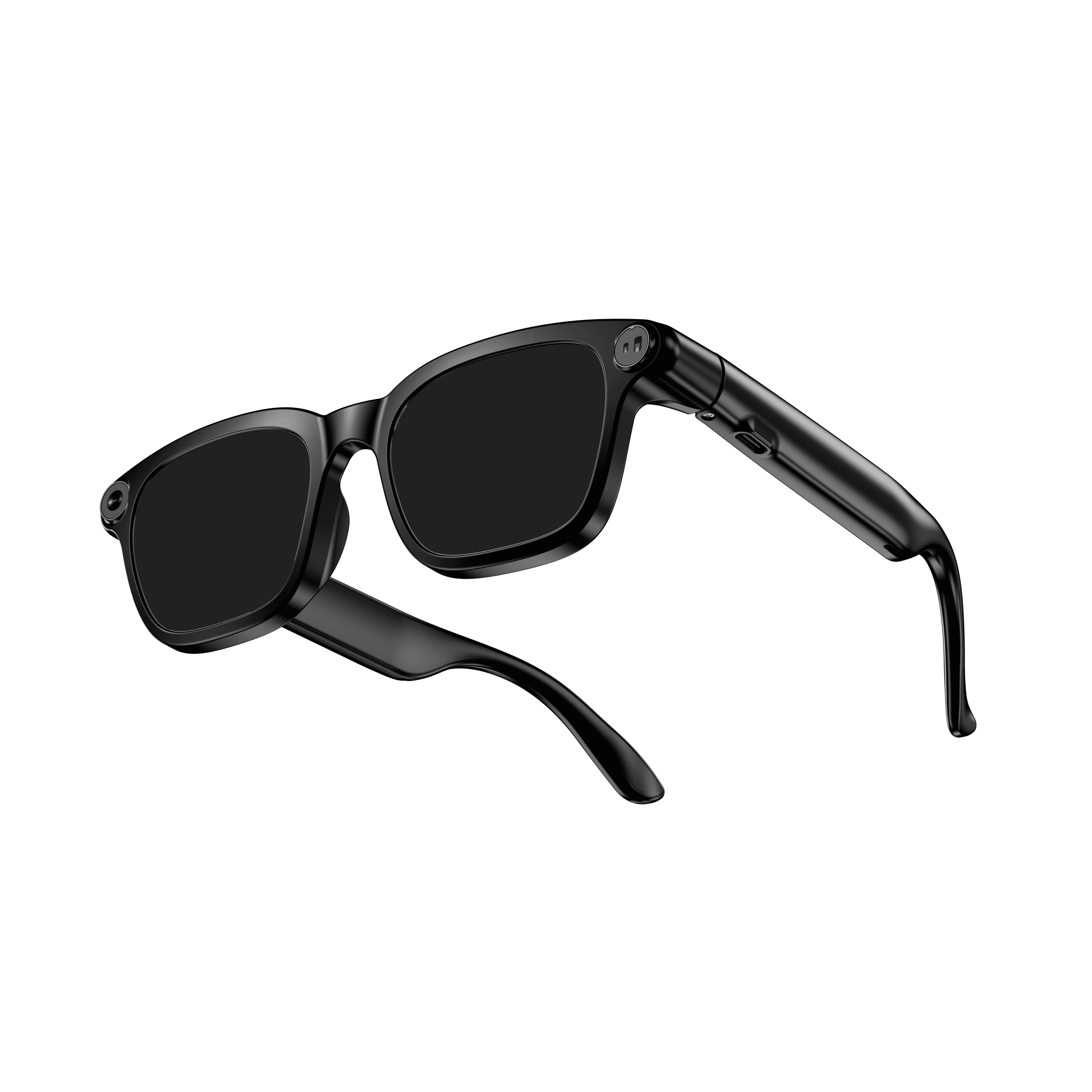 OXIVUE M08$99 at checkout OXIVUE M08$99 at checkout | 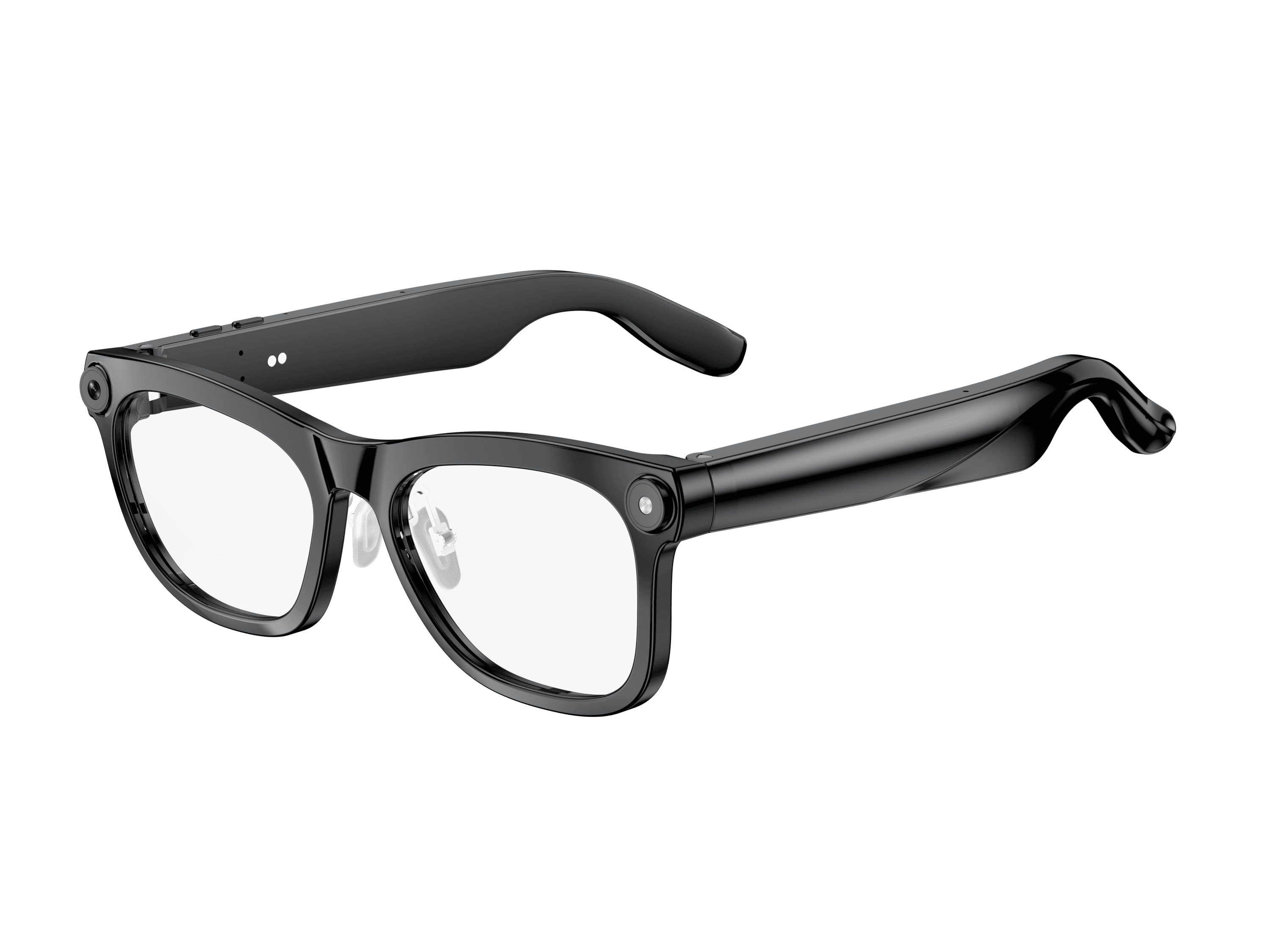 OXIVUE M02C$109 at checkout OXIVUE M02C$109 at checkout | 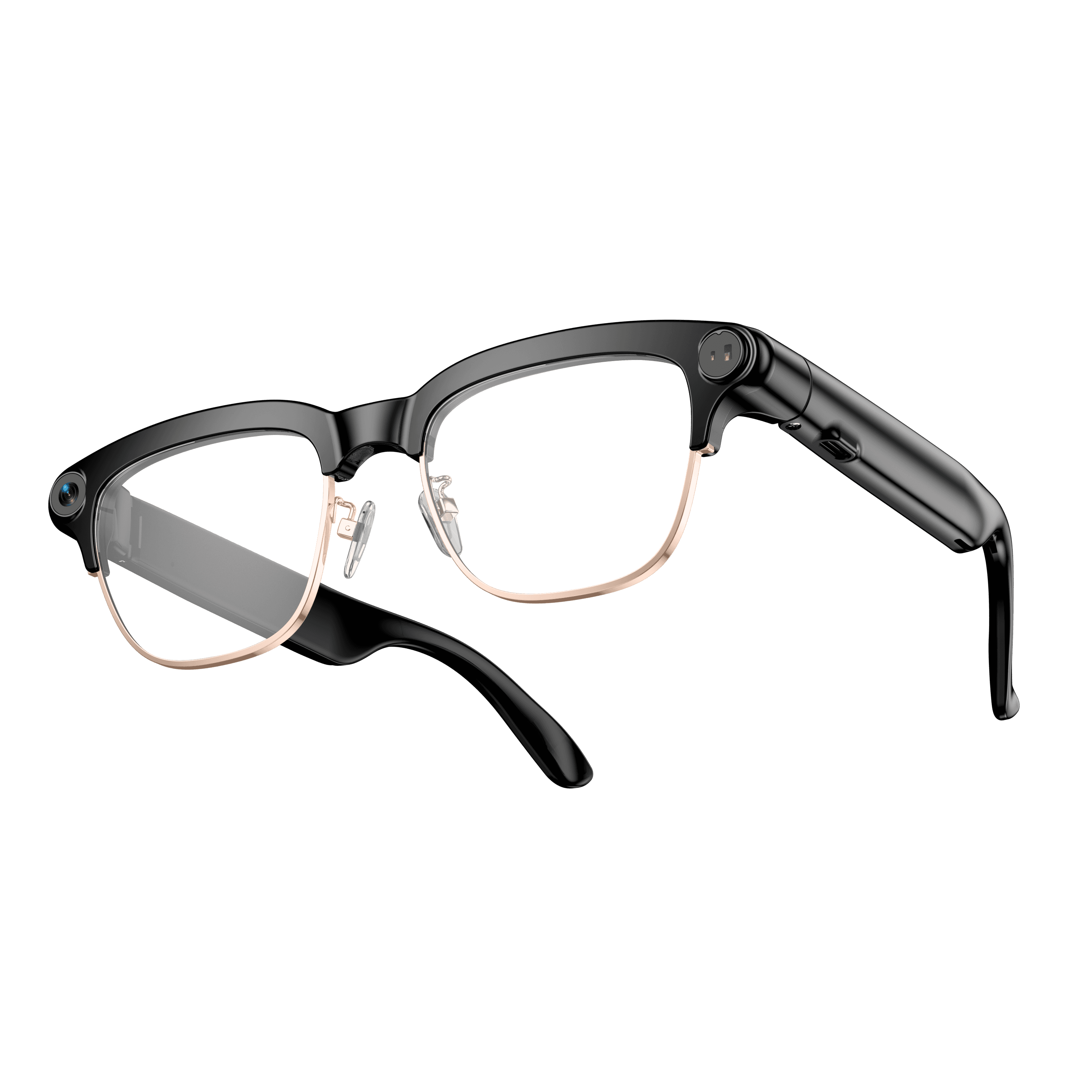 OXIVUE M08C$119 at checkout OXIVUE M08C$119 at checkout | |
|---|---|---|---|
| Camera | 8 MP | 8 MP | 8 MP |
| Weight | ~42 g | ~41 g | ~42 g |
| Water rating | — | IP65 | — |
| Lenses | Sunglasses · Photochromic · Clear | Sunglasses · Photochromic · Clear | Sunglasses · Photochromic · Clear |
| Translation | 40+ languages | 40+ languages | 40+ languages |
| Visual AI | — | Yes | — |
| Metal trim | — | — | Gold · Silver |
From each frame’s product page. Every model: open-ear audio, Bluetooth 5.4, no subscription. Full spec table
What these frames won’t do
- No prescription lenses yet, on any model. If you need vision correction all day, these can't replace your glasses.
- No display. Nothing appears in your view; you hear answers and capture photos and video.
- Open-ear speakers leak some sound at high volume and won't block out a loud train or a windy road the way sealed earbuds do.
- Translation, music, calls and the assistant need your phone nearby and connected. Translation pauses after each sentence, and only you hear the translated audio; the other person reads the reply on your phone.
- M08: no published water rating, so keep it out of heavy rain and spray.
Check these before you order: see the warranty and refund policy.