Meta glasses · Commands · 2026
Meta glasses voice commands, sorted by what you want to do
Meta documents its voice commands across a dozen separate help articles. This page puts the phrases in one place, grouped by task, with the touchpad gestures and the model and language limits Meta states. We publish this page and sell different glasses, so the last section says plainly how they differ.
Still deciding? Get the M02C and M08 comparison in your inbox, with your new-customer price already applied.
One email with the comparison, one follow-up a few days later. Unsubscribe any time.
1. Waking the glasses
On Ray-Ban Meta, Oakley Meta and Meta Glasses you wake Meta AI by saying “Hey Meta” or by tapping and holding the touchpad, according to Meta’s help center (checked November 12, 2026). Every command below assumes one of those two starts the request. The glasses must be paired with the Meta AI app, and the answers come back as audio through the open-ear speakers.
One setting changes how often you need the wake phrase. Meta says “Respond without ‘Hey Meta’” is on by default: after an answer you can ask a follow-up, for example “How tall is it?” after a question about a landmark, with no wake phrase. Say “Stop” or “Cancel” to end the exchange. Meta lists three limits: music controls still need the wake phrase, the feature does not listen after a call or a video recording has started, and the glasses ignore speech that was not meant for them. You can turn it off in the app under Device settings, then Meta AI, then “Hey Meta” preferences.
2. Photos and video
Meta documents voice and button capture for Ray-Ban Meta, Oakley Meta HSTN and Meta Glasses. Oakley Meta Vanguard and Meta Ray-Ban Display have separate instructions on Meta’s page, and only Meta Ray-Ban Display is listed for “Zoom in” and “Zoom out”.
| Task | Say | Or press |
|---|---|---|
| Take a photo | “Hey Meta, take a photo” | Press the capture button (white LED blinks, with a sound) |
| Record video | “Hey Meta, take a video” | Press and hold the capture button |
| Stop recording | “Hey Meta, stop” (Meta’s voice-commands page words it “Stop recording”) | Press the capture button again |
| Send the last picture | “Send my last picture to [name]” | Share from the Photos tab in the app instead |
| Post to Instagram Stories or Instants | “Hey Meta, share a photo to Stories” · “Hey Meta, share an instant” | — |
Three details from Meta’s pages matter in practice. Captures must be imported into the Meta AI app before you can view or share them. Photos save as JPEG on Android and HEIC on iPhone. And when you share by voice you cannot preview or edit the media first. Meta also states that the capture LED lets others know when you take photos or record video.
3. Music, volume and the touchpad
Meta’s audio page gives the same controls two ways, and the touchpad sits on the right temple. Audio streaming also pauses if you close the arms and reconnects over Bluetooth when you open them.
| Action | Touchpad | Voice (after “Hey Meta”) |
|---|---|---|
| Volume up | Swipe forward | “Volume up” |
| Volume down | Swipe back | “Volume down” |
| Pause or play | Tap once | “Pause” · “Resume” · “Play” |
| Next track | Double tap | “Next” · “Skip” |
| Previous track | Triple tap | — |
| Mute and unmute | — | “Mute” · “Unmute” |
| Wake Meta AI | Tap and hold | “Hey Meta” |
Meta’s marketing page adds “play songs by (artist name)”. An adaptive volume toggle in the app’s Audio settings raises and lowers volume with the noise around you. Meta also warns that covering the speakers and your ears, for instance with a close-fitting hat, can raise sound pressure to levels harmful to hearing.
4. Calls and messages
Calling and messaging work only after you connect Messenger, WhatsApp, Instagram or your phone in the Meta AI app (Glasses, Device settings, your glasses, Communication). Meta lists these phrases for Ray-Ban Meta, Oakley Meta and Meta Glasses.
| Task | Say |
|---|---|
| Call | “Hey Meta, call [name]” · “Hey Meta, call [name] on WhatsApp” |
| Text message | “Hey Meta, send a message to [name]”, then speak the message and answer “Yes”, “No” or “Cancel” when it reads it back |
| Voice message | “Hey Meta, send a voice message to [name]” (stops after 3 seconds of silence or 1 minute) |
| Incoming call | “Hey Meta, answer” · “Hey Meta, decline” |
| During a call | Say “Hey Meta”, then Mute, Unmute, Camera on, Camera off, Hang up or End call |
| End a call by touch | Double-tap the touchpad |
Meta says emergency calls must be started from your mobile device, not the glasses, and that carrier charges may apply when the glasses are connected to your phone.
5. Questions about what you see
Prefix a question with “Hey Meta” to ask about your surroundings, or say “Hey Meta, look and…” to have the camera take a photo for the answer. Meta says the photo is sent to its cloud for AI processing, and that you can review the request, the image and the reply in the app’s Chats.
- Describe and identify:“Hey Meta, describe what I’m seeing.” “Hey Meta, tell me about this monument.”
- Read text:“Hey Meta, translate this text into English.” “Hey Meta, summarize this.”
- Act on text:“Hey Meta, call this phone number.” “Hey Meta, scan this QR code.”
- Ask anything else:“Hey Meta, how much water do these flowers need?” or a general question such as the population of a city.
- Quick checks:“How much battery is left?” “What time is it?” “What’s the date?”
You can also take a photo first, by voice or button, and within a few seconds say “Hey Meta…” to ask about it. Weather and other location questions need location services on for the Meta AI app, set to always allow.
6. Translation and live AI
Live translation is a feature with a gesture, a voice command and an app option. Meta lists 20 languages (English, Spanish, French, Italian, Portuguese, German, Hindi, Arabic, Russian, Swedish, Finnish, Mandarin, Japanese, Korean, Indonesian, Vietnamese, Thai, Turkish, Greek and Dutch), and only the first six can be used offline after you download a language pack, with one exception: Meta says offline use is not available on Ray-Ban Meta Audio.
| Feature | Start | Stop or pause |
|---|---|---|
| Live translation | “Hey Meta, start live translation”, then pick languages and Start in the app | “Hey Meta, stop live translation” · tap and hold the touchpad · Stop in the app |
| Live AI (English; US and Canada rollout per Meta) | “Hey Meta, start live AI” | “Pause live AI” or tap the touchpad · “Stop live AI” or tap and hold |
In a translated conversation, Meta says your speech is translated as text in the Meta AI app for the other person to read, and they can tap a speaker icon to hear it. During live AI, the camera and microphone stay on for the whole session, and pausing turns both off.
7. Timers, reminders and directions
These are the commands most owners never find, because Meta lists them on separate pages.
| Feature | Example phrases (Meta’s wording) | Limit Meta states |
|---|---|---|
| Timers | “Set a timer for 5 minutes” · “What are my timers?” · “Cancel my 30 minute timer” | Up to 24 hours ahead, up to 3 active timers |
| Reminders | “Remember this tracking number” · “Search my reminders for my hotel room number” | English, US only when the page was checked |
| Walking directions | “Navigate me to [nearby location]” · “Find restaurants near me” · “End navigation” | Listed cities and states only; location set to always allow and precise |
| Workouts | “What was my mileage on yesterday’s ride?” | Needs a connected fitness app |
Meta’s directions page adds a safety note: navigation can distract you or reduce your awareness of your surroundings, so use it only where and when you can do so safely.
8. Which glasses, which languages
Meta does not give a single model-by-feature table. What its pages say, as of November 12, 2026: the core voice commands, calls, messages, audio controls and live translation are documented under “Ray-Ban Meta, Oakley Meta and Meta Glasses”; Oakley Meta Vanguard and Meta Ray-Ban Display get separate capture steps; Meta Ray-Ban Display adds the Neural Band and “Zoom in” and “Zoom out”. Live AI and reminders are English-only in the regions Meta lists, and the live AI page does not name models.
Language matters more than model. Meta says that in its additional partner languages (including Russian, Polish, Turkish and Vietnamese) calling, messaging, sharing and live AI may be unavailable, and questions about the world around you can be slower. Check what your pair supports in the Meta AI app under Glasses, Device settings, Experiences. Meta’s supported-countries page lists 22 countries.
9. What about OXIVUE glasses?
OXIVUE publishes this page, so read it with that in mind. OXIVUE glasses are not Meta products and do not run Meta AI, which means none of the “Hey Meta” phrases above apply to them. If you want those commands, buy the Meta glasses they belong to.
What the M08 ($99 at checkout, listed $149) and M02C ($109 at checkout, listed $159) do instead: capture starts with a touch on the temple, and nothing records unless you start it. They have open-ear speakers and microphones, and the free companion app translates 40+ languages, with the translated audio heard only by you while the other person reads the reply on your phone. The M02C adds voice-activated visual AI that describes what you look at. There is no display and no prescription-lens option. To compare, see the comparison page, or read our guide to every Meta glasses control for the buttons and switches.
Wherever you use any camera glasses, ask before recording people and know your local law. Our smart glasses recording laws by state guide covers the US. This is general information, not legal advice.
Shipping, refunds and warranty. Free shipping from $99. US orders typically arrive in 5–9 business days; international orders take 9–14 business days after shipment. OXIVUE does not offer refunds except for an order damaged in transit, which is replaced or refunded. Faults after delivery are covered by the 2-year warranty through repair or replacement. None of our frames take prescription lenses. See the warranty page and shipping policy.
Frequently asked questions
How do you give a voice command to Meta glasses?
Say “Hey Meta” followed by the request, or tap and hold the touchpad on the right temple and speak. Meta’s help center describes both for Ray-Ban Meta, Oakley Meta and Meta Glasses (checked November 12, 2026). Your glasses need to be paired with the Meta AI app, and several commands, such as calls and messages, only work after you connect those accounts under Communication in the app’s device settings.
Can you use Meta glasses without saying “Hey Meta” every time?
Yes, for follow-up questions. Meta’s “Respond without ‘Hey Meta’” setting is on by default and lets you ask a second question straight after an answer. Music controls such as “turn up the volume” still need the wake phrase, and the feature does not listen after a call or a video recording has started. You can switch it off in the Meta AI app under Device settings, then Meta AI, then “Hey Meta” preferences.
What are the touchpad gestures on Meta glasses?
On the right temple, swipe forward for volume up, swipe back for volume down, tap once to pause or play, double tap to skip forward and triple tap to skip back, per Meta’s audio page. Double-tapping also hangs up a call, and tap and hold wakes Meta AI or ends a live translation session. The capture button on the frame is separate from the touchpad.
Can Meta glasses take photos and videos by voice?
Yes. Meta lists “Hey Meta, take a photo” and “Hey Meta, take a video” for Ray-Ban Meta, Oakley Meta HSTN and Meta Glasses, and “Hey Meta, stop” to end a video. The capture button does the same job: press for a photo, press and hold for video. Photos and clips must be imported to the Meta AI app before you can view or share them, and the capture LED shows others when you shoot.
Do Meta glasses voice commands work in any language?
No. Live translation lists 20 languages, and only English, Spanish, French, Italian, Portuguese and German can be used offline after a language pack download. Meta AI also chats in additional languages through partners, but Meta says calling, messaging, sharing and live AI may be unavailable in those, and some answers are slower. Several features, such as live AI and reminders, are English-only in listed regions.
Are recording glasses illegal?
Rules vary by state and country; see our recording laws by state guide. Meta’s help page notes the capture LED exists so others can tell when you take photos or video. Ask first when recording people. This is general information, not legal advice.
Do OXIVUE glasses respond to “Hey Meta” commands?
No. OXIVUE M08 and M02C are not Meta products and do not run Meta AI, so the phrases on this page do not apply to them. Capture starts with a touch on the temple, and the free companion app handles translation in 40+ languages. The M02C also has voice-activated visual AI that describes what you look at. A single pair is $99 at checkout (M08) or $109 (M02C).
How fast do OXIVUE glasses ship, and what if something goes wrong?
US orders typically arrive in 5 to 9 business days and international orders in 9 to 14 business days after shipment, with free shipping from $99. Import taxes outside the US are paid by the recipient.
OXIVUE frames side by side
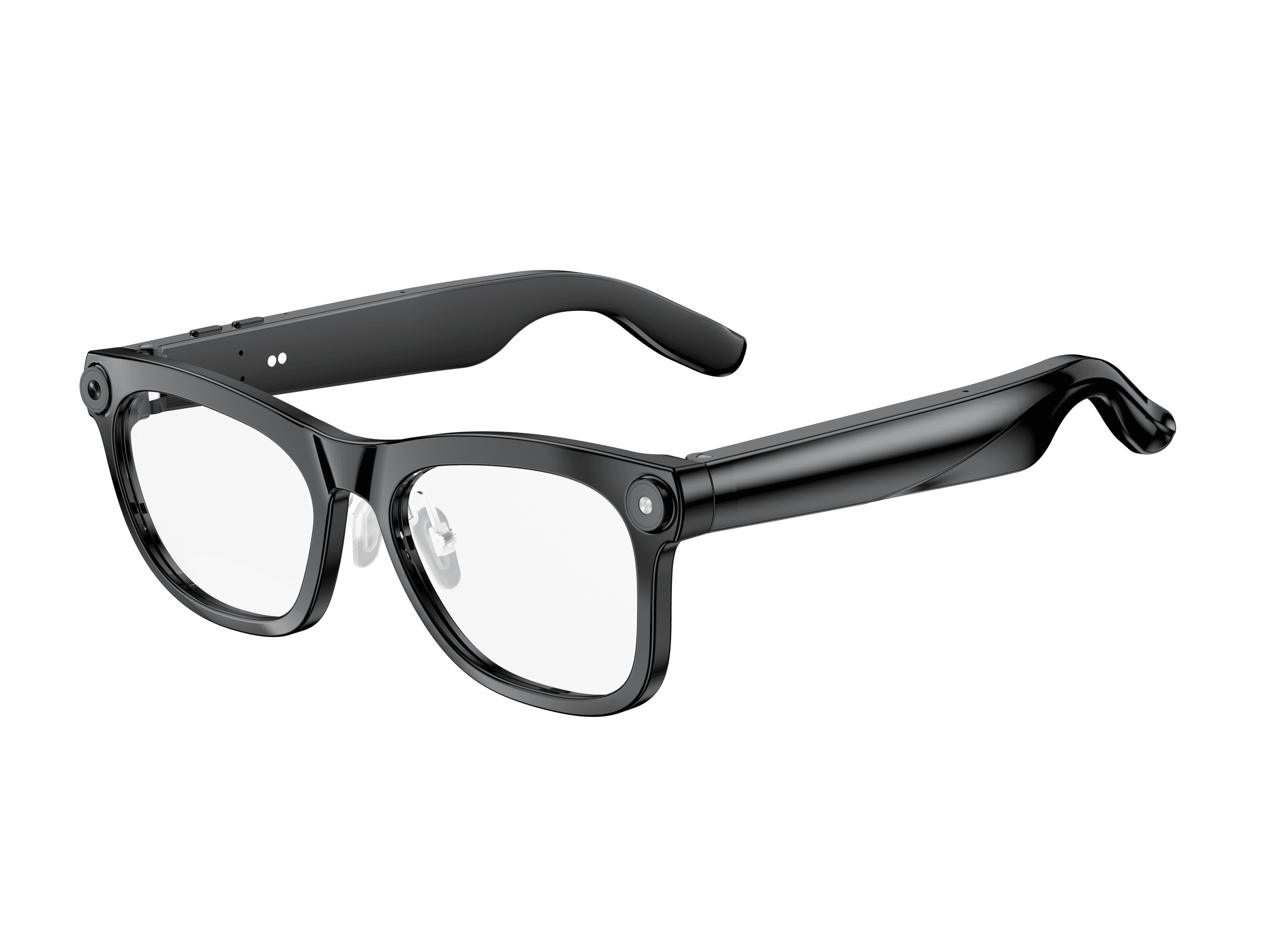 OXIVUE M02C$109 at checkout | 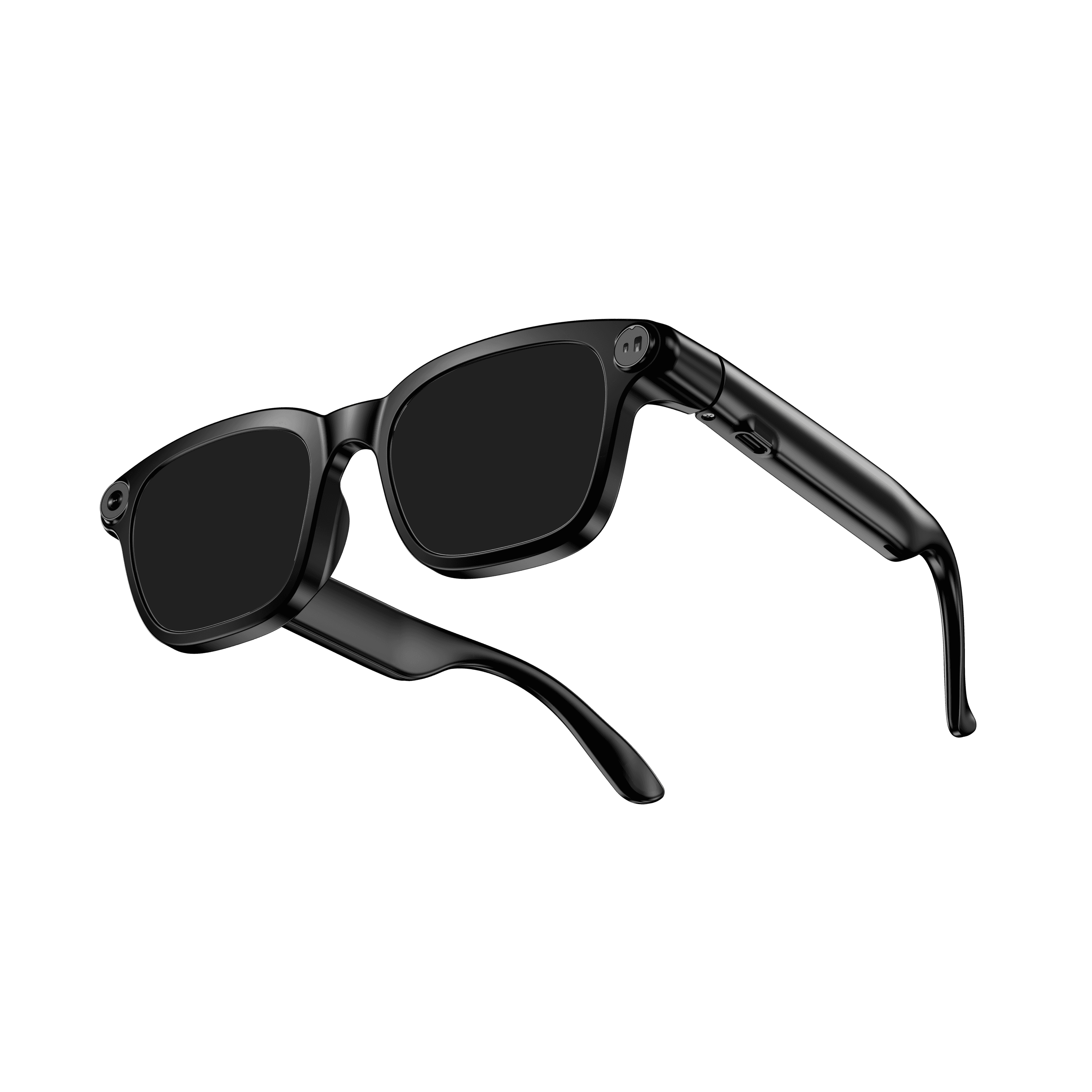 OXIVUE M08$99 at checkout | |
|---|---|---|
| Camera | 8 MP | 8 MP |
| Weight | ~41 g | ~42 g |
| Water rating | IP65 | — |
| Lenses | Sunglasses · Photochromic · Clear | Sunglasses · Photochromic · Clear |
| Translation | 40+ languages | 40+ languages |
| Visual AI | Yes | — |
From each frame’s product page. Every model: open-ear audio, Bluetooth 5.4, no subscription. Full spec table
What these frames won’t do
- No prescription lenses yet, on any model. If you need vision correction all day, these can't replace your glasses.
- No display. Nothing appears in your view; you hear answers and capture photos and video.
- Open-ear speakers leak some sound at high volume and won't block out a loud train or a windy road the way sealed earbuds do.
- Translation, music, calls and the assistant need your phone nearby and connected. Translation pauses after each sentence, and only you hear the translated audio; the other person reads the reply on your phone.
- M02C: IP65 resists dust and water jets, not immersion. No swimming, no saltwater.
- M08: no published water rating, so keep it out of heavy rain and spray.
Check these before you order: see the warranty and refund policy.