Privacy · capture LED · 2026
Meta glasses light cover and camera cover: what the LED is for and what Meta says happens when it is covered
Search for a Meta glasses light cover and you find stickers and clip-ons sold for the small white light on the front. This guide explains what that light is for, quotes what Meta says its glasses do when the light is covered, sorts out what “light cover” and “camera cover” listings actually are, and says what you can do if you are the person in front of the lens. It is not a guide to hiding the light.
Still deciding? Get the M08 and M02C comparison in your inbox, with your new-customer price already applied.
One email with the comparison, one follow-up a few days later. Unsubscribe any time.
1. What the capture LED is for
Meta says the white light on the front of its AI glasses exists for one reason: to tell other people that content is being captured. Its privacy page describes “a bright white light called a Capture LED that blinks to signify when content is being captured for your gallery,” and says it “was designed solely to let others know you are capturing content” (Meta, checked November 12, 2026).
The behaviour is simple. For a photo the light blinks briefly. For a video it “continues to blink for as long as you are recording.” Meta says it tested brightness “so the light is visible even during the day,” and its July 2026 newsroom post adds that “the capture LED has no off switch.” The same post points out that the wearer also hears a shutter sound, but that it is not practical to make that sound audible at a distance. So the light is the signal meant for everyone else.
Two limits are worth knowing. The light signals content captured to the gallery, which is not every use of the glasses, and it is a signal, not a legal permission. Seeing it, or not seeing it, does not tell anyone whether recording is allowed where they are standing.
2. What Meta says happens when the LED is covered
Meta says the glasses disable the camera. Its privacy page states: “If the glasses detect the Capture LED light was covered, physically tampered or destroyed, they’ll automatically disable the camera.” It adds that no photos or videos can be taken for the gallery until the glasses detect that the light is unblocked, and that a wearer with a covered LED “will be notified to clear it before taking a photo or video” (checked November 12, 2026).
Meta’s July 2026 newsroom post explains why it built this. It says the company had “seen some people go beyond using tape to sophisticated efforts to modify or destroy the capture LED,” so the glasses now disable the camera when tampering is detected. The post says this began “with our second generation of glasses,” and does not say model by model what that includes. If you own an older pair, do not assume it behaves the same way, and check Meta’s help pages for your exact model.
The same post says Meta works to remove ads, posts and marketplace listings that advertise LED-tampering services and takes legal action against businesses that sell them. We have not verified how any particular third-party cover performs. One result in the search listings for this topic carries a headline (dated July 31, 2026 in the result) claiming a cheap sticker got past Meta’s detection. We did not fetch or test it, we are not linking it. What no product changes is the consent question in section 4.
3. What “light cover” and “camera cover” listings are
When we ran the search on November 12, 2026, the top results were shopping listings and videos. Titles included “LED Light Blocking Stickers for AI glasses (24-Pack),” “Rayban Meta Gen 1 Light Cover” and “I Tried 12 Light Covers on Meta Glasses!”, with related searches such as “DIY Meta glasses light cover” and “how to turn off light on Meta glasses.” The phrase covers a few different objects, and it helps to separate them.
| What the listing is | What it acts on | What the sources say |
|---|---|---|
| LED sticker, light blocker or clip-on “light cover” | The capture LED on the front of the frame | Meta says a covered LED makes the glasses disable the camera and that the LED exists to tell others you are capturing |
| “Camera cover” over the lens opening | The camera itself, not the light | The Meta pages we checked discuss the LED, not a cover over the camera opening, so we make no claim about how glasses respond |
| Power-off, case or leaving them behind | The whole device | The surest way to show a room that nothing is being captured |
We are not recommending a cover from any row. The honest takeaway is that the products people search for under “light cover” are aimed at the one feature Meta built to protect bystanders, and Meta says it designed the glasses to switch the camera off when that feature is blocked.
4. Why covering the light is the wrong tool
Meta says the LED has no off switch by design, so the answer to “can I turn it off” is no. Questions about how the light behaves are better answered by Meta’s own support pages than by a sticker.
For everything else the question that matters is consent, not hardware. Many places require the agreement of the people involved before you record a conversation, and sensitive spaces such as changing rooms, clinics and many workplaces have their own rules. A device that signals “I am capturing” is helping the wearer meet that obligation. Taking the signal away does not remove the obligation. It only removes the other person’s chance to object. Our smart glasses recording laws by state guide goes through the US picture. This is general information, not legal advice.
5. If you are the one being filmed
On Meta glasses, look at the front of the frame for the white light. Per Meta it blinks briefly for a photo and keeps blinking during a video, and it is built to be visible in daylight. If you see it and did not agree to be filmed, you can ask the wearer to stop or to show you what has been captured. Most people will.
- Do not treat a missing light as an all-clear. Glare, angle and other brands of camera glasses all change what you can see.
- Ask directly.“Are you recording?” is a fair question in any room.
- Use the venue. Gyms, clubs, clinics, schools and offices can ban cameras or wearable devices, and staff can enforce that. Tell them rather than confronting someone.
- Know your local rules. Whether a recording is lawful, and what you can do about one, depends on where you are. For serious cases, speak to a lawyer or the relevant authority.
For the wearer’s own data settings, such as what Meta stores and for how long, see Meta glasses privacy.
6. If you are choosing camera glasses
Anyone shopping for camera glasses with privacy in mind should ask the same three questions of any brand: how does a capture start, what tells other people it is happening, and what does the maker say about tampering. For Meta, the answers are above. For OXIVUE, here is what we can state. On the M08 (8 MP camera, about 42 g, 7 hours of listening and 4 hours of calls, sun, photochromic or clear lens) and the M02C (Sony IMX219 8 MP, IP65 for dust and water jets but not immersion, about 41 g), a photo or clip starts only with a deliberate touch on the temple. There is no display and no prescription lens option. We do not publish a capture-light specification, so we make no claim about one. Compare every model on the comparison page.
A one-pair order is $99 for the M08 and $109 for the M02C at checkout, and two or more pairs in one order are 50% off all eyewear. Whatever you buy, ask before you film other people. The video recording glasses guide covers the wider category.
Shipping, refunds and warranty. Free shipping from $99. US orders typically arrive in 5–9 business days; international orders take 9–14 business days. OXIVUE does not offer refunds except for an order damaged in transit, which is replaced or refunded; change of mind and unmet expectations are not refundable. Faults after delivery are covered by the 2-year warranty through repair or replacement. None of our frames take prescription lenses. Compare every model on the comparison page.
Frequently asked questions
Do Meta glasses have a light on?
Yes. Meta's privacy page describes a bright white capture LED that blinks briefly for a photo and continues to blink for as long as you are recording a video (checked November 12, 2026). Meta says the brightness was tested so the light is visible during the day, and its July 2026 newsroom post says the LED has no off switch. It lights for content being captured to the gallery, not for every use of the glasses.
Can you cover the LED on Meta glasses?
Physically yes, but Meta says it does not work as a way to record unnoticed. On Meta's second-generation glasses and later, per Meta, if the glasses detect the capture LED was covered, physically tampered with or destroyed, they automatically disable the camera, and no photos or videos can be taken until the light is unblocked (Meta privacy page, checked November 12, 2026). Meta also says the wearer is notified to clear a covered LED. We do not explain how to cover or dim it.
What is a Meta glasses light cover for?
Listings are sold as light covers, light blockers or LED stickers for specific Meta models. They are marketed at the capture LED, which Meta says exists solely to let others know content is being captured. On Meta's second-generation glasses and later, per Meta, the glasses disable the camera when the LED is covered. This guide does not test or recommend any cover. If someone sells you one as a way to film people without being noticed, that is the use Meta and most privacy law are written against.
Is it legal to block the capture light?
We cannot give legal advice, and the answer depends on where you are and what you record. Meta says it works to remove listings for LED-tampering services and takes legal action against businesses that sell them. Separately, recording people is governed by consent and local recording laws, especially for audio. Our state-by-state guide to smart glasses recording laws is the place to start, and a local lawyer is the right person to ask.
How can I tell if someone is using AI glasses to record me?
Look at the front of the frame for a lit or blinking white light. On Meta glasses that light blinks briefly for a photo and keeps blinking during a video, per Meta. Not seeing it is not proof of anything, because other camera glasses work differently and light is hard to see in glare. If you are unsure, ask the person directly. In a venue with a camera policy, tell the staff.
Do OXIVUE glasses have a recording light?
We do not publish a capture-light specification for OXIVUE frames, so this page makes no claim about one. What we can say is how capture starts: on the M08, M02C and M08C capture starts with a touch on the temple. We would still tell any wearer to ask before filming other people.
How fast do OXIVUE glasses ship, and what if something goes wrong?
US orders typically arrive in 5 to 9 business days and international orders in 9 to 14 business days after shipment, with free shipping from $99, so every single pair qualifies. An order damaged in transit is made right, and a fault after delivery is covered by the 2-year warranty through repair or replacement. Import VAT and duties outside the US are paid by the recipient.
OXIVUE frames side by side
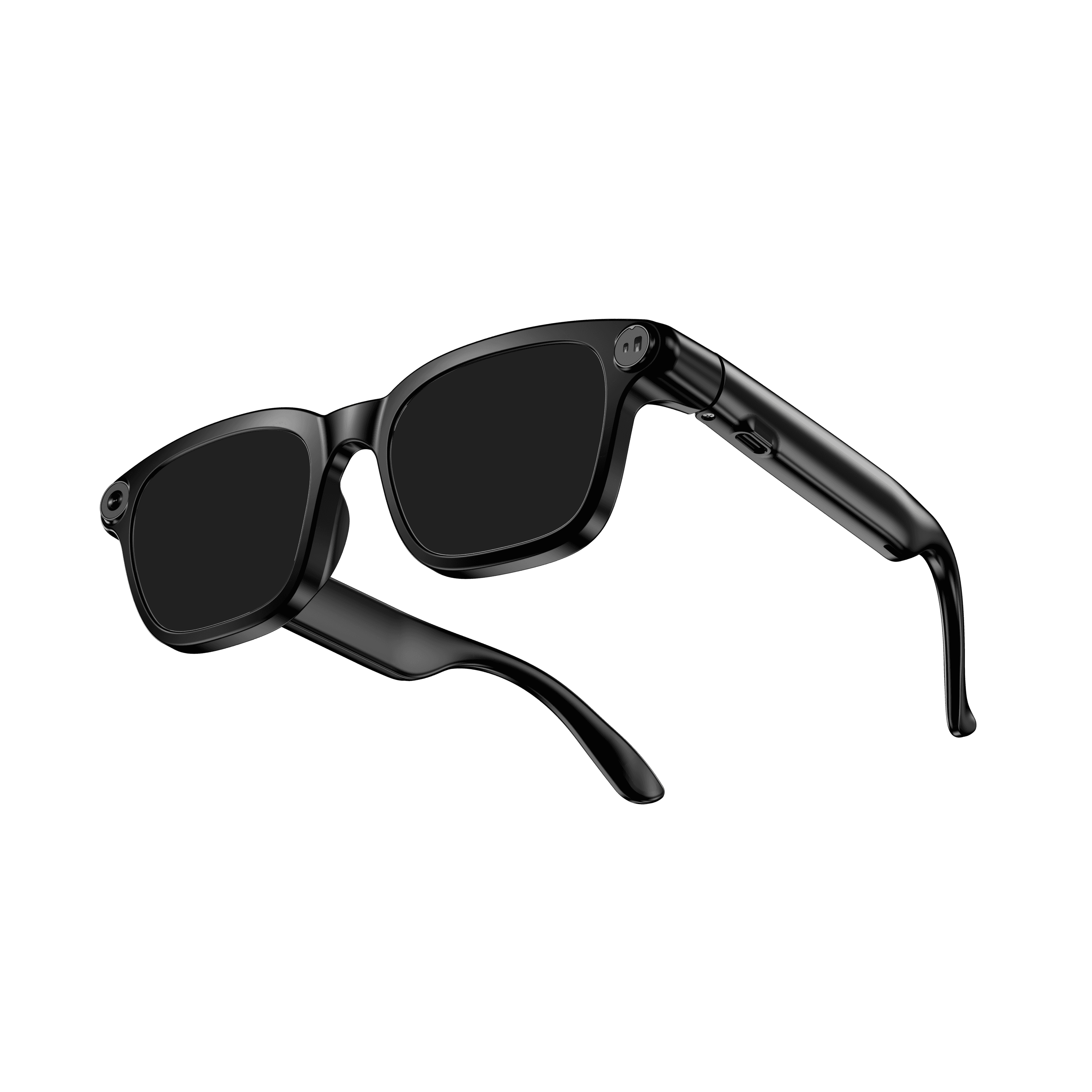 OXIVUE M08$99 at checkout | 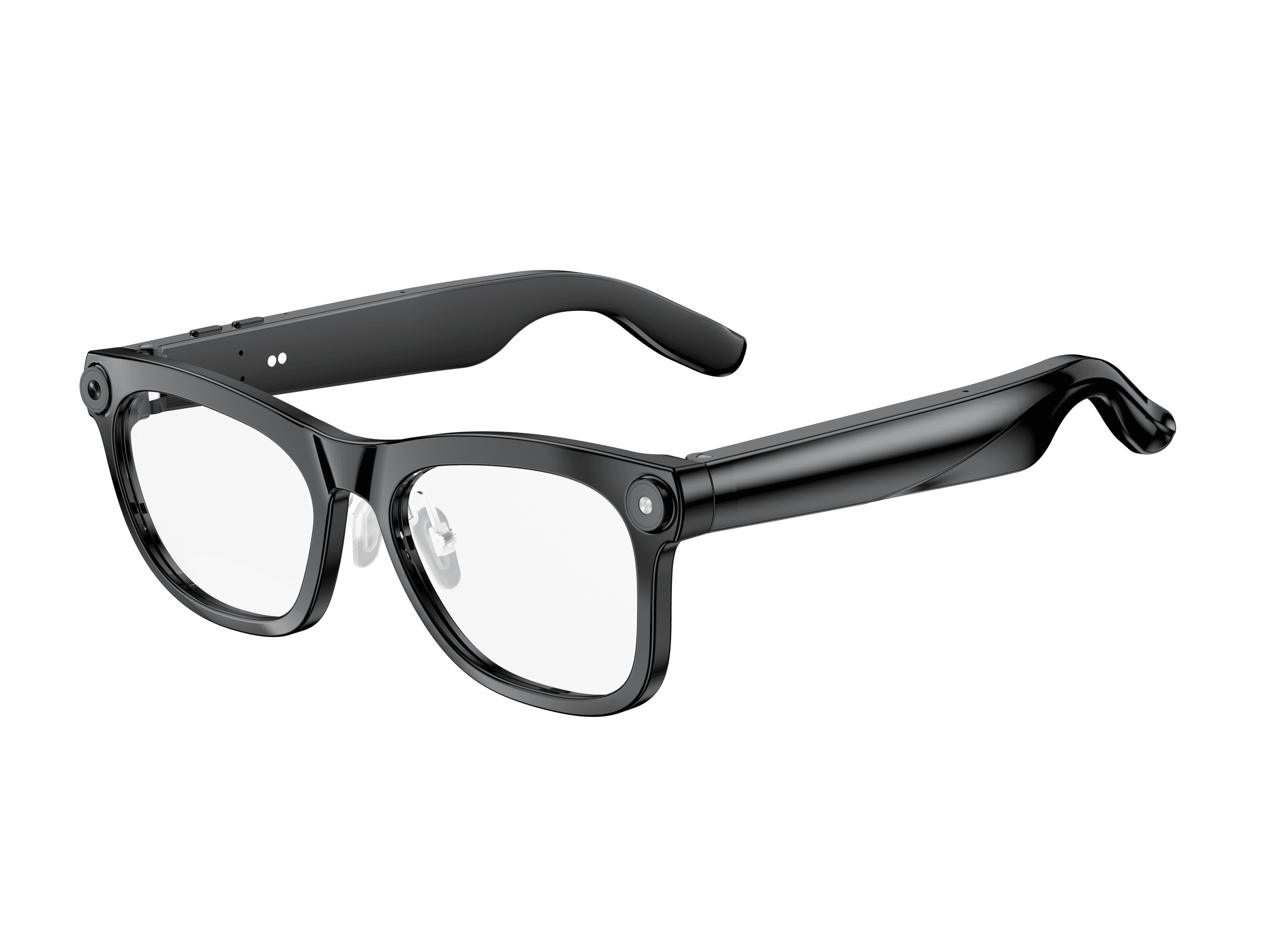 OXIVUE M02C$109 at checkout | |
|---|---|---|
| Camera | 8 MP | 8 MP |
| Weight | ~42 g | ~41 g |
| Water rating | — | IP65 |
| Lenses | Sunglasses · Photochromic · Clear | Sunglasses · Photochromic · Clear |
| Translation | 40+ languages | 40+ languages |
| Visual AI | — | Yes |
From each frame’s product page. Every model: open-ear audio, Bluetooth 5.4, no subscription. Full spec table
What these frames won’t do
- No prescription lenses yet, on any model. If you need vision correction all day, these can't replace your glasses.
- No display. Nothing appears in your view; you hear answers and capture photos and video.
- Open-ear speakers leak some sound at high volume and won't block out a loud train or a windy road the way sealed earbuds do.
- Translation, music, calls and the assistant need your phone nearby and connected. Translation pauses after each sentence, and only you hear the translated audio; the other person reads the reply on your phone.
- M08: no published water rating, so keep it out of heavy rain and spray.
- M02C: IP65 resists dust and water jets, not immersion. No swimming, no saltwater.
Check these before you order: see the warranty and refund policy.